

Siri is a workhorse of a virtual assistant for iOS, but I rarely see anyone actually using the feature on the iPhone. Maybe it is because most people don't know all of the amazing things she (or he) can do. Siri's improved a lot over the past several years and there's now a long list of tasks she can accomplish, so if you haven't been using Siri it might be time to give it another look.
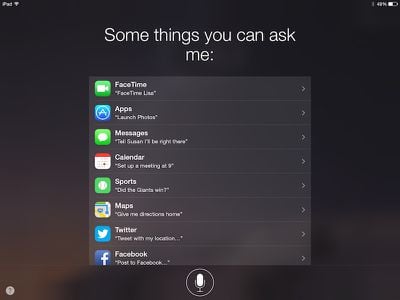
Siri can schedule appointments, call your friends, read your text messages to you, play back your music, and much more. Apple recently updated Siri's webpage with more details on the different commands. Today, we've got a quick set up guide for using Siri, plus a list of features that Apple's virtual assistant can perform if you already know how to use it.
Set up Siri
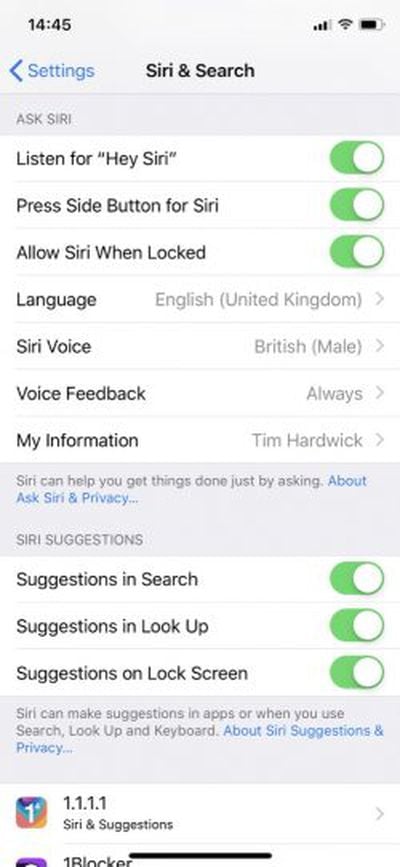
- Open the Settings app.
- Select Siri & Search from the menu.
- Turn on the toggle switch alongside Press Side Button for Siri.
- Optionally, turn on the toggle switch for Listen for "Hey Siri" to use the feature hands-free.
- Select "My Information" to add your contact details to Siri's database.
Once activated, to use Siri, simply hold the Home button or the Side button on the iPhone (or iPad) until the microphone icon appears, or simply say, "Hey Siri" (note that this handsfree activation only works on iPhone 8 and earlier when the device is connected to power). On the Apple Watch, you can hold the Digital Crown to bring up Siri, or just say "Hey Siri" immediately after raising your wrist or tapping the screen to wake up the watch.
Siri can perform a variety of tasks to make your life easier. Below is a list of phrases that you can use to make the most of your virtual assistant
Calendar
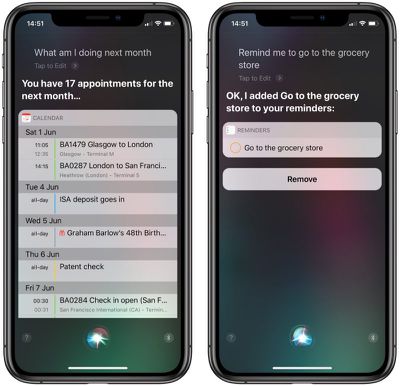
Siri can schedule events, make changes to your calendar, and even check your daily appointments.
To check your schedule say, "what am I doing today (or tomorrow, or this weekend)?"
To add an appointment say, "make an appointment" or "schedule a meeting." Then, Siri will ask what time the meeting is. When ready, she will ask you to confirm that you want the appointment added to your calendar.
Reminders
You can have Siri remind you to do just about anything simply by saying, "remind me to..." She will create the reminder and ask you to confirm. You can add a time or a place to any reminders you schedule with Siri to get a reminder at a certain time or while at a specific location that's in your address book. For example, you can tell Siri "Remind me to pick up milk at 10 a.m.," and you'll get a 10 a.m. reminder to get milk.
Notes
You can have Siri take a note for you by saying, "Take a note." When she tells you she is ready, begin talking and she will transcribe the information and save it in the Notes app for you.
Clock
Siri will activate many features of your Clock app, including setting an alarm, turning on or off an alarm, deleting one or all of your alarms, and setting a timer. Just ask and the virtual assistant will comply.
Contacts
You can tell Siri who people are in relation to you by adding the information under your contact info. Ask Siri to assign a relationship by saying something like, "Michael is my brother." You can also use words like "mom" or "dad" to describe someone.
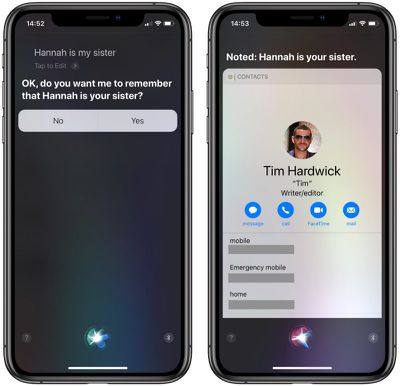
You can add custom titles for such relationships as "boyfriend" or "father in law."
- Open the Contacts app.
- Select your contact.
- Tap "Edit" in the upper right corner of the screen
- Select "Add related names."
- When a form field appears, Parent will be the default label. Tap the label.
- Scroll down to "Add Custom Label" and enter whatever you want
- When finished, assign that label to a contact
Once identified, you can ask Siri to contact people based on their relationship to you. For example, you could say, "Text my wife," or "call the babysitter."
Weather
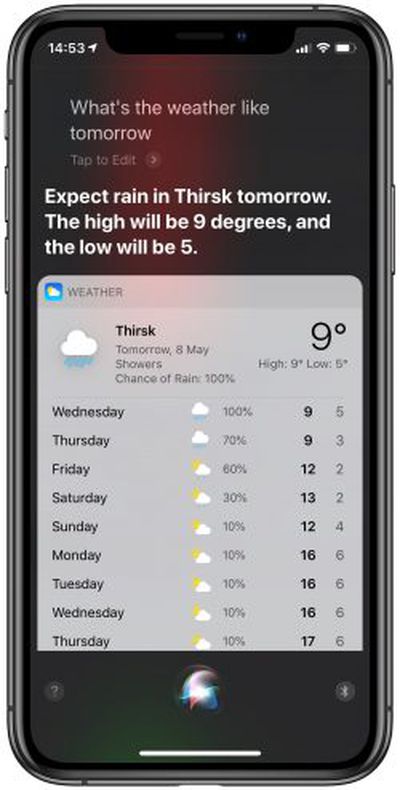 Ask Siri what the weather is like to see the current conditions wherever you are or in another location. You can also ask for a future day's forecast, including a specific time. Siri will even give you specific information on the current weather. You can ask "Is it hot outside?" and she'll let you know based on the temperature. Siri can tell you if it's raining, if it's foggy, or if it's humid.
Open an App
Siri will open any app you have on your iOS device. She is fairly good at figuring out what you meant, so if you don't remember the full name, don't worry.
Notifications
You can ask Siri to check your notifications for you. Not only will the virtual assistant tell you what notifications you have received, but she will also read them off to you in order.
Messages
When you ask Siri to send a message for you, she will ask whom to send it to. Then, she will ask what you wish to send and when you're finished she will ask to confirm the message and send it.
Siri can also check to see if you have received any new text messages. If you ask, she can also read them to you.
She can read new messages from a specific person, as well. Say, "Read all messages from my mom," or a name, and Siri will read all unread messages from that specific person and ask if you would like to reply.
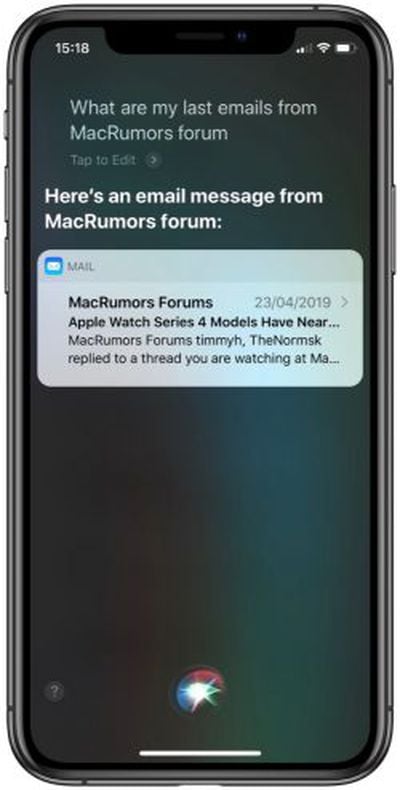
Similar to messaging, Siri can send an email, check for new emails, and read new emails to you. She will read the name of the sender and the subject line.
Just like with messages, Siri will identify all emails from a specific person that are in your inbox. Say, "Read all emails from David" and she will read the subject line for all emails in your inbox from that contact.
Stocks
Siri is a market watcher. The personal assistant can check on an individual stock. Just ask to see the stock information for a specific company and she will show you an overview of that day's numbers.
You can also get a summary of an entire stock exchange. Siri follows NASDAQ, NYSE, FTFE, Nikkei, and more.
iTunes
Siri can also playback your iTunes music. You can ask her to play a specific song, an artist's catalogue, or a particular album. Siri can also play you a specific genre, like rock, or a Playlist. If you wish to play any of these categories in shuffle mode, simply add "Shuffle" to the end of your request.
Siri has access to all of your playback controls, including pause, play, stop, and skip. She is a veritable deejay.
Identify a Song
Thanks to Apple's connection to Shazam, Siri can name that tune for you, too. Just ask, "What song is this?" Siri will listen for a moment, and tell you the title and artist if it is listed in the Shazam database (some more obscure titles are not yet known).
Social Networking
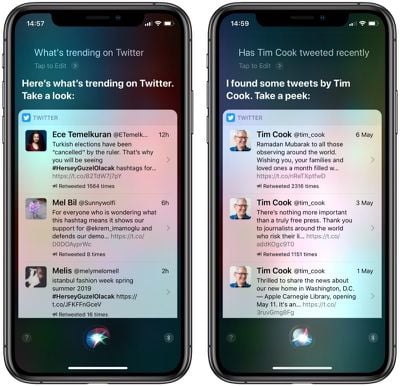
When you connect Facebook and Twitter to your iOS device, Siri will be able to post tweets and status updates. For Twitter, start your sentence with "Tweet" and say what you want posted. For Facebook, start with "Post to Facebook." You can also search for hashtags or find out what is trending on Twitter.
Reservations
Siri can make reservations for you using OpenTable. Use the specific name of a restaurant to activate the feature. For example, "Make lunch reservations at Morton's for two." This feature doesn't seem to work for reserving a hotel, but Siri will provide you with a list of nearby hotels if you ask.
Buy Movie Tickets
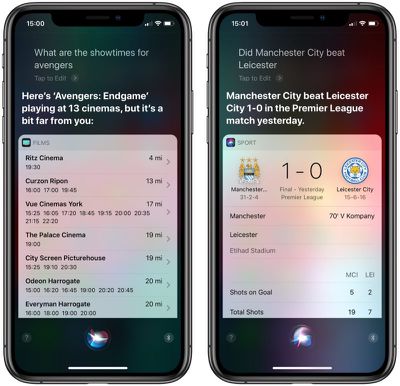
If you ask Siri to find show times for a specific movie, she will present you with a number of options at nearby theaters (based on your location). You can then select a specific show time and theater and buy the tickets. You'll need to install the Fandango app on your iOS device in order to do so. Once installed, when you tap to buy tickets, Siri will open the app so you can confirm your purchase.
Sports
If you are away from access to media that can update you with the current score for a professional or college level game, Siri can let you know so you don't have to go out of your way to look it up. She follows soccer via Italian Seria A, English Premier League, Dutch Eredivisie, Major League Soccer, French Ligue 1, Spanish La Liga, and German Bundesliga, baseball via MLB, football through the NCAA and NFL, basketball through the NCAA, NBA, and WNBA, and hockey's NHL. Just ask the score of a game and Siri will tell you. Depending on your hometown, she may even have taken sides on a particular team.
Siri will also tell you the schedule for a particular team. You can find out when the next game is, and see the entire season's schedule. If you ask for stats for a specific player, Siri will fill you in with the details. You can also find out the league standings through Siri. Just mention which league you are interested in and follow up with "league standings."
Apple is always adding new features to Siri in an effort to make the personal assistant do more for you. You can get a longer list of commands and find out more on Siri's capabilities on Apple's recently revamped Siri website.















































Top Rated Comments
Do you even realize how stupid that is? You do know the original purpose of a phone, right? Making a phone call? That involves talking into a phone.
There's nothing weird at all about talking into a PHONE. How times have changed where people think it's now weird to TALK into a communication device.
"Text mom, the doctor said to just apply a cream for a few weeks."
"Siri, how are the Red Skins doing?"
"Add a reminder, buy 50 Shades of Gray next time I'm near Barnes and Noble."
Oh no, this site is going to have some basic information to help out the typical basic and/or new iOS users. The horror!
Well, you kinda deserve that for wanting to listen to U2; Siri knows what's good for you.
Siri: "Okay, opening YouTube."
Ughhh