

Anyone with an iPhone 4S or newer knows how to use Siri. Even if you've never used the "Hey Siri" feature on iOS 8, you can probably figure it out fairly easily. However, on a completely different device, like Apple Watch, accessing Siri may need a little bit of extra training.
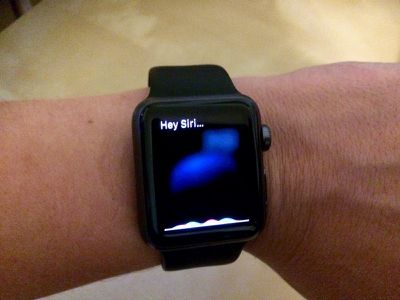
If you are having trouble getting Siri to activate, we've got a tutorial that may help shed some light on how to get her attention. Plus with one simple question, you can find out everything that your personal assistant can help you with on Apple Watch
Using "Hey Siri"
 You can get Siri's attention by raising your wrist and speaking the words "Hey Siri" within range of Apple Watch. You can also ask follow up questions the same way.
You can use Hey Siri while you are viewing an app, in the Notifications screen, or on the Home screen. But if you are having trouble getting her attention, try the steps above.
One other reason that you may be having trouble using Hey Siri is if the microphone is blocked. Apple Watch's microphone is on the side of the casing, so if you have a bulky jacket sleeve up against the side where the mic is, it may muffle your voice.
Using the Digital Crown
Just like long-pressing the Home button on the iPhone, you can long-press the Digital Crown on Apple Watch to activate Siri. This works in any screen at any time. Hold down the Digital Crown to ask Siri a question and then let go. To follow up with more questions, hold down the Digital Crown again, or say "Hey Siri."
What Can Siri Do?
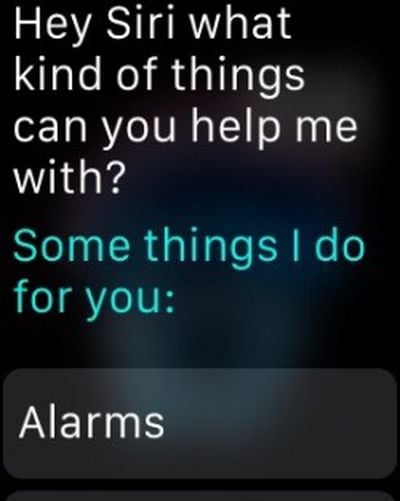 Although the personal assistant can help you out on Apple Watch, it isn't quite as robust as it is on the iPhone and will offer to hand off some functions like restaurant reservations to the iPhone. If you'd like to see a list of things that Siri can do, say the words, "What kinds of things can you help me with?" Or, if you prefer brevity, just say, "help."
The long list includes the various functions that Siri can perform, like setting alarms, opening apps, making phone calls, and sending messages. Weather, maps, music controls, sports scores, stocks, basic Q&A facts, and Bing-powered web image searches are all supported through Siri. Plus, each item includes a list of example sentences you can say to activate a feature.
There are a few unique commands on the Apple Watch -- try asking Siri how many steps you've taken or how many calories you've burned during the day. Siri will open up the Activity app to the proper screen to let you know.
Siri on Apple Watch may seem a bit like a new employee at first, but just like the personal assistant on your iPhone, it will grow more robust with time and Apple will undoubtedly add more features as time goes by. With the watch's small display size prohibiting an onscreen keyboard, Siri is one of the key ways to interact with the Apple Watch, so Apple is clearly putting significant effort into making it work well.


















































Top Rated Comments
Didn't you read the article? The entire first half (about 8 paragraphs!) is explaining the various situations in which Siri may have problems or simply won't work.
If the watch UI is in the wrong state then there are multiple steps required to activate Siri. On an iPhone it's always available and always easy!
Uh.. It's the same as it in on the iPhone. Tap and hold, or use Hey Siri. How is this complicated in comparison?
Is that sarcasm? Doesn't sound too hard to me. Over time things will be refined just like on the iPhone.
Siri should be simple. Apple Watch engineers should hang their heads in shame. They bring dishonor upon their company. Shame on them! Shame on Apple!
Without a keyboard for input, Siri is much more compelling/convenient on Watch compared to iPhone. Great for sending quick messages.
Just feels weird to talk into your watch in public. But it feels weird to talk to Siri on the iPhone in public too.