

How to Activate Siri With Your Powerbeats Pro Earbuds - MacRumorsOpen MenuShow RoundupsShow Forums menuVisit ForumsOpen Sidebar
Skip to Content

How to Activate Siri With Your Powerbeats Pro Earbuds

by

Apple announced Beats-branded Powerbeats Pro wireless earbuds in April 2019, adding a number of new features that set them apart from its wired fitness-oriented Powerbeats 3 earbuds. One of those features is the ability to summon Siri entirely handsfree, allowing you to speak a variety of commands and ask questions.
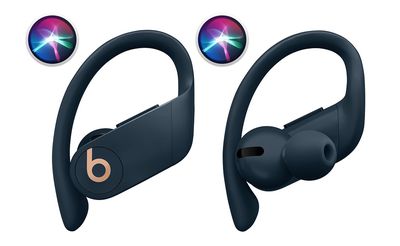
siri powerbeats pro
Like with Apple's second-generation AirPods, all you have to do is say "Hey ‌Siri‌" when you're wearing your ‌Powerbeats Pro‌ buds and the digital assistant will be ready to respond to the words that follow.

If you prefer not to have to say "Hey ‌Siri‌", you can trigger the assistant be pressing the Play/Pause button on the ‌Powerbeats Pro‌ buds for three seconds. That said, you should find the immediacy of using the "Hey ‌Siri‌" invocation a lot more convenient if you're in the middle of a workout.

‌Siri‌ can be used with ‌Powerbeats Pro‌ to control music, ask queries, make phone calls, and check the status of your earbuds. At the bottom of this article is a quick list of commands to get you started.

  • "Turn volume up/down" or "Raise the volume by 50 percent."
  • "Play" or "Pause music."
  • "Resume music."
  • "Play [Song Name]" or "Play [Podcast Name]."
  • "Play my Favorites List."
  • "Play my New Music List."
  • "Skip back/forward" or "Skip back/forward X seconds/minutes."
  • "Skip to the next song."
  • "How is the battery life of my ‌Powerbeats Pro‌?"

Note that these commands won't do anything if your iOS device doesn't have a network connection. It's an odd requirement, but unlike Voice Control, ‌Siri‌ needs an internet connection even for basic playback commands.

Popular Stories

macOS iOS 27 Siri App Feature

Apple's Siri AI Can Be Swapped Out for Claude, ChatGPT, Code Shows

Monday September 14, 2026 4:37 am PDT by
Code sleuth "pdfu" has uncovered iOS 27 and macOS Golden Gate private frameworks that show Apple has designed its new Siri architecture to work with third-party AI models at what appears to be a surprisingly deep level. One mechanism called Model Delegation allows Claude to appear as a Siri extension in the same way as the existing built-in ChatGPT extension. In pdfu's video, shared on X,...
iOS 27 Out Now Thumb

Apple Releases iOS 27 and iPadOS 27 With Siri AI and Liquid Glass Update

Monday September 14, 2026 10:04 am PDT by
Apple today released iOS 27 and iPadOS 27, the newest operating system updates for the iPhone and iPad. The software is available for free on all compatible devices, and can be downloaded over the air by going to Settings > General > Software Update. Subscribe to the MacRumors YouTube channel for more videos. It can take several minutes for the updates to propagate to all users due to high...


apple watch series 12 siri recap

Apple Explains What Happens to Conversations Siri Recap Hears

Thursday September 10, 2026 4:38 pm PDT by
The Apple Watch Series 12 and Ultra 4 have new Audio Intelligence features that include Sound Recognition, Music Recognition, Live Rewind, and Siri Recap. When these features are activated, the new Apple Watches are always listening to what's going on around the wearer. With Siri Recap, the Apple Watch listens to your conversations throughout the day and takes notes. It uses Apple...

🔗 Related Apple News & Rumors

Stay updated with the latest Apple ecosystem news and verified rumors











































