There are many commands that Siri can understand on the HomePod that make it super simple to take quick notes and set up reminders for later, which all sync to any iOS device connected to the smart speaker. As long as you allowed the HomePod access to Contacts, Messages, Reminders, and Notes in the initial pairing process, you'll be able to ask Siri to do the commands in this guide.
First, make sure that your iOS device and HomePod are on the same Wi-Fi network, so that the Notes and Reminders apps get synced to the requests you make to Siri on HomePod. Then, check out the commands below that you can speak to Siri so you can create new notes and reminders on your iPhone or iPad.
Siri Commands for Reminders
The basic starter command for the Reminders app when speaking to Siri is "Hey Siri, remind me to..." After that, you can follow up with essentially any everyday task that you want to be sure to remember.
Reminders can be more specific, as well. You can add a specific time of day or future date when you want the reminder to appear as a push notification on your iOS device, and use places that are in your Contacts to set off a reminder.
- "Hey Siri, remind me to clean the kitchen."
- "Hey Siri, remind me to tell Sam happy birthday tomorrow at 10:00 a.m."
- "Hey Siri, remind me to pack for the beach Monday afternoon."
- "Hey Siri, remind me to text Dad when I leave the house."
- "Hey Siri, mark take out the trash as complete."
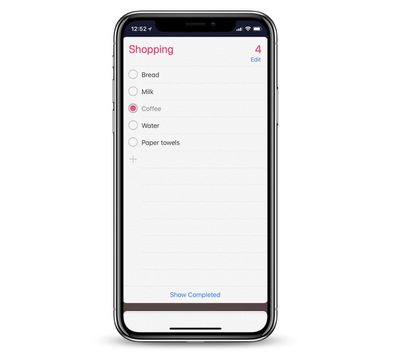
If you have some pre-set lists in your Reminders app, you can also ask Siri to add items to it. One of the most common lists to create is one for "shopping," and if HomePod is in your kitchen Siri can help you quickly build your shopping list. Siri can also help set up a new list if you want.
- "Hey Siri, create a new shopping list."
- "Hey Siri, add bread to my shopping list."
- "Hey Siri, what's on my shopping list?"
- "Hey Siri, remove milk from my shopping list."
- "Hey Siri, mark coffee as completed on my shopping list."
Siri Commands for Notes
Similar to Reminders, Siri can create you a new Note through simple voice commands when you're near your HomePod. If you already have a Note created, you can also add new text into it through Siri.
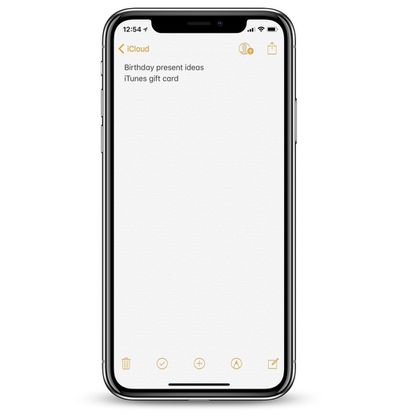
- "Hey Siri, add a note called birthday present ideas."
- "Hey Siri, add iTunes gift card to my birthday present ideas list."
- "Hey Siri, create a note called shows to watch."
- "Hey Siri, add Parks and Recreation to my shows to watch note."
At any time, Personal Requests can be deactivated on your HomePod by navigating to the Home app, tapping the arrow button in the top left corner, tapping your name, and then toggling off Personal Requests. When it is on, remember that as long as the HomePod and the iOS device are on the same network, anyone near the HomePod can create a Note and Reminder when speaking to Siri.