

How to Change Siri and Audio Volume on HomePod - MacRumorsOpen MenuShow RoundupsShow Forums menuVisit ForumsOpen Sidebar
Skip to Content

How to Change Siri and Audio Volume on HomePod

by

The HomePod and the HomePod mini are designed to automatically adjust the volume of the Siri assistant based on the level of noise in the room, but you can also verbally adjust ‌Siri‌'s volume level separately from the volume level of the media that's playing.
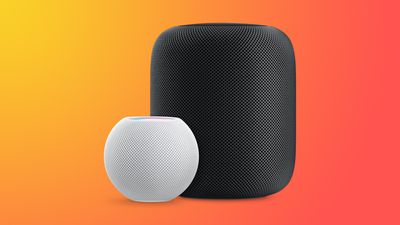
HomePodandMini feature orange
This how to walks you through the commands that you need to specifically adjust ‌Siri‌'s volume as needed.

How to Change Siri's Volume on HomePod

On ‌HomePod‌ or ‌HomePod mini‌, you can ask ‌Siri‌ to set the ‌Siri‌ volume to a specific percent, which is an adjustment that is separate from the media volume.

To do so, just say "Hey ‌Siri‌, change your volume to [percent]." You can also say "Hey ‌Siri‌, speak at [percent]."

If you tell ‌Siri‌ to set the ‌Siri‌ volume to 34 percent, for example, it will adjust it to that level while the music volume stays the same. ‌Siri‌ can be forced to be quieter or louder than your music.

Change the Media Volume on HomePod

You can also verbally adjust the media volume with a similar command, and this will adjust just the song volume without changing the ‌Siri‌ sound level.

To change the media volume, just say "Hey ‌Siri‌, change the media volume to [percent]."

Music levels can also be adjusted using the - and + buttons on the top of the ‌HomePod‌ or through a connected iPhone or iPad, but adjusting ‌Siri‌ volume specifically seems to require the spoken command.

Related Roundups: HomePod, HomePod mini

Top Rated Comments

71 months ago

Too bad Siri's volume won't stay set. Set the volume to a percentage and then ask a question. It jumps back up. You can verify by asking Siri what her speaking volume is.

Also, when did it become impossible to set or check the volume of other HomePods around the house? The only response I get now from Siri is "I can't volume information on multiple speakers".
This. It’s infuriating that there isn’t a maximum or persistent volume slider for Siri in each HomePod’s settings. Also, that it doesn’t allow you to set a nighttime speaking volume there.
Score: 12 Votes (Like | Disagree)
michaeldlord Avatar
71 months ago
Too bad Siri's volume won't stay set. Set the volume to a percentage and then ask a question. It jumps back up. You can verify by asking Siri what her speaking volume is.

Also, when did it become impossible to set or check the volume of other HomePods around the house? The only response I get now from Siri is "I can't check volume information on multiple speakers".
Score: 9 Votes (Like | Disagree)
PigsOnTheWing Avatar
71 months ago
This article needs to be deleted as Sir's volume level absolutely, positively does not stick beyond the initial request.
Score: 8 Votes (Like | Disagree)
71 months ago
While this feature would be seriously welcome, for some people in this thread [https://forums.macrumors.com/threads/14-4-brings-separate-siri-volume-control.2282052/]
including myself, the Siri volume reverts back to default volume the next time Siri speaks.
Score: 7 Votes (Like | Disagree)
Sanlitun Avatar
71 months ago
No this doesn't work.

You can ask Siri to set voice volume to 10% and then immediately ask her what time it is and she will revert to an automatic volume setting. Every time. Siri will not retain volume settings.

There is a huge thread on /r/Homepod Reddit ('https://www.reddit.com/r/HomePod/comments/lgtvcg/is_your_siri_too_loud_sometimes/') in regards to this, and in my case it's almost a dealbreaker with the HomePod.

Score: 5 Votes (Like | Disagree)
71 months ago
“Hey Siri, what is your speaking volume?”

“I’m at 61%”

“Hey Siri, change s speaking volume to 50%”

“Ok, I’ll dial it down”

“Hey Siri, what is your speaking volume?”

“I’m at 61%”
Score: 4 Votes (Like | Disagree)

Popular Stories

watchos 27

Siri AI Comes to Apple Watch in watchOS 27 Beta 3

Monday July 6, 2026 1:24 pm PDT by
With watchOS 27 beta 3, Apple added support for Siri AI and the Siri app, so Apple Watch users can now use the features right from their wrist. Apple said Siri AI would be coming to the watch back when watchOS 27 was first introduced, but the feature wasn't live until now. The Dynamic App Grid that pops up when the Digital Crown is pressed displays the Siri app in the center, and the...

iphone 16 teal

'Siri AI' Lawsuit Update: Apple to Pay Owners of These iPhone Models

Thursday July 9, 2026 7:08 am PDT by
In May, Apple agreed to pay $250 million to settle a U.S. class action lawsuit over Siri AI's delayed launch, and eligible iPhone users could receive up to a $95 payout. This week, the California court overseeing the case held a hearing regarding preliminary approval of the settlement, but the judge has not yet issued a ruling. It will likely be at least a few more months before eligible...
macOS iOS 27 Siri App Feature

Apple's Secret Siri Interface Buried in macOS 27 Beta: How to Enable

Monday July 20, 2026 4:09 am PDT by
Apple appears to be testing a hidden popover interface for Siri AI in the macOS 27 Golden Gate beta that surfaces Writing Tools and contextual actions whenever the user selects some text. Spotted by a member of Reddit's r/MacOSBeta community, the floating icon appears at the top-left of the selected text, expanding when the pointer hovers over it to a compact popover of the tools and...

🔗 Related Apple News & Rumors

Stay updated with the latest Apple ecosystem news and verified rumors











































