

Every watch face on Apple Watch is supposed to include a swipe up interaction to reveal the Control Center and its menu of buttons, and a swipe down interaction to reveal notifications. The only problem is, due to an undisclosed and intermittent bug, sometimes these interactions simply won't work when you try them. This article runs through some possible solutions.
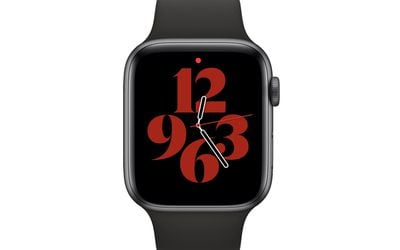
Since updating to watchOS 8.5.1, many Apple Watch users have reported instances where they are unable to access notifications or the Control Center with a swipe up or down on the watch face. In fact, the issue goes back much earlier than watchOS 8, and has been found to occur on different Apple Watch models, so it is a recurring bug that spans hardware and software versions.
Until Apple gets the watch face interaction problem fixed, you can try one of these workarounds to regain access to Control Center and your notifications.
Method 1: Switch Apple Watch Face
Before you attempt the other methods discussed here, simply try switching the watch face.
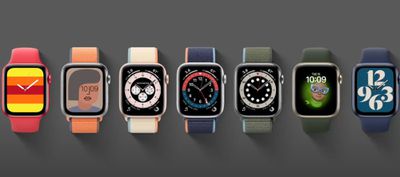
Some users have found that just swiping left or right to change the watch face has brought back the Control Center and notifications interactions for them.
Method 2: Reboot Apple Watch
Note that you can't restart an Apple Watch if it is charging, so undock it first before attempting the following steps.
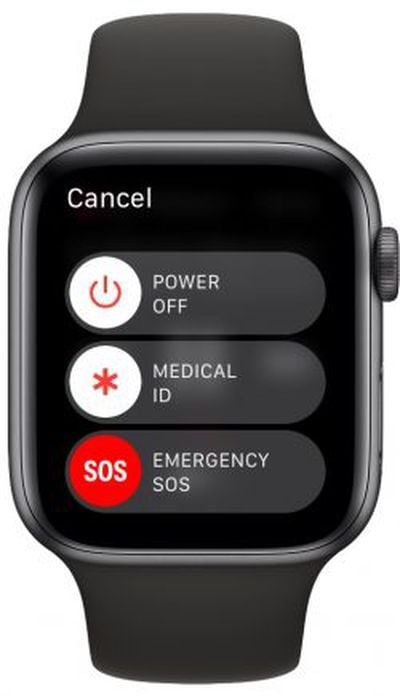
- Press and hold the side button until you see the Power Off slider on the screen.
- Drag the Power Off slider with your finger.
- Once your Apple Watch has turned off, press and hold the side button again until you see the Apple logo.

Method 3: Hard Reset Apple Watch
If rebooting didn't solve the issue, try a force restart on your Apple Watch. Note that this should only be used as a last resort. And whatever you do, don't perform a force restart if your Apple Watch is in the middle of an OS update.
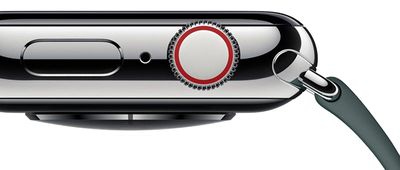
- Press and hold both the side button and Digital Crown for at least 10 seconds.
- Release both buttons when you see the Apple logo.
Method 4: Re-Pair Apple Watch
Unpairing Apple Watch from iPhone has worked for some people suffering from the issue. It takes a bit of time, but if you're missing the gestures that reveal Control Center and notifications, it's worth it.
- Bring your iPhone and Apple Watch close together, then open the Watch app on your iPhone.
- In the My Watch tab, tap All Watches.
- Tap the info (i) button next to the watch that you want to unpair.
- Tap Unpair Apple Watch. (For GPS + Cellular models, choose to keep your cellular plan.)
- Tap again to confirm. You might need to enter your Apple ID password to disable Activation Lock.
Before erasing all content and settings on your Apple Watch, your iPhone creates a new backup of your Apple Watch. You can use the backup to restore a new Apple Watch. After your Apple Watch unpairs, you'll see the Start Pairing message. Then you can pair your watch to your iPhone again in the normal way.
- Press and hold the side button on your Apple Watch until you see the Apple logo.
- Wait for the "Use your iPhone to set up this Apple Watch" message to appear on your iPhone, then tap Continue. If you don't see this message, open the Watch app on your iPhone, tap All Watches, then tap Pair New Watch.
- Follow the on-screen instructions to re-pair your watch.
Final Thoughts
If none of the above suggestions worked for you, it could be that your Apple Watch screen has a hardware issue and you'll have to take it into an Apple Store for repair or replacement.
If you solved the issue, it may only be temporary, and you'll have to wait for Apple to fix whatever's going wrong in a future update. Apple has solved similar issues on Apple Watch in past versions of watchOS, so hopefully we'll see a fix with the release of watchOS 8.7 or watchOS 9, due in the fall of 2022.














































Top Rated Comments