Apple Seeds First Beta of macOS Sonoma 14.2 to Developers - MacRumorsOpen MenuShow RoundupsShow Forums menuVisit ForumsOpen Sidebar
Skip to Content

Apple Seeds First Beta of macOS Sonoma 14.2 to Developers

Apple today seeded the first beta of an upcoming macOS Sonoma 14.2 update to developers for testing purposes, with the software coming a day after the release of macOS Sonoma 14.1.
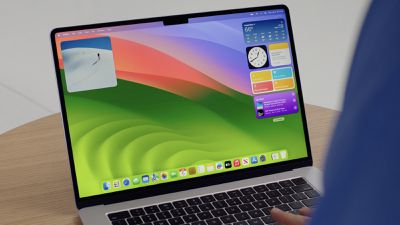
sonoma desktop wwdc
Registered developers can opt-in to the beta through the Software Update section of the System Settings app. Under Beta updates, toggle on the Sonoma Developer Beta. Note that an Apple ID associated with an Apple Developer account is required to get the beta.

There is no word on what's new in the macOS Sonoma 14.2 beta, but we'll update this article when we find out what's been added.

Related Forum: macOS Sonoma

Popular Stories

Apple Event Logo

Apple Working on All-New Operating System

Wednesday July 29, 2026 11:39 am PDT by
Apple is developing an all-new operating system that is essentially a mix of tvOS, watchOS, and iOS, according to Bloomberg's Mark Gurman. In a report this week, he said the operating system will feature a grid of icons, widgets, and apps, along with customizable clock faces. The new software platform is intended for Apple's long-rumored smart home hub. With built-in facial recognition,...

Four iPhone 18 Pro Colors Mock Feature

iPhone 18 Pro and iPhone Ultra: Pre-Orders and Release Date

Thursday July 30, 2026 6:12 am PDT by
Apple has yet to reveal when the iPhone 18 Pro and iPhone Ultra will be announced and released, but the dates usually follow a familiar pattern. Labor Day is September 7 this year. The last time the holiday fell on that day was in 2020, but the iPhone event that year was delayed until October due to the COVID-19 pandemic. So, the last time Labor Day was on September 7 in a normal year was in ...

Dynamic Island iPhone 18 Pro Feature

iPhone 18 Pro: Twelve Changes Coming to Apple's Next Flagship

Thursday July 30, 2026 3:43 am PDT by
We're less than two months out from the launch of Apple's premium next-generation smartphone lineup, and while we're not expecting a dramatic change in terms of functionality, there are still several enhancements rumored to be coming to the iPhone 18 Pro and iPhone 18 Pro Max. One thing worth noting is that Apple is reportedly planning a major change to its iPhone release cycle this year,...

Top Rated Comments

36 months ago
The 1Password extension for Safari seems to be broken with 17.2 beta. I've reported this to 1Password.


(I like how I'm a macrumors newbie even though I joined in 2007!)
Score: 3 Votes (Like | Disagree)
daneoni Avatar
36 months ago
Might wait for this before upgrading from Ventura
Score: 3 Votes (Like | Disagree)
36 months ago
Does this have the new Journal app like iOS beta does? And if so is their an import function for DayOne where most all existing users would be transitioning from?
Score: 2 Votes (Like | Disagree)
36 months ago
Damn, thanks, man! If that works, I owe you lunch! Im trying it now.

Update: It worked after a little extra step - I had to switch off HDD encryption using terminal and I am happy to report that my Canon camera works again!! Thanks so much for the tip @Realityck
Score: 1 Votes (Like | Disagree)
Realityck Avatar
36 months ago

This update killed my OBS & EOS Webcam Utility Pro, and I cannot use external cameras. I wonder if any of you had this issue? Downgrading is kinda complex ;)
Try this first
How to restore legacy video device support in macOS Sonoma
Restoring legacy webcam support will allow your older device to work, but the green privacy indicator won't appear when it is in use.
[LIST=1]
* Shut down your Mac.
* Start up in Recovery Mode. This is done on Apple Silicon Macs by holding down the power button and on Intel Macs by pressing Command-R while turning the Mac on.
* Click the Options button, then Continue.
* Select the Utilities menu, then Terminal
* Enter the command: system-override legacy-camera-plugins-without-sw-camera-indication=on
* Press Return and complete any additional steps if prompted.
* Quite Terminal
* Go to the Apple menu and select Restart.

After the Mac restarts, a warning will appear in System Settings. Go to Privacy &. Security and select Camera.
If legacy video support has been successfully restored, a warning about the green dot not appearing in the menu bar will appear. That means your outdated webcam should now work on your Mac running macOS Sonoma 14.1.

Source ('https://appleinsider.com/articles/23/10/25/what-to-do-if-your-webcam-doesnt-work-in-macos-sonoma')

Seen on [MEDIA=reddit]canon/comments/17k19s4[/MEDIA]
Score: 1 Votes (Like | Disagree)
36 months ago
Music returned yesterday and working fine, didnt need to do anything. Presumably server-side issue they have fixed
Score: 1 Votes (Like | Disagree)

🔗 Related Apple News & Rumors

Stay updated with the latest Apple ecosystem news and verified rumors









































