

Last week, Apple released OS X Yosemite 10.10.3 with support for the new Photos for OS X app, the company's replacement for both iPhoto and Aperture; Apple also removed both apps from the Mac App Store shortly after Photos was released. Today, Apple released a support document detailing exactly what users can expect when they migrate their content from Aperture and iPhoto to Photos.
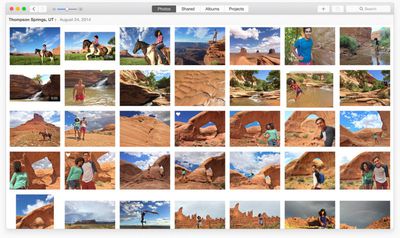
When iPhoto content (photos and video) and metadata are migrated over to Photos, they do so without changes. Images migrate over with the adjustments that were applied within iPhoto. Users will not be able to alter the images, but they will be able to revert to the original photo before adjustments were applied. Slideshows and Albums are both preserved in Photos with a few exceptions. Slideshows that use themes not available in Photos have the default theme attached to them, while Smart Albums where none of its Smart Album criteria are supported by Photos are not migrated over.
Keywords are preserved in Photos, and most metadata is migrated over, but there are some exceptions. Some IPTC metadata like Copyright are still attached to works, but they won't be visible within Photos. They can still be viewed in programs that recognize and display the select IPTC data, like iPhoto and Aperture. Finally, Events are transferred to an album called iPhoto Events in the Album View section of Photos for OS X.
Aperture's migration of content and metadata works similar to iPhoto, but with a few significant differences. Aperture projects and subfolders migrate to folders called Aperture Projects and iPhoto Events, both of which are available to view in the Album View section of Photos. Photo books also migrate to the Album section of the app. Captions are preserved in Photos, but star ratings, flagged images and color labels are turned into keywords. For example, a one-star rating shows up as "1 star" keyword, flagged images have "flagged" keywords attached and the green color label turns into a "green" keyword. Finally, custom metadata fields to not transfer to Photos.
The entire support document is helpful for those worrying about transferring their content over to Photos and can be viewed on Apple's website.
















































Top Rated Comments
I don't like it, Some deeply flawed ideas. One of the most useful features of iPhoto was dragging a picture out to a folder or to an application like photoshop. Dragging out a raw file creates a JPG and deposits it in the folder and you cannot drag into photoshop or send the raw to an external editor. Useless.
Plus they removed aperture off the app store, why? It's not like "photos" replaced all those editing features. Again... What the hell Apple?!
I just don't understand why in the Photos app they removed the ability to merge or split albums. Also Aperture and iPhoto sorted Projects and Events by date with the most recent first. That made sense. Now Photos doesn't allow for that. If you want by date you need to scroll down to get to the most reason. Not really intuitive at best and definitely annoying.
iCloud Photo Library does actually seem intuitive but it's annoying that it's blocked by a paywall for me.
Either give me more storage for free - my photo library is relatively small (people on here talk about collections with 40,000 photos in, I only have 7GB of photos) or allow me to store - for example - my 3 most recent events in iCloud, and keep the rest on my Mac.
----------
After moving all my photos into the Photos app, I deleted the iPhoto library, and have had no problems with the Photos app.
I had issues with this as well, until they rethink this option you should just go File->Export->Unmodified Original.
----------
Disagree. There is nothing normal with 360,000 photos in a library. Apple targets the mainstream here. If you need to manage such volums you are not a priority.
I think the mainstream (90%) of users will have less than 10,000 photos. I have 27 years of photos and 36,000 photos which I find to be a lot. 230GB which put me in the 500GB bracket. But I don´t consider myself mainstream.
----------
You´re no fun. It´s version 1. Give Apple a break. It´s a fantastic first release. Obviously they will keep hacking up features. Until you find them, find alternative ways of doing things. Need to GEOTag something? Just export out of Photos, and into iPhoto, tag and re-import into Photos.