

"The Button" from Fibaro is the latest HomeKit accessory that's designed to add physical control options to your HomeKit setup, making it easier to access HomeKit devices without an iOS device or HomePod.
Design wise, The Button looks like you might expect something called "The Button" to look. Made of smooth plastic, it has a small round base that holds a slightly larger button that depresses to activate HomeKit commands.
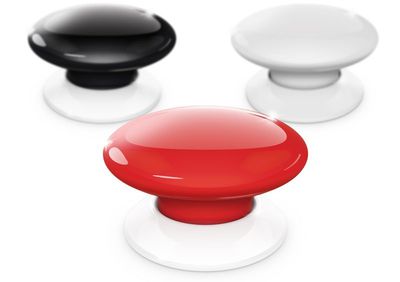
I like the look of the button, and it offers a satisfying button-like press that's better than some of the other competing button and tap-style devices that offer physical HomeKit controls. The button I reviewed was white, but it is also available black and red.
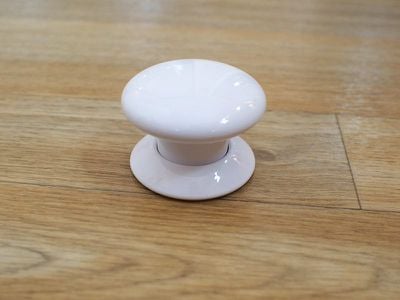
The Button supports just three gestures: a single click, a double click, and a press and hold. This limits what can be done with The Button, so a household may need more than one if there are a lot of HomeKit products and you want granular control over each one.
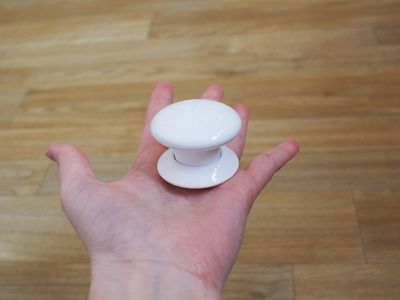
You can attach the button to a wall or a desk using included adhesive or by nailing the plastic mounting plate into the wall. You can also just use it sans adhesive or mounting plate if it's just sitting on a desk or nightstand, or if you want to be able to move it around.
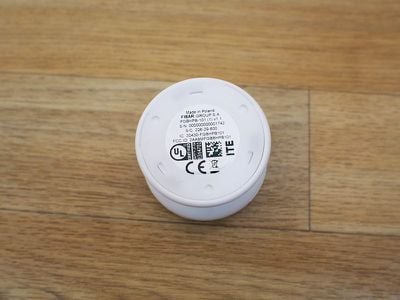
There is no light to indicate that The Button is turned on and has power, but you can enable an audio feedback option in the settings section of the Fibaro app to have it beep when a button press is activated.
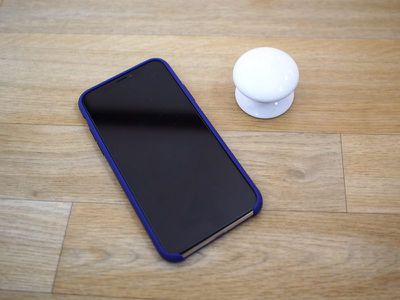
Setting up The Button is a little more involved than the setup process for some other HomeKit products. You need to press down and rotate The Button in a counterclockwise direction (like a childproof pill bottle) to open it up to remove the battery blocker.
Once open, you need to take out the user-replaceable 1/2AA battery that powers the accessory to remove the small piece of paper before putting the battery back in place and closing it back up. From there, you can download the Fibaro app or the Home app and add it to a HomeKit setup using the QR code in the manual or on the bottom of The Button.
I thought the Fibaro app was one of the worst HomeKit apps I've ever used. It's cluttered, has an unintuitive UI, and uses a color scheme that makes text hard to read. It also has no real instructions on programming The Button, which is going to be confusing for those who are new to HomeKit and unfamiliar with automations.
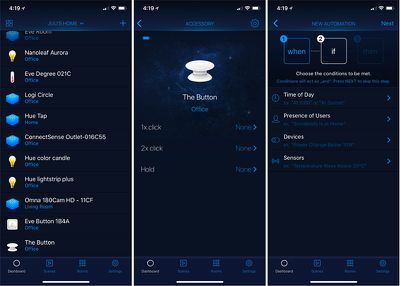
Most users will probably be better off controlling and programming The Button with the Apple Home app, where you can more easily assign Scenes and automations to each button press.
With The Button, you can do things like activate a specific scene to turn off all of the lights in the house at night, lock the door, and turn down the thermostat, or turn on all the lights in the morning and turn up the thermostat, all depending on which HomeKit devices you have installed and what you want The Button to do.
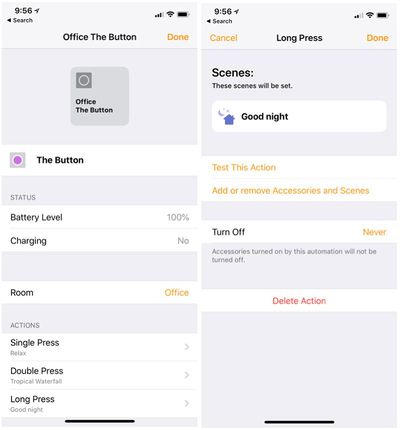
I set a single press to turn off all of the lights in my office with the exception of my night lights, and a double press turns them all back on in the morning. A long press sets an evening scene that dims the lights. The Button can do a huge variety of things depending on the HomeKit products you own, but I've found it most useful for lighting. It can turn lights on and off, dim lights, change colors, and more.
The Button was always responsive during my testing over the past couple of weeks, with each of the three button presses clearly activating each scene assigned to it. I didn't run into any connectivity problems or other issues while using The Button, which is always a plus.
Bottom Line
When you just want to turn the lights on or execute a quick action, it can be a hassle to pull out your iPhone and open up the Home app or use Siri. Physical control products like The Button add a lot of convenience to a HomeKit setup, and they're a must have for guests who don't have access to your HomeKit devices but need to control something simple like a light.
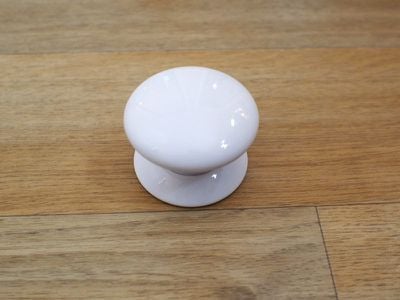
At $60, The Button is more expensive than competing options like the Eve Button, or the Hue Tap, but it's on par with the Logitech Pop and it's arguably one of the more fun button devices you can purchase given its intuitive button design and the range of colors it's available in.
How to Buy
You can purchase Fibaro's The Button from Amazon or from the Apple Store for $59.99.












































Top Rated Comments