

Fibaro has been making smart home devices and HomeKit-compatible products for a few years now, and the company has several sensors that work with HomeKit, including the Flood Sensor.
The Flood Sensor, along with the Button that we reviewed last year, are the two Fibaro branded HomeKit accessories available for purchase from Apple.
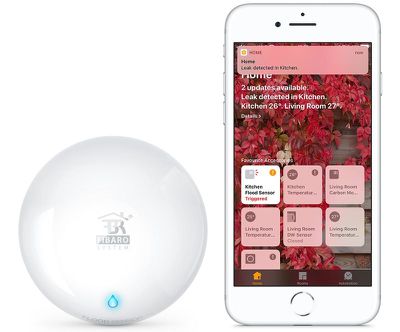
Fibaro's Flood Sensor is designed to detect water, which sounds super basic, but it's something that has the potential to save you a lot of money because if you've ever had a flood or a water leak, you know the kind of damage that water can cause to your home.
Design
When I saw the Fibaro Flood Sensor online it looked like a rather sizable device, but I was pleasantly surprised to find that it's actually small, unobtrusive, and able to go anywhere.
The Flood Sensor, made from a white plastic material, fits in the palm of my hand. It's round in shape with three corrosion resistant gold feet at the bottom that are designed to detect liquid. The feet are retractable at the ends which makes sure the sensor's feet are in contact with the ground even if the surface is a bit uneven.
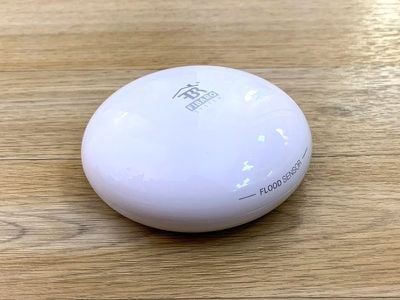
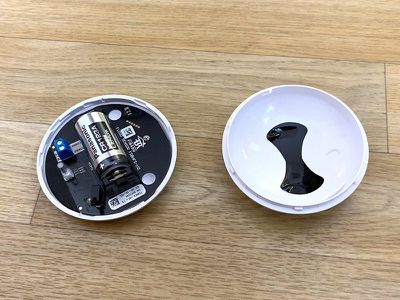
"Flood Sensor" is written on one side of the device, and there's a Fibaro logo at the top. Inside the Fibaro Flood Sensor, there's a CR123A battery, which can be accessed by twisting the top of the cover counter-clockwise. This is also where the serial number is located.
You can put the Flood Sensor just about anywhere it will fit. It's just about an inch thick at its widest point, so you can tuck it into some tight spots. I have it located underneath a shelf in my living room, a spot where rain water has come in during heavy rains when the gutters outside of my apartment get full.
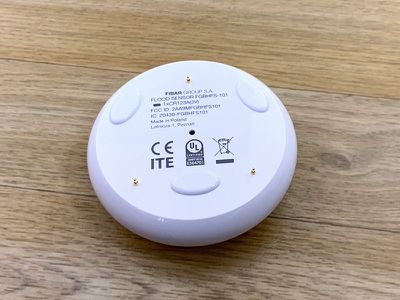
The feet on the Flood Sensor are small enough that it can detect even a small amount of water right away, which is useful for catching a leak before it gets too bad. If there is a lot of water though, it does float.
Setup
Setting up the Flood Sensor was relatively simple. I had to remove the plastic covering from the battery to get it to activate, which involved opening up the case (a simple counter-clockwise turn to open and then a clockwise turn to close it back up) and pulling out the tab.
From there, I added it to HomeKit using the Fibaro app and scanned the HomeKit code on the manual. There doesn't appear to be a HomeKit code on the device itself, so you may want to hold on to the manual because without a HomeKit code, there's no way to re-add the product to HomeKit.
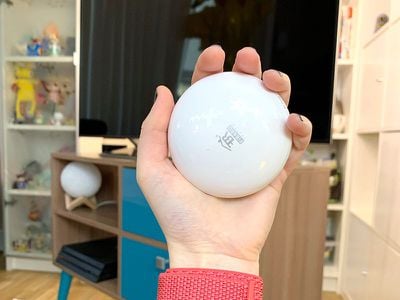
Fibaro connects to HomeKit over Bluetooth, so to get notifications about leaks when away, you're going to want to have a Home hub available (iPad, Apple TV, or HomePod). I never had a problem with Bluetooth because I have a lot of hubs in my apartment, but in a larger home, Bluetooth connectivity issues could lead to delays if there's not a hub close by.
Functionality
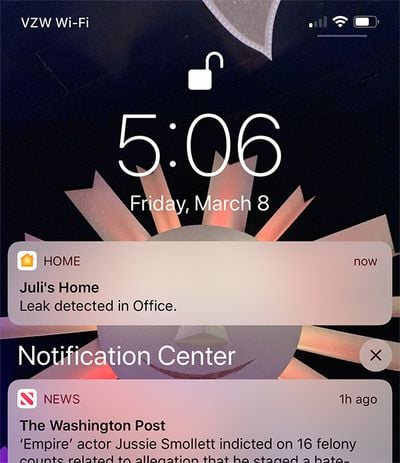
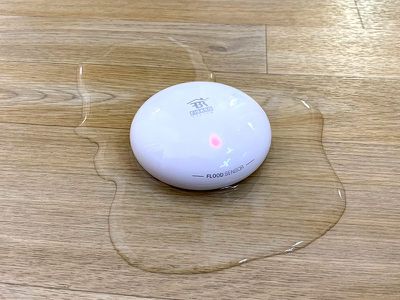
The Flood Sensor is super sensitive and in my testing, it started beeping and flashing red the second it detected water, so it was also quite fast. It continued beeping loudly until it was removed from the water and also sent a notification to every single one of my devices, so the alerts are hard to miss. There is no notification when the water detection stops.
It's sensitive enough that just one of the feet needs to detect moisture before it sounds an alarm, which is great because you can catch a leak as soon as it starts. Having notifications is nice because there's peace of mind that you're not going to miss the alarm sound just because you're out of the house.
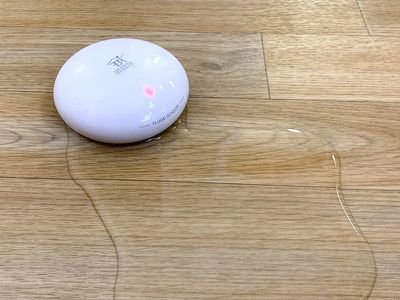
Fibaro notifications are sent only to your iOS device with no backup method, such as email, available. This could potentially be a problem if you're without a reliable connection at the time the notification is sent. When there's a leak, it's a big deal that can lead to tons of damage, so a leak sensor needs to use every available method for notification.
It is worth noting that the water needs to touch the gold feet of the Flood Sensor to trigger the alarm. It only activates when the water hits those three specific spots, so if there's a drip and it misses the feet, it's not going to activate. It does seem to need actual contact with water because the alarms stop when it's pulled out of water even if it's still wet itself, so just dampness doesn't trigger it.
There is a tamper feature on the Flood Sensor, so it will sound an alarm when messed with by a child or a cat. Whenever I picked it up to move it for testing purposes, the tamper alarm went off and scared me, so I expect this isn't something a pet is going to want to mess with.
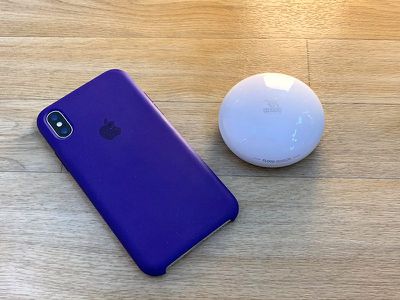
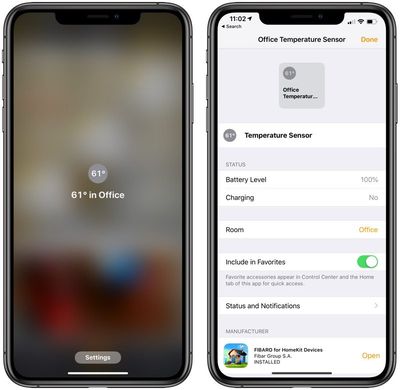
In addition to detecting water, the Flood Sensor has a built-in temperature sensor (but no humidity sensor) so it will also tell you the ambient temperature of the room where it is located and can let you know if there's a sudden shift in temperature such as when a pipe freezes. You'll want to set this up in the Home app with an automation.
App and HomeKit
I'm not a fan of the Fibaro app. It looks outdated, I've had it crash a few times, and every time I open it, it reminds me that location services isn't enabled. I know location services isn't enabled, I disabled it.
The Fibaro app displays tiles for all of your available HomeKit products, including the Flood Sensor, but there's not a whole lot you can do with it in the app.
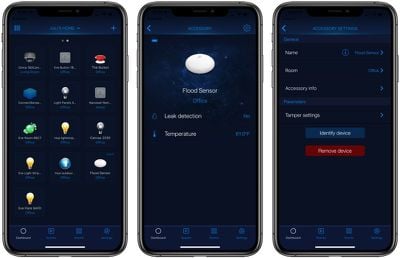
You can see its current status (aka whether it's detecting a leak) and the temperature through the built-in temperature monitoring feature. There's also a tamper adjustment setting that can be adjusted to prevent it from accidentally detecting water when there's a vibration.
You can use the app to create scenes and automations, but I'd recommend using the Home app over the Fibaro app because it's cleaner and easier to use.
The Home app offers all of the same settings for the Flood Sensor, letting you see the temperature and whether water has been detected. It also lets you adjust notifications if desired. The Flood Sensor will send a notification to you via HomeKit any time water is detected. There's no option for adjusting or disabling notifications in the Fibaro app.
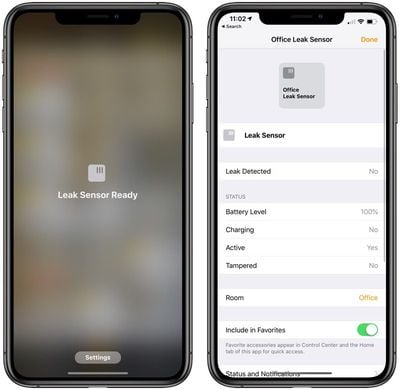
Sensors like the Fibaro Flood Sensor can't be included in scenes, but they can be used as triggers in automations. You can, for example, have all your lights flash on or turn a certain color when water is detected or, if you have a HomeKit smart plug, have it cut the power to something like a washing machine or dishwasher.
Bottom Line
If you have an area in your house that's prone to leaks or flooding, such as under a troublesome sink, a leaky water heater, or near a fish tank, the Flood Sensor is a useful tool for letting you know about an issue right away so it can be addressed as quickly as possible.
There are sensors like this that are much cheaper, but the more affordable models don't connect to your iPhone for remote alerts (you need to be there to hear it), and smarter models are closer to $40. That's still less expensive than the Fibaro, so if you don't need HomeKit, shop around.
The Fibaro does offer the ability to connect the Flood Sensor to other HomeKit products for trigger purposes, so you can do things like turn all the lights blue when water is detected or even cut power to an appliance like a washing machine. I'm not sure how practical that is for most appliances and use cases, but it's certainly an available option.
I don't know if a Flood Sensor needs HomeKit connectivity to be effective, but regardless of the HomeKit compatibility, the Fibaro Flood Sensor was able to deliver reliable alerts on all of my devices and it never failed to detect water exposure. It's not a perfect solution because there are missing features like humidity detection and more reliable (email) notifications, but it is the only HomeKit Flood Sensor on the market for people who prefer a HomeKit setup.
How to Buy
The Fibaro HomeKit-enabled Flood Sensor can be purchased from the Apple online store for $69.95 and it will be coming to Apple retail stores later in the year.















































Top Rated Comments
I have one from Samsung connected to my SmartThings hub that cost $20 and it has sensors on the top and bottom of it so you can use it as a drip sensor as well. It’s also about half the size of this massive thing.