

Mattress company Casper recently introduced its first non-bedding product, the Glow Light. Designed to help you fall asleep and wake up, the Glow Light provides timed, smart lighting that gets gradually dimmer or brighter based on your needs for the purpose of improving your sleeping habits.
Design
Casper's Glow Light will look familiar to Apple users because the design is reminiscent of the HomePod. The Glow Light is cylindrical in shape, with a flat top and a flat bottom, but it's about palm-sized and smaller than the HomePod.
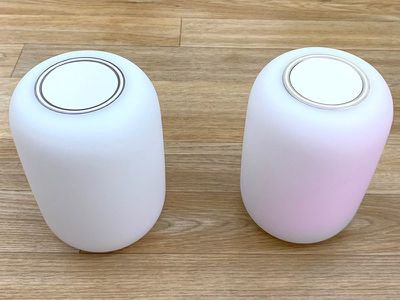
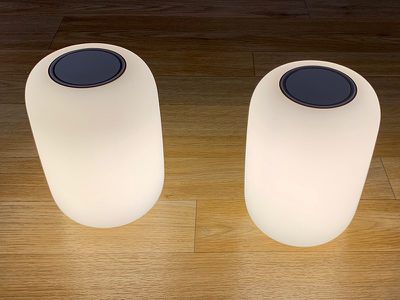
Made of a translucent plastic material, the Glow Light puts off a soft yellow light with several available brightness levels. Light emanates from the entire body of the lamp, with the exception of the top and bottom.
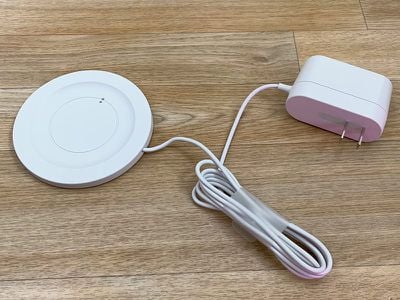
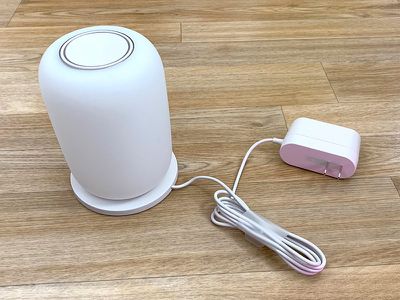
A wireless charging base provides power to the Glow Light, which does have a battery so it can be used when off of the stand. Both ends of the Glow Light can be used for charging purposes, so putting it on the charging base is hassle-free. Reversible charging is a nice touch because there's no need to pay attention to orientation.
The charging pads on the top and bottom of the Glow Light also double as buttons for certain gestures, but other than these areas, there are no other physical controls on the Glow Light. All adjustments are made via flips and turns thanks to a built-in accelerometer, though there are also iPhone control options.
The Glow Light puts off a soft yellow light and the color is not adjustable, but it can be made brighter or dimmer. At full strength, the Glow Light offers even lighting, but at its dimmer levels, the bottom lights up while the top remains dim.
I love the design of the Glow Light because it's similar to a nice, bright candle with a diffused light that is decently bright but doesn't bother my eyes. At the brightest setting, the Glow Light puts off more light than your average table lamp and can easily replace existing lights in the bedroom. I have it set to half bright at maximum, which is the default.
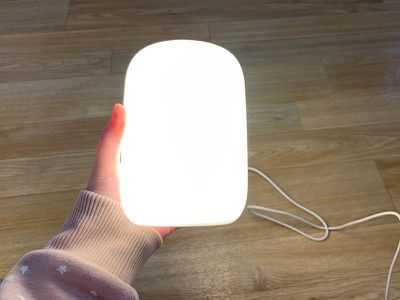
The built-in battery in the Glow Light can last for several days between charges depending on how often you have it on, and its size is perfect for picking it up when you need to use the restroom or get a drink of water in the middle of the night.
Functionality
There are a lot of gestures packed into the Glow Light, but once you have them memorized, the light is intuitive and easy to use.
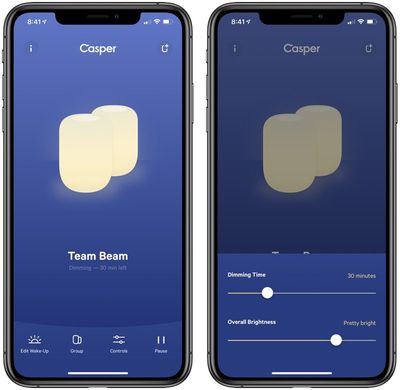
Flipping the Glow Light to either side will turn it on when it's off, and when it's flipped, it will start to slowly dim over the course of 45 minutes (a time period adjustable in the app). It starts out at the highest brightness setting you have enabled, and then will dim down over time.
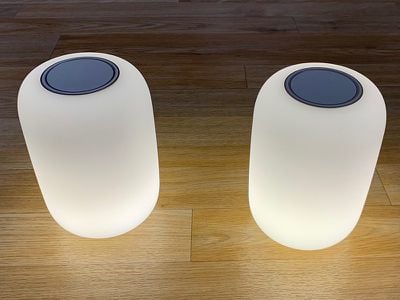
This flip is the one you want to use at night in bed when you're winding down for sleep. If your Glow Light is already on and you flip it, it will turn off. Turn it off entirely by holding down on the top button for approximately six seconds.
If you twist the Glow Light left or right you can turn the brightness up or down, and the twist gesture is simple - just give it a little turn.
When you press on the button at the top of the Glow Light, you can pause the 45 minute dimming process, and if you press it again, you can reenable it.
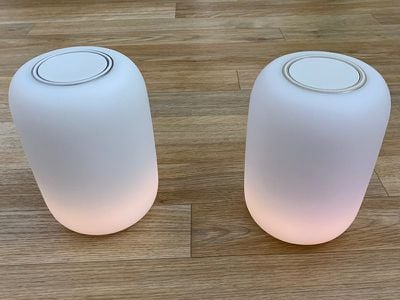
At night, when it's off, if you pick it up and give it a little shake, it will turn on, which is the setting that's ideal to use when you want to take it with you as a little portable nightlight.
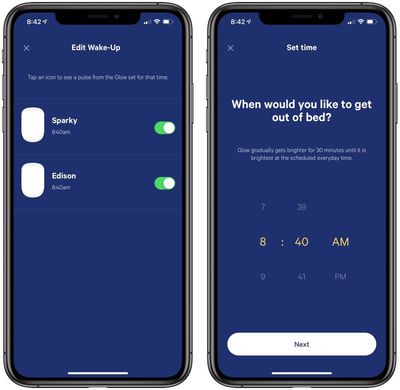
To set the morning timer, you will need to download the app, but once your sleep time is input, it will turn on gradually ahead of your specified wake up time to wake you up, getting brighter and brighter.
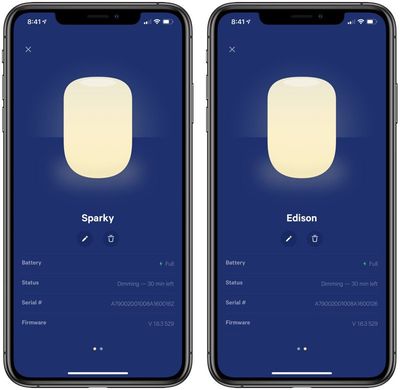
If you have two Glow Lights, such as for two nightstands on either side of the bed, they can be linked together and will turn on and dim at the same time.
Two Glow Lights is a little problematic, though, if both people don't go to bed and wake up at the same time. I wasn't able to really test using two lights at once for two people because my husband gets up at about 5:30 a.m. while my wakeup time is 8:30 a.m. Similarly, he often goes to bed before I do, which was an issue when using the lights to fall asleep.
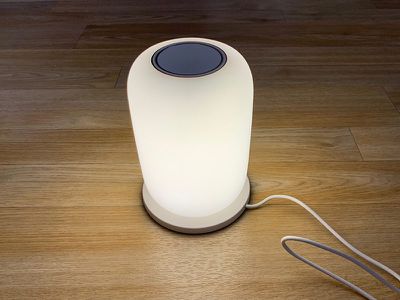
There is no smart home integration in the Glow Light, which means no HomeKit support, no Alexa support, and no other voice-based control option. It's meant to be controlled physically for the most part, which has both upsides and downsides. The Glow Light is simple and straightforward, but it's lacking in the bells and whistles you get with smarter lighting options.
Using the Casper for Sleep
Casper says the Glow Light can provide better sleep because it's designed to help ease you into a night's rest by gradually dimming the light, but I don't think it's going to work for everyone.
The light is designed to turn off over a set period of time (45 minutes by default), but my problem is that when I get into bed, I'm ready for lights out and I don't want a light on for any amount of time. I do read in bed, but with a backlit screen that doesn't require a light.
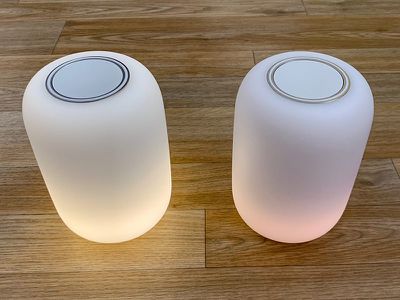
I'm not usually in my bedroom for any length of time before going to bed, so using the Casper was an adjustment. I tried it in my office, where I'm usually at watching TV, reading, or playing video games before I head to bed, but I've already got a whole lighting system that dims appropriately at night.
If you already have something like Hue lights or any of the numerous other smart lights out there, the Casper Glow Light is going to be superfluous because existing smart lights can already be dimmed on a timed basis or set to a yellower light.
Those who spend a lot of time in the bedroom before bed getting ready or reading with the lights on and who have standard bulbs will get a lot more functionality out of the Glow Lights. In this situation, the soft yellow light that dims gradually is going to be better than a typical light bulb that's on the bluer side.






























Top Rated Comments
[doublepost=1551372527][/doublepost]Don’t diss my toothbrush! It gives me 30 second intervals to ensure I spend all 2 minutes brushing my teeth. Even the dentist noticed.
I used to do that but noticed my head would start throbbing after a bit of time. Switched to an old Nook with a lamp instead.
These look pretty neat!