How to Repair the Startup Disk on M1 Apple Silicon Macs - MacRumorsOpen MenuShow RoundupsShow Forums menuVisit ForumsOpen Sidebar
Skip to Content

How to Repair the Startup Disk on M1 Apple Silicon Macs

by

Disk Utility is Apple's go-to macOS app for finding and repairing common disk errors, but if it's your Mac's internal disk that's the problem, then your Mac might not even start up into macOS. Fortunately, in such cases you can still get to Disk Utility from macOS Recovery.
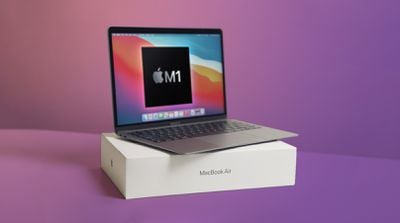
macbook air m1 unboxing feature
On Intel-based Macs, pressing the Command-R key combination immediately on booting invokes Recovery mode. On Macs powered by Apple silicon, such as the M1 MacBook Pro, the process is a little different, as described in the following steps.

  1. Turn on your Mac and continue to press and hold the power button until you see the startup options window.
  2. Click the gear icon labeled Options.
  3. Click Continue.
    m1 mac startup options

  4. If prompted, select a user, then click Next and enter the password.
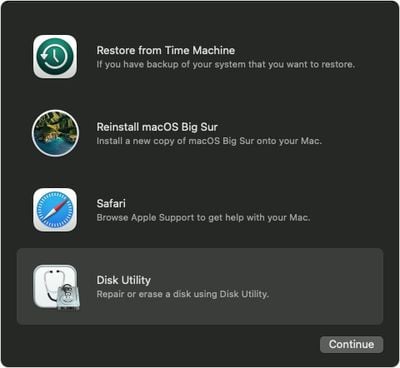
  5. From the utilities window in macOS Recovery, select Disk Utility and click Continue.
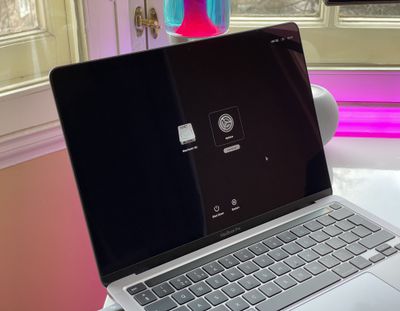
    macos big sur recovery disk

Repair Your Startup Disk in Disk Utility

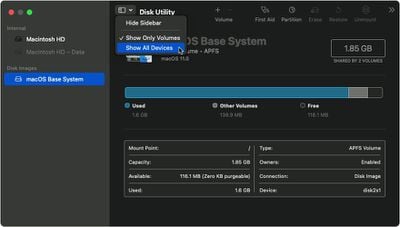
  1. Choose View -> Show All Devices from the toolbar in Disk Utility.
    macos big sur recovery mode disk utility show all devices

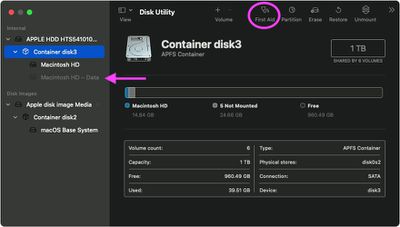
  2. The top disk in the side column is your internal disk. Beneath it you should see any containers and volumes on it. Start by selecting the last volume on the disk, then click the First Aid button.
    macos big sur recovery mode disk utility container disc

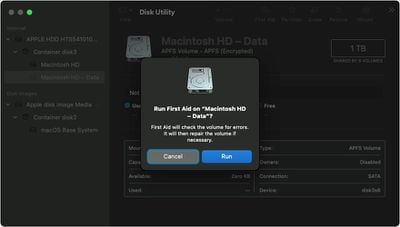
  3. Click Run or Repair Disk to check the volume for errors. If you can't click the button, skip this step for the volume you selected.
    macos big sur recovery mode disk utility data volume first aid

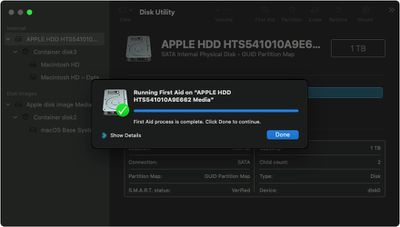
  4. After Disk Utility has completed the check, select the next volume or container above it in the sidebar, then run First Aid again. Repeat this step for each volume on the disk, then each container on the disk, then lastly the disk itself.
    macos big sur recovery mode disk utility disk first aid complete


If Disk Utility found errors that it was unable to repair, you may need to erase the disk and reinstall macOS. If you don't have a separate backup of your data, contact Apple's support services for next steps.

Popular Stories

nvidia rtx spark

Nvidia Challenges Apple Silicon With New RTX Spark PC Chip

Monday June 1, 2026 3:41 am PDT by
Nvidia is entering the consumer PC chip business for the first time and has thrown down the gauntlet to Apple, describing its new RTX Spark processor as "the most efficient PC chip ever built." Nvidia says its RTX Spark Superchip is purpose-built to run AI agents that can work proactively across apps and run in the background as a personal "teammate." With the chip, Nvidia says users...
HomePod mini and Apple TV Sage

New Apple TV and HomePod Mini Are 'Nearly Ready' to Launch, New Siri Remote Also Rumored

Sunday May 31, 2026 8:47 am PDT by
New models of the Apple TV 4K and HomePod mini are "nearly ready to go," according to the latest word from Bloomberg's Mark Gurman. Subscribe to the MacRumors YouTube channel for more videos. Both devices have been ready "for months," but Apple is holding off on launching them until the more personalized version of Siri is available, he said. "I am told the hardware for the next Apple TV...
Apple Foldable Thumb

First 'Confirmed' iPhone Ultra Color Allegedly Revealed in Leaked Image

Monday June 1, 2026 4:39 am PDT by
Apple is expected to launch its first foldable iPhone later this year. Rumors suggest the "iPhone Ultra" will come in two color options, and a leaker shared an image today that allegedly shows one of them. Posted on Weibo by the Chinese leaker known as Ice Universe, the image purportedly offers a first glimpse of Apple's foldable in white. The device is believed to have entered early mass...

🔗 Related Apple News & Rumors

Stay updated with the latest Apple ecosystem news and verified rumors