

Apple today released the first public beta of macOS High Sierra, the next major version of its operating system for Mac computers that will officially be released in the fall. The beta of the upcoming OS is compatible on all Macs that are able to run macOS Sierra.
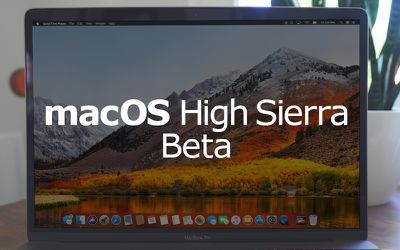
The availability of the public beta means users who aren't signed up for the Apple Developer Program can test the software update ahead of its official release. Bear in mind that Apple's intention is to act on user feedback to iron out remaining bugs and issues, so the stability of the beta isn't guaranteed and probably shouldn't be installed on a Mac that you use every day.
Note that if you decide you want to revert back to your previous setup after testing the High Sierra beta, you will need to erase the beta partition and perform a fresh installation of macOS Sierra.
With those caveats out of the way, here's a step-by-step breakdown describing how to download and install the macOS High Sierra Public Beta on a Mac.
Enroll in the Apple Beta Software Program
To install the macOS High Sierra public beta, you need to enroll your Mac in the free Apple Beta Software Program.
- Visit the Apple Beta Software Program website in a browser on your Mac.
- Tap on the Sign up button, or sign in if you are already a member.
- Enter your Apple ID credentials and tap on the Sign in button.
- Agree to the Apple Beta Software Program terms and conditions if necessary.
- On the Guide for Public Betas screen, with the Mac tab selected, scroll down to the Get Started section and tap on enroll your device.
Download the macOS High Sierra Public Beta
After enrolling in the Apple Beta Software Program, you need to grab the profile installer and run it on your Mac. Here's how:
- In the same Get Started section on the beta site's Mac tab, click the profile button under where it says Download macOS High Sierra public beta access utility, and wait for the file to download.
- Open the downloaded file in your Downloads window and double-click the package to run the installer.
- When the installer has completed the download, the Mac App Store should open automatically showing the Updates screen. Click Update to download the public beta software. (If it doesn't show the public beta in the Updates list, manually restart your Mac and navigate back to the Updates section in the Mac App Store.) When the download is complete, your Mac should restart automatically.
Install the macOS High Sierra Public Beta
If the macOS High Sierra installer doesn't automatically open upon restart, launch it from your Applications folder using the Finder.
- Click continue at the bottom of the installer.
- A dropdown prompt will appear advising you to back up your Mac. Click Continue - assuming you've already backed up. If not, click Cancel and do that now.
- Click Continue at the bottom once you've finished backing up, or if you already performed a backup.
- Click Agree to accept the terms and conditions and then click Agree again to confirm.
- Select the drive on which you want to install the public beta.
- Click Install, enter your administrator password, and click OK.
- Click Restart, or wait for your Mac to reboot automatically.














































Top Rated Comments
Did I brick my comp?
Why is this beta so buggy?
I didn’t back up before install, how do i go back to the old os asap?
Apple why did you do this to me?
Step 2: Seriously, why would you do this? Do you not actually use your computer?
(This is meant for anyone who would actually need a tutorial on how to do this, obviously there are a few people out there with legit reasons to install the beta. Although most of them should have developer accounts.)
First I tried to find ways to fix it, but at one point it was just way too much to keep my machine useful, so I ended up wiping the whole harddrive (yes, I was trying out APFS) repartitioned it and did a vanilla Sierra install. All back to normal now, but really you don't want to try out this public
betaalpha.