

Apple today released iOS 16.1 to the public after a little over a month of beta testing, adding essential new features to the iOS 16 operating system and debuting a version of iPadOS 16 for the first time.
iOS 16.1 adds features that were delayed from the iOS 16 update, plus it tweaks some existing capabilities and interface options. We've outlined everything new in iOS 16.1 below.
iCloud Shared Photo Library
Apple delayed iCloud Shared Photo Library in order to work out some of the bugs, but it is available in the iOS 16.1 update. With iCloud Shared Photo Library, a total of six people can share one Photo Library, making it easier to distribute photos among friends and family members.
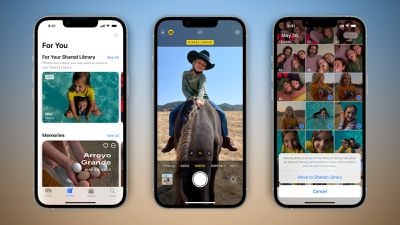
Everyone who is a member of an iCloud Shared Photo Library can add, edit, favorite, caption, and delete photos, and users can have one personal library and one shared library. There are tools for swapping between two libraries, and choosing to upload photos to the Shared Library directly from the camera, when other library participants are nearby, and more.
iCloud Shared Photo Library is a complicated feature that you may have a lot of questions about, so we have created a dedicated guide that walks you through how to use it.
Live Activities
Lock Screen and Dynamic Island feature Live Activities has launched in iOS 16.1. Live Activities are a new notification type that allow you to follow along with something in real time, like an approaching Uber ride, a flight, a sports game, and more.
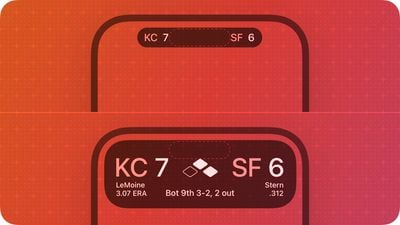
There is a Live Activities API available to developers in iOS 16.1, so alongside the launch of the update, developers will be able to add new Live Activities experiences into their apps.
Wallet Key Sharing
Car, hotel room, and other keys that are available in the Wallet app can be shared securely with others through Messages, WhatsApp, and other messaging apps.
Lock Screen/Home Screen Customization
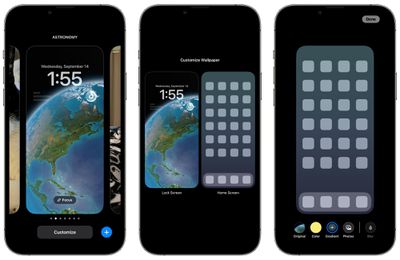
When tapping on the "Customize" interface on the Lock Screen, there's now an option to choose between customizing either the Lock Screen or the Home Screen, rather than just the Lock Screen. This makes it easier to customize the look of the iPhone from one spot without having to go through multiple steps.
Apple Fitness+ on iPhone Without an Apple Watch
Apple Fitness+ is available even if you do not have an Apple Watch to use with both iOS 16.1 and tvOS 16.1. You can start a workout if you are an Apple Fitness+ subscriber, though you will be missing the Apple Watch metrics on the display.
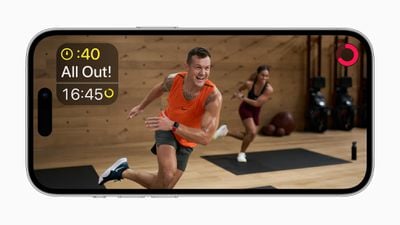
You can subscribe to Apple Fitness+ without a watch after the updates have been installed.
Matter Support
iOS 16.1 adds support for the Matter smart home connectivity standard. Matter allows for interoperability between smart devices from different companies, so HomeKit, Alexa, and Google Assistant devices, for example, can work together.
Clean Energy Charging
iOS 16.1 adds a toggle to enable "Clean Energy Charging" in the Battery section of the Settings app. Clean Energy Charging will try to reduce your carbon footprint by selectively charging when lower carbon emission electricity is available.
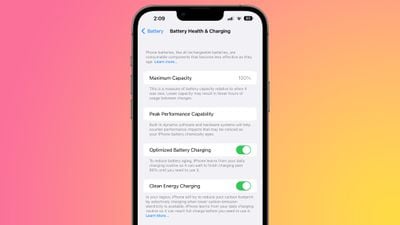
Apple says that the iPhone will still reach full charge before you need to use it based on your daily charging routine, and the feature can be toggled off if desired. It appears to be enabled by default when updating to iOS 16.1.
Delete Wallet App
iOS 16.1 adds the option to remove the Wallet app from the iPhone entirely. In iOS 16 and earlier versions of iOS, the app could be removed from the Home Screen, but not deleted. It is now able to be deleted entirely for those who do not want to use Apple Pay or other Wallet features.
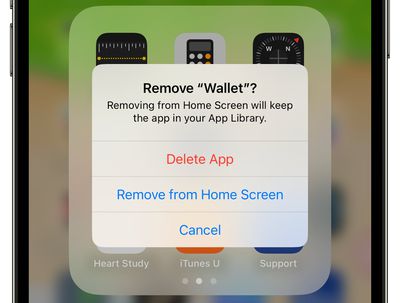
The option comes as Apple is facing a lawsuit accusing it of violating antitrust law by making Apple Pay the only available mobile wallet for tap-to-pay payments on iPhone.
Battery Percentage in Status Bar
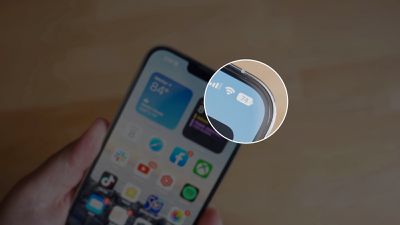
iOS 16.1 adds battery percentage to the battery icon in the status bar on the iPhone XR, iPhone 11, iPhone 12 mini, and iPhone 13 mini, all iPhones that did not support the feature in iOS 16.
Screenshot UI
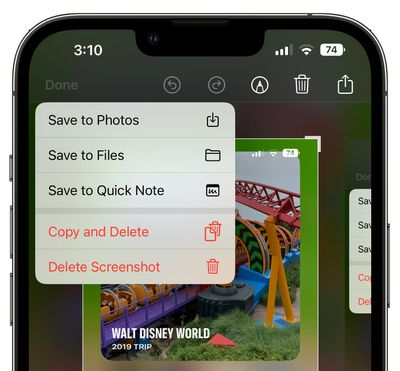
When you close the Screenshot editing tool, there is an updated interface in the upper right corner that gives the options to delete a screenshot, copy and delete, or save it. This menu used to be at the bottom of the iPhone, so this new implementation is sleeker and less in your face as it does not take over the bottom of the display.
Battery Status Bar Visual Charge Indicator
Apple in iOS 16 added battery percentage to the battery icon in the status bar on Face ID iPhones, and in iOS 16.1 beta 2, improved the feature to show a visual indication of the charge level.
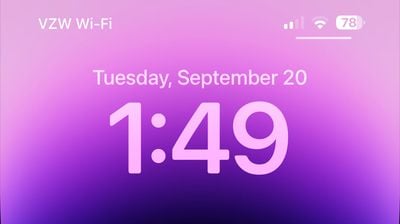
The battery icon shifts throughout the day as the battery depletes or is charged, making it easier to see charge level at a glance. Prior to the beta, the battery indicator in the status bar showed percent, but the battery level was static and always full, making it sometimes confusing to determine the iPhone's charge with a quick look.
Battery Font
Apple has updated the font that's used for the battery icon, slightly increasing the size.
Lock Screen Charging Indicator
When charging an iPhone, the battery percentage is now displayed above the time both when the iPhone first starts charging and each time that it is woken from sleep during the charging process.
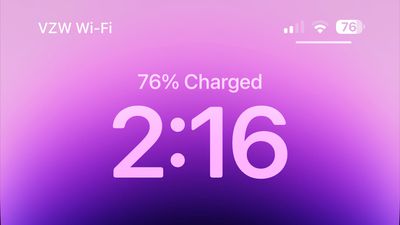
This allows for a clear indication of the charge level when tapping on the iPhone's display without unlocking the device. The always-on display does not show charge level and waking the screen on an iPhone 14 Pro model is required to get the battery level to show up.
Wallpaper Updates
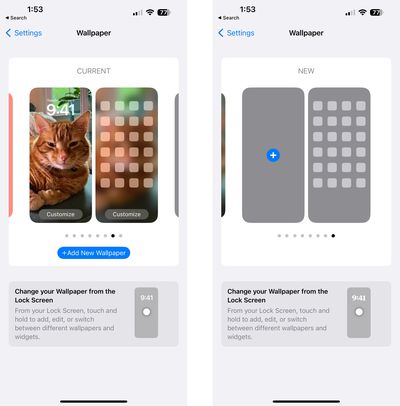
Apple has updated the Wallpaper section of the Settings app to allow users to swap between wallpapers from this interface. The design has also been tweaked, making the options to add new wallpaper more obvious.
Emergency SOS via Satellite
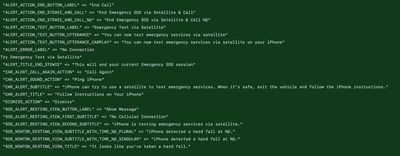
Apple is beginning to lay the groundwork for Emergency SOS via Satellite and Find My satellite integration, functionality that is coming to iPhone 14 models starting in November. Code in the update reveals some of the text we can expect to see.
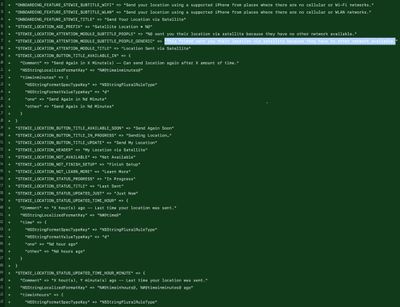
- Send your location using a supported iPhone from places where there are no cellular or Wi-Fi networks.
- Send your Location via Satellite.
- This friend sent you their location via satellite because they have no other network available.
- Can send location again after X amount of time.
- X hours ago - Last time your location was sent.
- You can now text emergency services via satellite on your iPhone.
- iPhone can try to use a satellite to text emergency services. When it's safe, exit the vehicle and follow the iPhone instructions.
- iPhone is texting emergency services via satellite.
AirPods Pro 2 Volume Touch Control Toggle
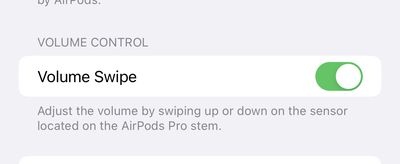
The iOS 16.1 beta adds a new feature that allows the touch-based volume control of the AirPods Pro 2 to be disabled.
Preload In-App Content
After you've downloaded an app from the App Store, there is sometimes extra content to download the first time you open it, especially if it's an app that has a large size. With iOS 16.1, there is a toggle to automatically run newly downloaded apps in the background to download content before you first launch them.
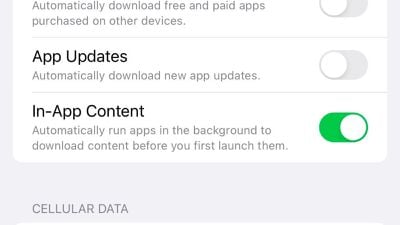
The setting is enabled by default and can be found in the Settings app under App Store > In-App Content.
Books App
In the Books app, reader controls are automatically hidden when you begin to read.
Bug Fixes
The iOS 16.1 update includes a number of bug fixes.
- Deleted conversations may appear in the conversations list in Messages
- Dynamic Island content is not available when using Reachability
- CarPlay may fail to connect when using a VPN app
Other New Features
Know of a new feature in iOS 16.1 that we left out? Let us know in the comments below.
















































