

Here Are Apple's macOS Tahoe 26 Release Notes - MacRumorsOpen MenuShow RoundupsShow Forums menuVisit ForumsOpen Sidebar
Skip to Content

Here Are Apple's macOS Tahoe 26 Release Notes

macOS Tahoe is coming out next Monday, and Apple provided the release candidate (RC) version of the software earlier this week. The RC came with notes highlighting the features that Apple believes are most important.
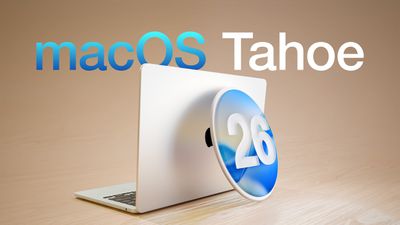
macOS Tahoe 26 Thumb
Apple has changed up the way that it provides release notes for macOS, and rather than a list of features, there's a carousel with more detailed descriptions of key additions and images to go along with each feature.

New design featuring Liquid Glass
The new design makes the iconic elements of macOS fresh yet familiar. A transparent menubar makes your display feel larger. Apps with Liquid Glass sidebars and toolbars reflect and refract what you're viewing, drawing more focus to your content. And you can personalize icons and widgets, giving them a light, dark, tinted, or new clear look to match your style.

Customize the look of folders
To make folders easy to recognize, you can give them a distinctive appearance. You can now choose a unique color and add emoji or symbol

Personalize Control Center
Enjoy more ways to customize which controls appear in Control Center, and how they're laid out. Add new controls from Mac and even iPhone apps, including from your favorite third-party apps. Arrange them however you like, and even create pages of controls. You can also place controls right into the menu bar for easier access.

Communicate seamlessly across languages with Live Translation
With Apple Intelligence, Live Translation helps you automatically translate text in Messages, follow along with live-translated captions in FaceTime calls, or listen to a real-time audio transcription spoken aloud in the Phone app. It works entirely on-device so your personal conversations stay private.

Create incredibly powerful shortcuts
The Shortcuts app is supercharged with Apple Intelligence. Intelligent actions can summarize text, create images, or tap directly into Apple Intelligence models. And with automations on Mac, you can make shortcuts run automatically based on conditions, such as the time of day, file or folder updates, connecting to an external monitor, and more.

New options for making Genmoji
Mix your favorite emoji together with descriptions to make something brand new. And get more control over Genmoji inspired by family and friends, with new options like hairstyle customization to help you match their latest look.

More ways to create the perfect image in Image Playground
Get more control over images inspired by people from your photo library, with new options to change their expressions or hairstyle to match their latest look. You can also access new ChatGPT styles, like Watercolor or Oil Painting, and use Any Style to describe what you want.

See Live Activities from iPhone on Mac
Continuity gets even better with Live Activities. Easily stay on top of activities that you started on iPhone, like tracking the progress of your order from Uber Eats, right from the menu bar on Mac. You can even click on the Live Activity to open the app in iPhone Mirroring.

All-new Phone app
Powered by Continuity, the new Phone app for Mac lets you relay cellular calls from your nearby iPhone. Call Screening can help you manage unwanted calls by finding out who's calling and why, without interrupting you. You can also access familiar features--including Recents, Contacts, and Voicemails--and new ones like Hold Assist and Live Translation.

Focus your Messages conversations
To help you focus on what matters, new screening tools filter out unknown numbers from your conversation list until you mark them as known, and on-device spam detection helps filter out spam. You can also add a background to your conversation to give it a distinctive look. And send polls to friends and family over iMessage and watch the votes come in live.

Discover new ways to browse in Spotlight
Spotlight makes it easy to see all your apps, locate recent or suggested files, discover actions you can take, and view your clipboard history. Just launch Spotlight from the menu bar and select the Applications, Files, Actions, or Clipboard button, which will appear next to the search field.

Take actions directly from Spotlight
You can now take hundreds of new system and app actions right from Spotlight, such as sending messages, creating an event, and running shortcuts, all without lifting your hands off the keyboard. And to get things done faster, Spotlight automatically assigns quick keys to actions you take, so you can execute them in just a few characters.

Experience the new Apple Games app
The Apple Games app is your one-stop gaming destination. Discover the latest updates across your games, such as in-game events, major updates, and games your friends are playing. Access your entire game library. And compete with friends in challenges.

‌macOS Tahoe‌ will launch on September 15 alongside iOS 26, iPadOS 26, visionOS 26, watchOS 26, and tvOS 26.

Related Roundup: macOS Tahoe
Related Forum: macOS Tahoe

Popular Stories

macos tahoe

Apple Releases macOS Tahoe 26.7 and macOS Sequoia 15.8

Monday September 14, 2026 10:40 am PDT by
Alongside macOS Golden Gate, Apple today released new versions of macOS Tahoe and macOS Sequoia. macOS Tahoe 26.7 and macOS Sequoia 15.8 are available for users with older Macs or those who don't yet want to update to Golden Gate. The updates can be downloaded through the Software Update section of the System Settings app. On Macs eligible to install macOS Golden Gate, users will see both...

Home Hub Command Center with Dome Base Feature

Apple Smart Home Hub to Feature iMac G4-Style Design

Wednesday September 30, 2026 4:36 am PDT by
Apple's long-rumored smart home hub will have an iMac G4-style design and a host of unique features, Bloomberg's Mark Gurman reports. The smart home hub is said to feature a square 6-inch display, with variants that can be placed on a countertop or mounted on a wall. It features a single FaceTime camera on the front, with microphones and speakers in its connected base. Gurman described the...
HomePod minis on gradient feature 1 1

Three New Apple Smart Home Products Coming on October 13

Wednesday September 30, 2026 4:04 am PDT by
Apple plans to introduce a series of new smart home products on Tuesday, October 13, according to Bloomberg's Mark Gurman. Apple reportedly plans to debut its long-awaited smart home hub device, a new HomePod mini, and a new Apple TV on the date. The new HomePod mini and Apple TV are set to retain their existing designs, but tout faster chips to support Siri AI. The new HomePod mini will...

Top Rated Comments

iLondoner Avatar
14 months ago
Despite all the razzmatazz surrounding macOS26, I just don't see any benefit of Liquid Glass, it makes it more difficult to identify items. We merely use the operating system to facilitate the loading of apps that we really use. The OS is not the prime purpose of the machine.

But my biggest bugbear is the arbitrary removal of Launchpad from macOS. Why did you cripple the OS in such a manner?
Score: 22 Votes (Like | Disagree)
14 months ago
Reduce roundness of windows please!
Score: 16 Votes (Like | Disagree)
14 months ago

Despite all the razzmatazz surrounding macOS26, I just don't see any benefit of Liquid Glass, it makes it more difficult to identify items. We merely use the operating system to facilitate the loading of apps that we really use. The OS is not the prime purpose of the machine.

But my biggest bugbear is the arbitrary removal of Launchpad from macOS. Why did you cripple the OS in such a manner?
The teeth grinding about launchpad is funny to me because I was around for the threads about OS X Lion, where launchpad was introduced, and the absolute sky is falling doom and gloom about how launchpad signified the “end of the Mac as we know it!!!”
Soon the desktop will be gone, and all that will be left is the launchpad and you’ll only be able to download apps from the App Store and there will be no more terminal and no more file system and the world will end!!!
More time has passed since the release of that operating system then between that OS and the initial release of Mac OS X.
Score: 15 Votes (Like | Disagree)
macduke Avatar
14 months ago
I am just really not enjoying liquid glass on my iPhone and iPad so far. I think I might skip upgrading my Mac, at least as long as I can, until they get it cleaned up more. Wish there was an option to just turn off these effects entirely!

I'm also experiencing a lot of visual glitches with liquid glass, such as buttons in dark mode that are suddenly bright and in control center a weird small black offset rectangle that keeps popping up under my buttons. Safari keeps locking up on my iPad Pro M1 as well. Not a great release candidate, feel like they're going to issue an RC2 for that, or have some patch shortly after launch for these issues and for legibility.

I also hate how every time I tap in the box to edit something in a message I'm typing, it flashes brightly. Also not a fan of the new address bar button stuff at the bottom of Safari on iPhone. I turned the old style back on, but it's still floating when it could be using that space more effectively, and I keep having issues with that floating thing glitching out with how different websites are designed that have elements that snap to the bottom. It's annoying because it seems to be covering up things sometimes, or shoving the content up way too high, making there be less screen space.
Score: 15 Votes (Like | Disagree)
14 months ago
I absolutely hate how everything is bigger and how it takes more movement to travel between elements of the UI . terrible interface wise and terrible from a legibility standpoint.

it's like all ergo engineers have left apple

could also be the prepared ground for a touch based mac
Score: 14 Votes (Like | Disagree)
14 months ago
Is Apple bringing back black fonts on white text?
Or will it still be shades of grey on grey?
Do we get color icons back?

Of course not ... color me surprised that they are going for more transparency and less readability and recognizability.

Sure, as a theme, I can see how " liquid ... " could be an opt in choice.
But for an OS default?? Eh. NO!

My main point is: we humans see in color, so bring back some contrast and color in the entire UI. I get eye strain from various windows, apps, menus and what not that let other apps bleed through.

Each time I fire up an old Mac, it is such a breath of fresh air to have the old UI with its colorful icons in settings, in the finder, ...
Score: 11 Votes (Like | Disagree)
Latest Stories
AT&T Acknowledges iPhone 18 Pro Max Issues: 'Update Immediately'
2 hours ago
New 'AirFly Drive' Accessory Turns Wired CarPlay Into Wireless CarPlay
8 hours ago
Apple Shares Photos Shot on iPhone Duo
9 hours ago
Apple Says iPhone Duo Has Replaceable 'Cover Layer'
10 hours ago
Apple's Smart Home Camera Will Apparently Have 'No Video Recording'
12 hours ago
Apple TV Just Updated Its Selection of 'Bonus' Movies
14 hours ago
iPhone 18 Pro Colors Buyer's Guide: Which Should You Choose?
14 hours ago
Early Prime Big Deal Days: Best Discounts on Accessories, TVs, and More at Amazon
14 hours ago
MacBook Pro With OLED Touch Screen Rumored to Launch in October or November
15 hours ago
Apple's All-New Home Hub Rumored to Launch in These Four Colors
16 hours ago
iPhone 18 Pro Aperture Control Goes Fully Manual in Halide 3.2
17 hours ago
Apple Stores Receive 'Do Not Open' Boxes Ahead of Smart Home Products Launch
18 hours ago
iPhone 18 Pro Sales Jump in China Ahead of iPhone Duo Launch
18 hours ago
Apple TV Still Down for Some Users Following Apple Services Outage
19 hours ago
PSA: Apple Mail on Mac May Stop Syncing Microsoft 365 Accounts Today
19 hours ago
Apple's Smart Home Hub: Everything We Know So Far
1 day ago
Apple's Home Hub Borrows From the iPhone Duo's StandBy Mode
1 day ago
Apple Invites App Updated With Three New Features
1 day ago
Apple Event on October 13?
2 days ago
Apple Watch SE 3 vs. Series 12 Buyer's Guide: Which Should You Buy?
2 days ago
iPad Mini 8 to Offer These 10 New Features
2 days ago
DoorDash Unveils AI Food Ordering Through Apple's Messages App
2 days ago
Amazon Takes Up to $150 Off Select M5 MacBook Air Models
2 days ago
Apple Still Plans to Release a New Full-Sized HomePod
2 days ago
Apple Working to Expand HomeKit
2 days ago
Apple Smart Home Hub to Feature iMac G4-Style Design
2 days ago
Three New Apple Smart Home Products Coming on October 13
2 days ago
Apple Pay Now Available in India With Axis Bank Cards
2 days ago
OpenAI Launches Always-On 'Dots' Agents to Rival Meta's Muse
2 days ago
AirPods 5 Teardown: Batteries Removable, Case Still Tough
2 days ago

🔗 Related Apple News & Rumors

Stay updated with the latest Apple ecosystem news and verified rumors








































