Apple Seeds Third Beta of macOS Ventura 13.3 to Developers - MacRumorsOpen MenuShow RoundupsShow Forums menuVisit ForumsOpen Sidebar
Skip to Content

Apple Seeds Third Beta of macOS Ventura 13.3 to Developers

Apple today seeded the third beta of macOS Ventura 13.3 to developers for testing purposes, with the new software update coming a week after the release of the second macOS 13.3 beta.
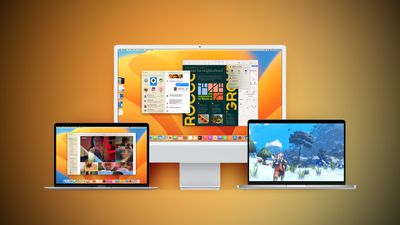
Ventura Macs Feature Yellow
Registered developers can download the beta through the Apple Developer Center and after the appropriate profile is installed, with the betas available through the Software Update mechanism in System Settings.

macOS Ventura 13.3 adopts the same new emoji characters that are in iOS 16.4 and iPadOS 16.4, including pink heart, light blue heart, left and right hand, moose, black bird, goose, wing, jellyfish, pea pod, finger, and more.

The update adds the new HomeKit architecture that was initially removed from iOS 16.2 and its sister updates, and the revised version should have fewer bugs that affect ‌HomeKit‌ setups.

macOS Ventura 13.3 will go through multiple rounds of beta testing, with Apple planning to release it in the spring.

Related Forum: macOS Ventura

Popular Stories

Apple Event Logo

Apple Working on All-New Operating System

Wednesday July 29, 2026 11:39 am PDT by
Apple is developing an all-new operating system that is essentially a mix of tvOS, watchOS, and iOS, according to Bloomberg's Mark Gurman. In a report this week, he said the operating system will feature a grid of icons, widgets, and apps, along with customizable clock faces. The new software platform is intended for Apple's long-rumored smart home hub. With built-in facial recognition,...

imac video apple feature

Apple Made Its Second-Biggest Acquisition Ever This Year

Wednesday July 29, 2026 12:03 pm PDT by
Apple this year acquired Israeli startup Q.ai for close to $2 billion, according to the Financial Times. That would make this Apple's second-biggest acquisition ever, after it paid $3 billion for the popular headphone maker Beats in 2014. This is also the largest known Apple acquisition since the company purchased Intel's smartphone modem business and patents for $1 billion in 2019. Q.ai...

Dynamic Island iPhone 18 Pro Feature

iPhone 18 Pro: Twelve Changes Coming to Apple's Next Flagship

Thursday July 30, 2026 3:43 am PDT by
We're less than two months out from the launch of Apple's premium next-generation smartphone lineup, and while we're not expecting a dramatic change in terms of functionality, there are still several enhancements rumored to be coming to the iPhone 18 Pro and iPhone 18 Pro Max. One thing worth noting is that Apple is reportedly planning a major change to its iPhone release cycle this year,...

Top Rated Comments

StellarVixen Avatar
45 months ago
I am not even gonna ask anymore if they started cleaning up the mess that is the System Settings.

It’s gonna stay like that for the foreseeable future. They never fixed the Music app, they will never fix the System Settings.
Score: 8 Votes (Like | Disagree)
45 months ago

I am not even gonna ask anymore if they started cleaning up the mess that is the System Settings.

It’s gonna stay like that for the foreseeable future. They never fixed the Music app, they will never fix the System Settings.
I’m just gonna say it, Alan Dye needs to go. The last several years of “design” on macOS have been a disaster.
Score: 5 Votes (Like | Disagree)
AltecX Avatar
45 months ago

I’m just gonna say it, Alan Dye needs to go. The last several years of “design” on macOS have been a disaster.
Honestly since 10.6 the only thing they have changed via the interface that I have EVER found use for is dark mode. Nothing else has ever helped my workflow. If anything Windows has much more manageable in that way as with my ultrawide its Snapping feature makes it MUCH better to have 4 windows on screen in a way that I can interact/reference with them well. I need a 3rd party tool for that in MacOS because it's total trash at it.
Score: 4 Votes (Like | Disagree)
imnotthewalrus Avatar
44 months ago

Omg fix preferences already. I own a computer not an iPad let me use the full screen and also it’s a total cluster of a mess. Boooooo
Not going to change. It's not broken, so there is nothing to fix. In case you weren't aware, after clicking on System Settings, click on "View" in the menu bar, or just simply use Spotlight. "View" makes it easier for me. Kudos to @Realityck for showing me the way...
Score: 3 Votes (Like | Disagree)
star-affinity Avatar
45 months ago

How often do you actually use Prefs enough to care? Other then when there is an update to check for i literally set and forget my settings.
I use it quite often as an IT technician.
It's one thing that the layout of things has changed, but what is worse it that if having the System Settings open for a long time it happens that when I go back to it it's no respoding to clicks in some places, like for example nothing happens when clicking the ”Details…” button for a network interface.
Score: 3 Votes (Like | Disagree)
k1121j Avatar
45 months ago
Omg fix preferences already. I own a computer not an iPad let me use the full screen and also it’s a total cluster of a mess. Boooooo
Score: 3 Votes (Like | Disagree)

🔗 Related Apple News & Rumors

Stay updated with the latest Apple ecosystem news and verified rumors









































