

In watchOS 5, there's a new Apple Watch activity feature that's designed to motivate people to work out and get active through competitions with friends.
You can challenge any friend to a seven-day competition on Apple Watch, with each person earning points for filling their rings each day.
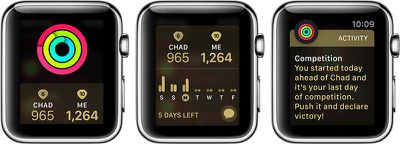
How to Start a Competition
You can begin a competition on the Apple Watch itself or within the Activity app on the iPhone, with the latter method being the easiest way to get going.
Before a competition can start, you need to be sharing your activity information with the person you're challenging, which you can do by following these steps:
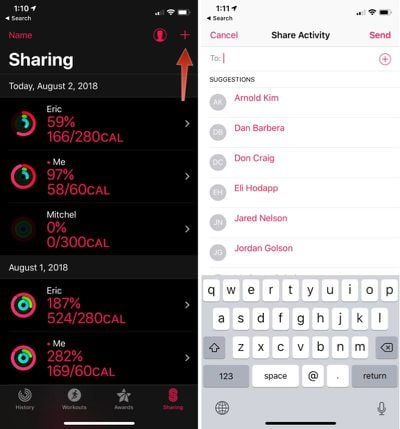
- Open up the Activity app.
- Tap the Sharing tab.
- Press the "+" button to invite one or more contacts with an Apple Watch.
- Choose the "Send" button to send them an invite to share activity data with you.
- Wait for your friend to accept the invitation.
Once you're sharing data with someone, you can begin a competition. Again, this is easiest in the Activity app on the iPhone.
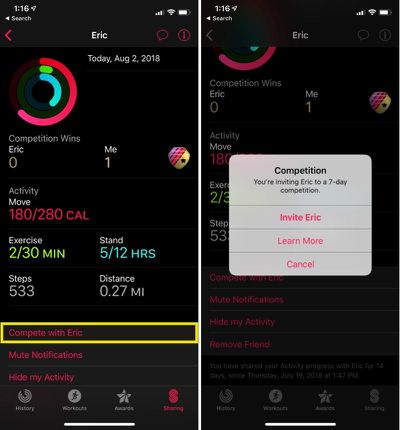
- Open the Activity app.
- Tap the Sharing tab.
- Choose a friend you're sharing data with.
- Tap on "Compete with [friend's name]."
- Wait for your friend to accept the challenge.
You can invite friends you're already sharing with to competitions using the Apple Watch if preferred.
Just open the Activity app on Apple Watch, tap on a friend's name, and then tap "Compete" twice through the subsequent menus to launch a competition.
Competition Rules
Your friend will have 48 hours to respond to your invite, with a competition officially starting after 48 hours if the invite was accepted. Competitions will last for seven days, so if your competition started on a Saturday morning, for example, it will end on the following Friday evening.
Competitions start in the morning so no one is caught off guard and so each person has seven full days to complete all of their movement goals. You can have more than one competition going at once, but you can only compete with one person per competition, so you can't have three or more people competing together.
Each person earns points for closing the Stand ring, the Move ring, and the Exercise ring. Points are awarded for exceeding each goal and hitting additional move and exercise goals.
As with all activity sharing, you will receive notifications whenever your friend completes a workout. If you want to mute these notifications, open up the Activity app, choose the Sharing tab, select a competition, and the scroll down to the bottom of the screen to find the "Mute Notifications" option.
How Points Are Calculated
Each person participating in the competition receives one point for every percent added to the Stand, Move, and Exercise rings, with up to 600 points available to be earned per day.
So, for example, if you exceed your move goal by 300 percent, you'll receive 300 points for the day. Similar calculations are used for the stand and exercise options.
A total of 4,200 points can be earned for the week, with the award going to whoever earns the most points.
Checking on Your Competition Status
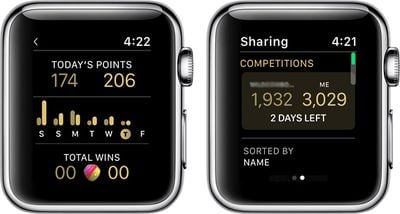
You can view how many points you have compared to the person you're competing with either through the Activity app on iPhone or the Activity app on Apple Watch.
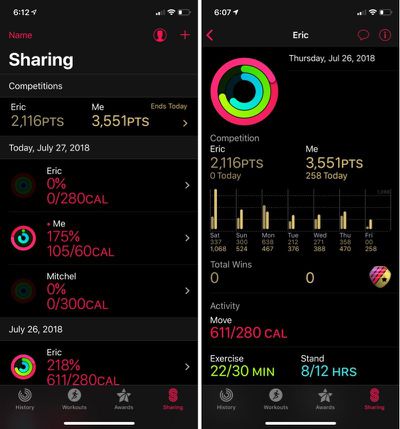
It's best to view this data on the iPhone because you can see more information about how the competition is going, with full data for each day of the competition available.
- Open the Activity app.
- Select the Sharing tab.
- Tap the relevant competition listing under the "Competitions" header.
In this section of the Activity app, you can see the total of number of points each person has earned and then a breakdown of the points earned each day of the competition.
You can also see your friend's total movement, exercise, and stand rankings for the current day, plus steps and total distance traveled.
Sending Kudos
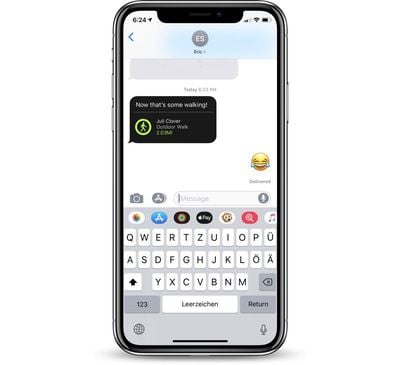
When your competitor completes a workout during the challenge, you'll get a notification, and you can send a message using the Apple Watch. You can also initiate conversations within the Activity App on the Apple Watch or the Activity app on iPhone by selecting the person's name and tapping on "Send Message."
Winning a Competition
When you win a competition with a friend, you earn a badge for completing a competition and a separate badge for being victorious.
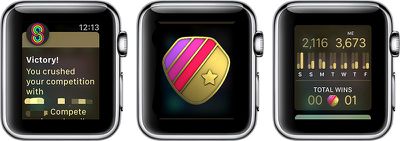
From there, you can start a new challenge with the same friend, and under the sharing interface, you'll see your respective number of wins and losses.
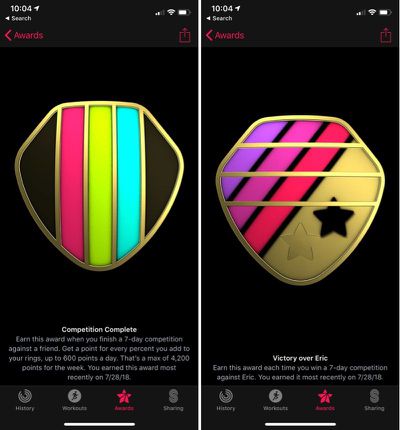
All of your badges can be viewed in the Activity app either on the Apple Watch or on the iPhone.














































Top Rated Comments