In macOS Monterey, you can enable anyone, even if they don't have an Apple device, to join a FaceTime call with you by creating a link to a FaceTime conversation that can be shared anywhere.
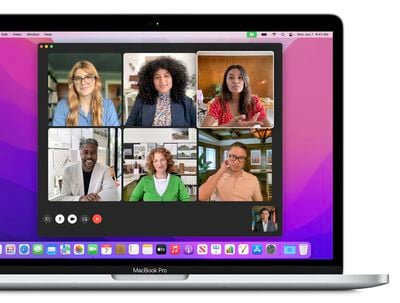
Using this new link function, friends and family members who do not have an Apple account can log into a FaceTime call with you using a web browser opened on any non-Apple device, whether that's a Windows PC or an Android phone.
This effectively makes FaceTime a platform-agnostic video service, although you do need to be an iOS or Mac user to start the FaceTime call and send the link. Here's how it works in macOS Monterey.
- Launch the FaceTime app on your Mac.
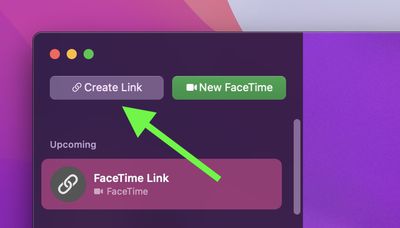
- Click the Create Link button in the upper left corner of the FaceTime window.

- Choose Copy Link to copy it to your Mac's clipboard, or select a method of sharing the unique link from the list, e.g. over Messages or Mail.
Once you've sent the link and the recipient opens it, they'll be directed to a webpage where they can enter their name to join the conversation.

Once they've joined the call, they'll have the usual FaceTime options to mute their microphone, disable video, switch the camera view, and leave the call.