

With iOS 18.2 and iPadOS 18.2, Apple is adding support for three Apple Intelligence image generation features, including Image Playground, Genmoji, and Image Wand. Image Wand lets you create visual aids for your notes on iPhone and iPad.
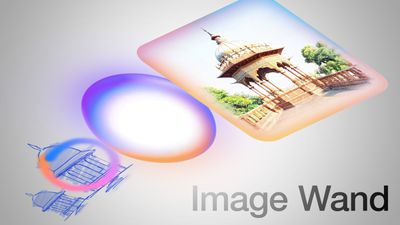
This guide goes over all of the available Image Wand features and how to use it.
Image Wand Explained
Image Wand is an offshoot of Image Playground, and it seems to use the same general image generation engine. As with Image Playground, you can use a text description and Apple Intelligence will whip up an image for you, but you can also use your own rough drawings as a base.
Image Playground and Genmoji don't support sketches as an inspiration for images generated by Apple Intelligence, so that's the unique feature that you get with Image Wand.
Where You Can Use Image Wand
Apple designed Image Wand for the Notes app, and that's where it is available. Most of Apple's highlighting of the feature has been for the iPad version of Image Wand, but it does work in the Notes app on iPhone as well.
Image Wand is only in the Notes app at the current time, but Apple might bring it to other apps like Freeform in the future.
Creating an Image Based on Text
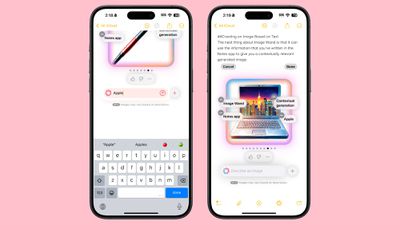
The neat thing about Image Wand is that it can use the information that you've written in the Notes app to give you a contextually relevant generated image.
Once you've written something, either typed or handwritten with the Apple Pencil on the iPad, tap into the Markup menu to get to the Image Wand tool. The icon looks a bit like a magician's wand with a multi-colored tip.
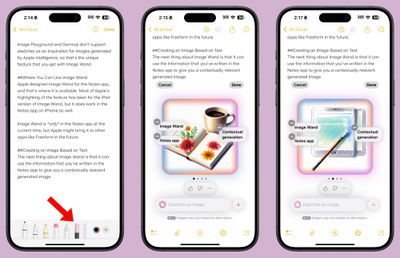
With the tool selected, draw a circle in a blank spot in your note, and the Image Wand feature will create an image. The image parameters will be auto-filled based on what you've written in your note, similar to how you can direct the look of an image in Image Playground with different phrases.
You can swipe through the different image options to find the most relevant image. For the phrases that are automatically pulled in, you can tap on the "-" to remove something, or you can add context by typing something in the text bar. You can also tap on the "+" button to select additional phrases pulled from your notes. When you're finished, tap on "Done" to add it to your note.
Images From Handwritten Text
If you have an Apple Pencil with an iPad, you can handwrite your notes and have Image Wand generate an image based on your handwritten text. This is a useful feature for actual note taking in a class, and it works the same way as generating an image from typed text.
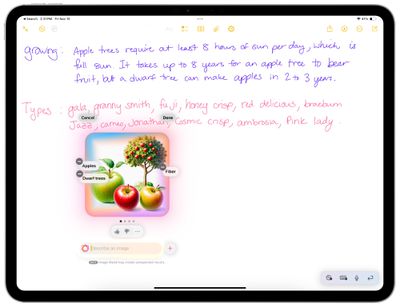
Simply write something out and then circle a blank space on the page to bring up the Image Wand interface, where it will pull in what you've written as inspiration. You can describe additional traits in your own handwriting with the Apple Pencil by writing in the image description box.
Creating an Image From a Drawing
Rather than generating an image solely from text, you can make a sketch that Image Wand can use when creating a picture. On the iPhone, you'll need to use the Markup tools to draw an image with a finger, but on the iPad, you can use the Apple Pencil.
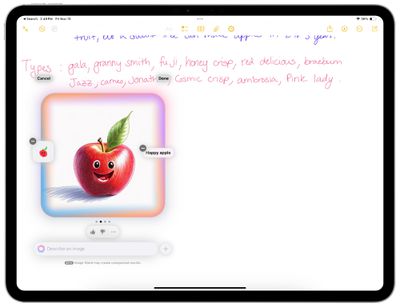
Make a rough drawing, and then circle it with the Image Wand tool selected. You'll need to add a word or two as an extra descriptor to go along with it, and then Image Wand will create something based on both your drawing and your text description.
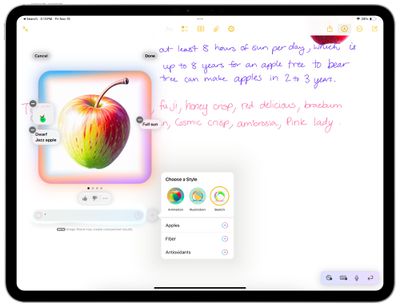
What's particularly nice about the drawing feature in Image Wand is the weight that it gives to where you've placed objects in your image. For example, if you draw an apple with a leaf on the right side of the stem, Image Wand mimics that placement. It's a useful way to get a more refined and specific image than you can get from Image Playground.
In some cases, it will also use the same colors that you've chosen.
Placing and Editing an Image
After you've created an image with Image Wand and pressed the "Done" button, the image you've created can be moved around, resized, deleted, or copied.
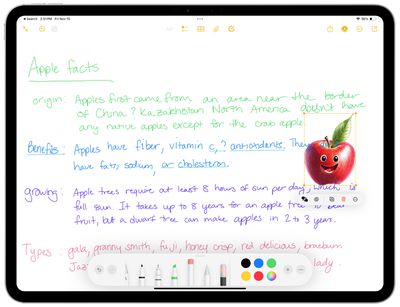
You can tap on the thumbs up or thumbs down option to give Apple feedback if something doesn't look right, or you can tap on the Apple Intelligence icon to re-generate an image.
There is one particularly useful feature available after an image has been created, and that's the remove background option. If you tap on the icon with the three dots and then choose Remove Background, it will tweak your image to remove color that might be in the background so that it better blends in with your note.
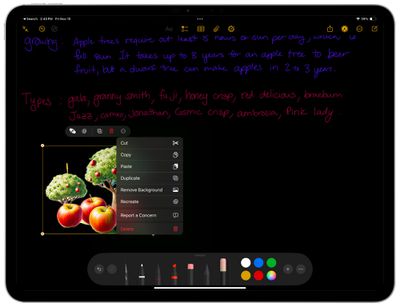
Image Wand Styles
There are three styles available in Image Wand: Sketch, Illustration, and Animation.
Apple describes Sketch as a "highly detailed and academic" style that "produces gorgeous drawings on stark backgrounds," while the illustration style features strong outlines, bold colors, and simple shapes. Apple says the animation style has a "whimsical, 3D cartoon look."
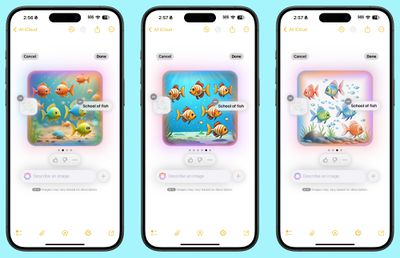
Sketch is not available outside of Image Wand as of yet, but it does produce the images that look the most hand drawn.
Image Wand Limitations
Image Wand has a unique limitation compared to Genmoji and Image Playground - it won't generate people. If you try to generate an image that has a person, even one that's generic, it will let you know that images involving people are not supported.
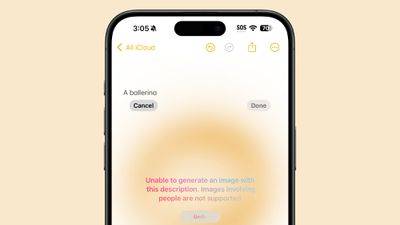
As with Image Playground and Genmoji, you can't create questionable content that involves violence or nudity, nor can you generate images based on copyrighted characters, people, or products.
Apple Intelligence Compatible Devices
Image Wand will be available on devices that support Apple Intelligence. That includes the iPhone 15 Pro, the iPhone 15 Pro Max, all iPhone 16 models, the iPad mini with A17 Pro chip, and all iPads with an Apple silicon chip.
Read More
We've shared detailed guides on Genmoji and Image Playground already, plus we have an overall guide on the full set of Apple Intelligence features and a guide for the general features coming in iOS 18.2.
- Genmoji in iOS 18.2
- Image Playground in iOS 18.2
- Everything You Need to Know About Apple Intelligence
- Everything New in the iOS 18.2 Beta
Release Date
iOS 18.2 and iPadOS 18.2 with Image Wand integration will be coming in December, with Apple likely planning for a December 9 software release.














































