

Apple in iOS 14 added a new Translate app, which, as the name suggests, is designed to offer translations from one language to another. The Translate app has some useful features that are handy both when learning a new language and when attempting to talk to someone who speaks a different language.
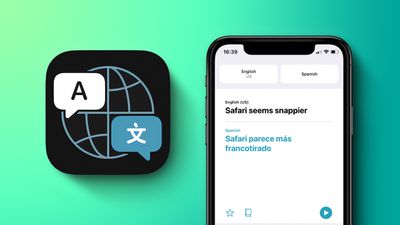
This guide walks through all of the features in the Translate app and how to use them.
Design
The Translate app has a simple, easy to use interface that allows you to select languages to translate to and from at the top, and options to either type (or paste) text to be translated or speak it aloud after tapping the microphone option.
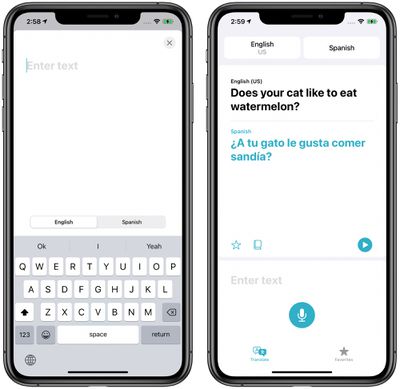
Translations are shown in large text, with the original phrase in black and the translation shown in blue. The iPhone can speak translations out loud when the play button is tapped so you can get the proper pronunciation or play the translation to someone who speaks a different language.
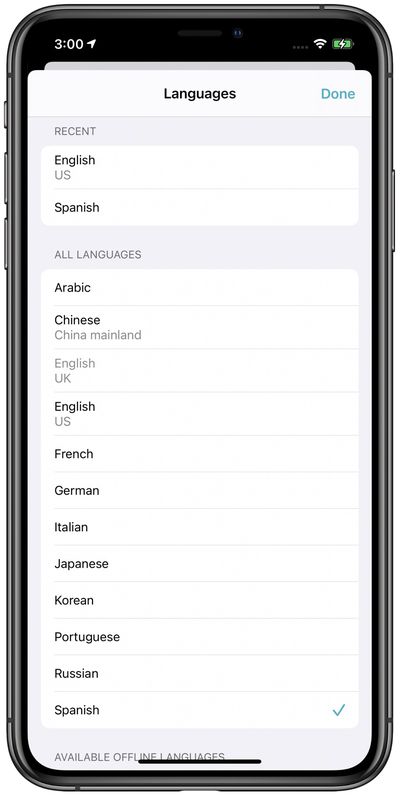
Languages
The Translate app can translate to and from Arabic, mainland Chinese, English (US and UK), French, German, Italian, Japanese, Korean, Portuguese, Russian, and Spanish.
Voice Translations
With voice translation, you can tap the microphone in the Translate app and speak a phrase out loud to have it translated into the target language. For example, if you have English and Spanish selected as chosen languages and ask "Where's the bathroom?" the app will provide the proper response: "Dónde está el baño?"
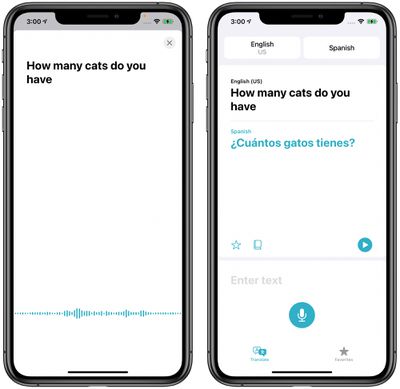
You can speak in any of the supported languages and have the spoken language translated into any of the other languages. The Translate app works with simple phrases or long sentences and speeches.
Text Translations
Text translations can be typed into the Translate app, which is useful if you need to paste something from a website or document for a translation. To enter text, just tap on the "Enter text" wording in the app and it opens up into an interface where you can type something or paste it in with a tap.
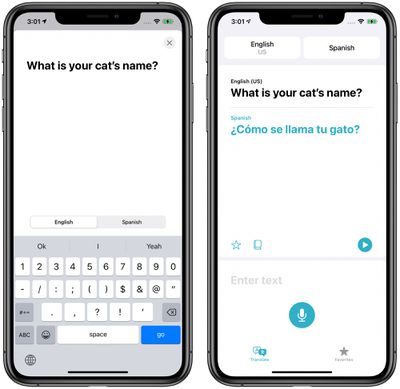
You can type in a single sentence or paste in long paragraphs of text, with the Translate app able to translate everything in its entirety complete with a spoken translation that can be played so you can hear the pronunciation.
Conversation Mode
Conversation Mode is a neat little feature that lets you chat back and forth with someone who speaks another language. To get to Conversation Mode, just turn the iPhone to landscape mode.
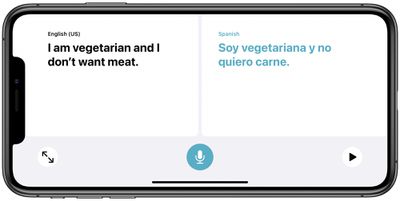
In Conversation Mode, the iPhone listens for both languages and can translate right between them. As you're having a conversation with someone, just make sure to tap the microphone button when each person talks and the iPhone will translate the conversation for each person in their language.
To use conversation mode with the automatic speech detection feature, make sure the setting is enabled by tapping on one of the language boxes at the top of the app and scrolling down to make sure "Automatic Detection" is toggled on.
If Automatic Detection isn't working well, it can be helpful to disable it and to speak by tapping between the two microphones at the bottom of the app that show up when Automatic Detection is off. This way, you can make sure the iPhone is listening for and translating the proper language.
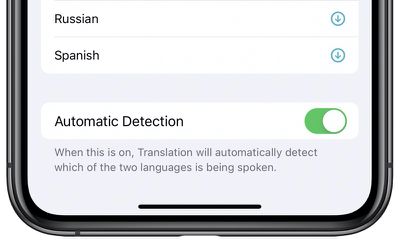
Note: Conversation Mode in the iOS 14 beta seems to be somewhat buggy and it does not always work well, failing to detect spoken languages at times. Apple will improve this feature over the beta testing period.
Attention Mode
In Conversation Mode with the iPhone in landscape, if you tap the expand icon (two arrows facing outwards), the translated phrase is shown in Attention Mode, aka large letters that take up the entire iPhone's display for easier reading.
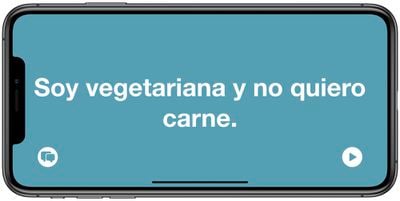
In this mode, the large text is useful for showing someone at a distance to get your message across when you can't speak the language. Note that this mode is best for short phrases and sentences rather than longer text because of the zoom.
Tapping the play button will speak the translation aloud, and tapping on the conversation bubble icon exits Attention Mode and returns to Conversation Mode.
Favorites
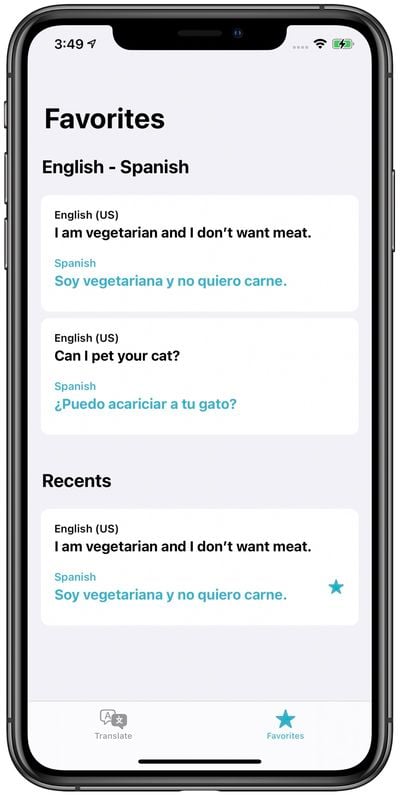
Any recent translation can be saved as a favorite through the "Favorites" tab so you can save and repeat your most used translated phrases when needed. The Favorites tab also shows your recent translations.
Dictionary
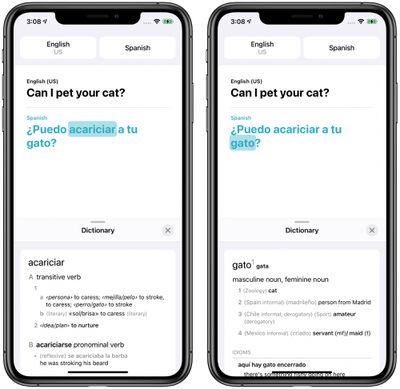
If you tap on any word in any language in the Translate app, the dictionary feature will provide a definition and usage examples, a feature that's helpful if you don't know what a word means in another language.
On-Device Translations
Translations by default are not done on device but if you download a language pack in the Translate app, translations to and from that language can be done on the iPhone for more privacy.
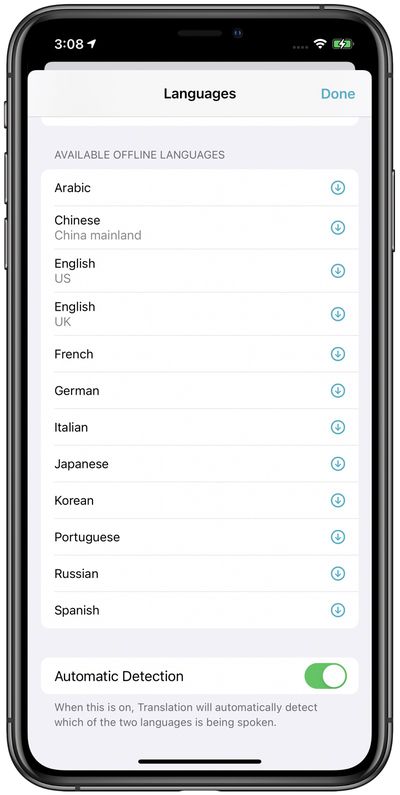
Translations that use offline languages are on-device and private, with Apple having no access to the content that was translated. Offline languages can be downloaded by tapping on one of the language boxes at the top of the Translate app, scrolling down to "Available Offline Languages" and tapping the download button next to the language you want to download.
iPhone-Only Compatibility
The Translate app is designed to work only with the iPhone models able to run iOS 14 or later. It is not available on the iPad at this time.
How to Re-download the Translate App If You Accidentally Deleted It
If you accidentally deleted the Translate app from your iPhone and need to reinstall it, you can do so from the App Store. Just click here on the App Store link for the Translate app and then tap "Get."
Additional Languages
Apple likely plans to add more languages to the Translate app, but there's no word on when that will happen or which languages will be added in the future. Those who want to suggest new languages to Apple for Translate can do so through Apple's Feedback website.
More Translate App How Tos
- How to Translate Text in Apple's Translate App
- How to Save a Translation to Your Favorites in Apple's Translate App
- How to Translate Speech in Apple's Translate App
- How to Check the Definition of a Translated Word in Apple's Translate App
- iOS 14: How to Use Conversation Mode in the Translate App
- How to Delete Your Translation History in Apple's Translate App
Guide Feedback
Have questions about the Translate app, know of a feature we left out, or or want to offer feedback on this guide? Send us an email here.














































