iPhone Driver's License Feature Set to Expand to a 15th U.S. State - MacRumorsOpen MenuShow RoundupsShow Forums menuVisit ForumsOpen Sidebar
Skip to Content

iPhone Driver's License Feature Set to Expand to a 15th U.S. State

Apple's digital driver's license feature in the Wallet app is set to expand to Virginia, according to a person familiar with the matter.
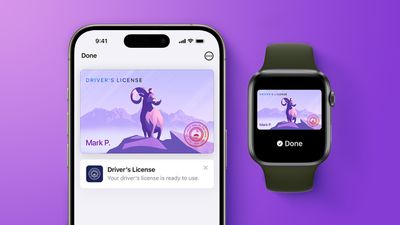
apple wallet drivers license feature iPhone 15 pro purple 1
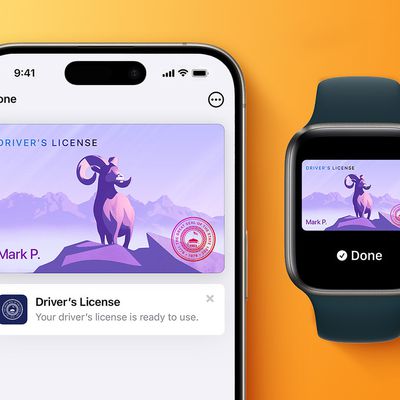
In select U.S. states, residents can add their driver's license or state ID to the Wallet app on the iPhone and Apple Watch, and then use it to display proof of identity or age at select airports and businesses, and in select apps. The feature has rolled out to 14 states so far, including Arkansas earlier this week, and it is also available in Puerto Rico.

The other states are Arizona, Maryland, Colorado, Georgia, Ohio, Hawaii, California, Iowa, New Mexico, Montana, North Dakota, West Virginia, and Illinois.

Now, Apple is preparing for the feature to go live in Virginia, the person said. However, we do not have an exact timeframe for availability. Towards the end of 2025, Virginia's Department of Motor Vehicles said it planned to support the Apple Wallet's digital ID feature in the coming months, so hopefully it goes live soon by this point.

When the feature goes live, Virginia residents will be able to set it up by opening the Wallet app on the iPhone and tapping on the plus sign in the top-right corner. Next, they will tap on Driver's License and ID Cards, select Virginia from the list once it is added, and follow the on-screen steps to complete the process.

Apple Wallet IDs are accepted at TSA checkpoints at hundreds of U.S. airports for domestic travel. Given that Apple Wallet IDs are not accepted by law enforcement, and lack many other use cases, carrying a physical ID is still necessary.

If you live in a state that does not yet offer Apple Wallet IDs, you can create a Digital ID based on your U.S. passport, and present it at the same participating TSA checkpoints, for age and identity verification purposes during domestic travel. It is not a replacement for a physical passport, and it cannot be used for international travel.

The passport feature requires iOS 26.1 or watchOS 26.1 and later.
Popular Stories

iOS 26 Wallet Glass Feature

iOS 27 Will Let You Create Custom Wallet Passes

Monday May 4, 2026 11:01 am PDT by
Back in April, we highlighted a new add-your-own card Wallet app option coming in iOS 27, and now Bloomberg has shared additional information. At the time, we said Apple was working on a feature that would let users generate digital passes from scans of things like movie tickets, concert passes, and gym membership cards. The option will be called "Create a Pass," and it will bridge the gap...
Atlantas MARTA Breeze Card Now Available in Apple Wallet Feature

Atlanta's MARTA Breeze Card Now Available in Apple Wallet

Wednesday May 27, 2026 8:10 am PDT by
Starting today, the Metropolitan Atlanta Rapid Transit Authority (MARTA)'s Breeze Card can be added to the Apple Wallet app, allowing commuters in the Atlanta, Georgia area to tap an iPhone or Apple Watch to pay their fare at train stations and on buses. To add the Breeze Card to Apple Wallet, open the app and tap on the plus sign in the top-right corner. Next, tap on Transit Card and scroll ...

apple wallet drivers license feature iPhone 15 pro

Apple Just Expanded iPhone Driver's License Feature to Arkansas

Wednesday May 27, 2026 9:41 am PDT by
In select U.S. states, residents can add their driver's license or state ID to the Apple Wallet app on the iPhone and Apple Watch, and then use it to display proof of identity or age at select airports and businesses, and in select apps. Starting today, the feature is available in Arkansas, which is the 14th state to offer it. However, it may take some time to roll out to all users. To...

Top Rated Comments

Westside guy Avatar
3 days ago at 11:02 am

I just don’t see a clear use case for this. While I get wanting to remove things you carry, I would never want to hand my phone over to any law enforcement officer for the purposes of conveying my id. The physical analogy to that is like them asking for your ID and you give them your entire wallet and glove compartment.

I’ll stick with physical id.
As keeps getting pointed out whenever this comes up... that's not how this works, at all.
Score: 7 Votes (Like | Disagree)
3 days ago at 11:33 am

As keeps getting pointed out whenever this comes up... that's not how this works, at all.
They literally bring this up every time. At some point you’d think they’d start being embarrassed to rehash the same already-addressed point
Score: 6 Votes (Like | Disagree)
3 days ago at 09:40 am
15 states full of disappointed people who can't use this anywhere.
Me to TSA: "how often does the mDL work?"
TSA: "the what?"
Me: "digital driver's license?"
TSA: "this isn't the CLEAR/touchless lane."
Me <pointing at RFID scanner>: "this thing."
TSA: <shrugs> "about 20% of the time."
Score: 6 Votes (Like | Disagree)
3 days ago at 09:35 am

I would like my UK passport to be on my iPhone so I don't need a paper version.
No-one in the world has this. I do have my US passport on my iPhone (and watch) — paper version is still required for travel.
Score: 6 Votes (Like | Disagree)
2 days ago at 09:50 pm

I have attempted to use it at 4 airports. All of them say that it's supported. Every single TSA agent was excited and said they'd been trained on it but had never had a single person try to do it. And it failed everytime.
This was my result December of last year (2025), I was flying out of Chicago O'Hare airport.

TSA agent motions me forward to them.

They have one of those COVID era plexiglass surrounds, around them. So for anyone that says they don't want to hand phone over, you couldn't hand them your phone. Even if the TSA agent wanted to, they couldn't grab your phone. They were entirely encase in plexiglass. No one is taking your phone. You are not giving your phone to anyone.

In front of their booth, in front of this plexiglass surround, is this little plastic protrusion with a sticker on it. Says something like "scan digital ID here" and has a graphic on it like the Wi-Fi logo (expanding waves).

With the iPhone in my hand, locked, screen off, I hold the iPhone to the logo. The phone screen turns on, displays my DL id card, performes Face-ID, thinks about things for a few seconds, then brings up a menu explaining that my ID will be shared with the TSA. It then prompts me to double click the phone lock button, if I want to confirm that I want to share it with the TSA. I do so.

I'm standing a bit off to the side so that I'm not in site of the camera. I wanted to know if they were going to ask for a photo. Obviously, it's part of my "physical" DL id record. (if you present your actual physical ID card and agree to the voluntary photo, the system is matching against that photo)

Anyway, the TSA agent looked at their computer screen. Scrolled something on its touch screen with their finger. Then seemingly motioned me on. I confirmed with them that I could proceed. They said, yes. No photo taken, that I was aware of and the iPhone remained locked and in my own possession.


When you look at my DL id in the Wallet app it now has a section labled "Latest Activity" and shows a clickable banner showing the interaction with TSA. Clicking upon it shows: Who it was (TSA), where this happened (Chicago, IL), the date and time it happened, lists out what was presented (as a catagory), and states "Info Presented and Not Store".
Score: 4 Votes (Like | Disagree)
3 days ago at 09:28 am
Has anyone used the feature?

Frequently enough to say it is useful?

(Feature itself is great, but it can be used in _very_ few places in practice. It is one thing to list online that a certain airport supports TSA checking with it, in my experience it is a VERY different thing to actually go to that airport to try to use it.)
Score: 4 Votes (Like | Disagree)

🔗 Related Apple News & Rumors

Stay updated with the latest Apple ecosystem news and verified rumors