Apple Releasing Two New iPhone Apps This Year
Apple is expected to release two new iPhone apps this year, including an Apple Business app and a Siri app with chatbot-like functionality.
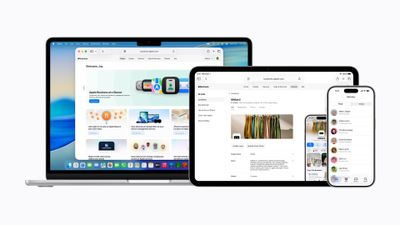
With the Apple Business app, employees at businesses using the new Apple Business platform will be able to install apps for work, view contact information for colleagues, and request support. Apple Business is launching on April 14, and it replaces Apple Business Essentials, Apple Business Manager, and Apple Business Connect.
While not yet announced by Apple, it was recently reported that the company is also testing a Siri app with similar functionality as OpenAI's ChatGPT and Google's Gemini apps. Users would be able to interact with Siri in both text and voice modes, and the app would provide users with access to their past conversations with Siri.
Both apps will also be available on the iPad and Mac. Apple says the Apple Business app will require iOS 26, iPadOS 26, and macOS 26, while the Siri app will reportedly be available as part of iOS 27, iPadOS 27, and macOS 27 later this year.
Popular Stories
Apple today announced the fourth-generation Apple TV 4K, with key features including an A19 chip, Siri AI support, an updated Siri Remote that has Find My support with Precision Finding, built in far-field microphones, support for surround sound with four HomePods in front and rear pairs, and more.
The A19 chip in the new Apple TV 4K delivers up to 50% faster CPU performance and up to twice...
Apple today announced a new HomePod mini equipped with Siri AI, new colors, and improved audio experiences. The new HomePod mini has an S10 chip that supports advanced computational audio, and Apple says it optimizes dynamic range, loudness, and acoustic performance in real-time.
A Sound Glow feature turns the HomePod mini's top into a "visual canvas" that glows and animates in sync with...
The new Apple TV 4K and updated Siri Remote unveiled today have quite a few new features, as outlined in our all-in-one summary below.
Here are 11 changes coming with the new Apple TV:
A19 chip, for up to 50% faster CPU performance and up to twice as fast graphics performance compared to the previous model with the A15 chip.
8GB of RAM is very likely, up from 4GB of RAM in the previous ...





















































