Skip to Content

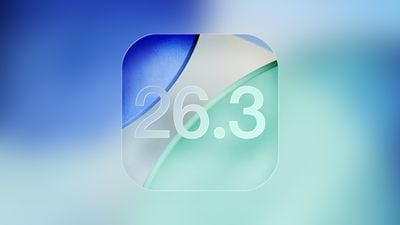
Apple Releases iOS 26.3 and iPadOS 26.3

Apple today released iOS 26.3 and iPadOS 26.3, the latest updates to the iOS 26 and iPadOS 26 operating systems that came out in September. The new software comes almost two months after Apple released iOS 26.2 and iPadOS 26.2.
iOS 26
The new software can be downloaded on eligible iPhones and iPads over-the-air by going to Settings > General > Software Update.

According to Apple's release notes, iOS 26.3 and iPadOS 26.3 include unspecified bug fixes and security updates, but there are a couple features that Apple didn't highlight.

The updates add a tool for transitioning from an Apple device to an Android device. Transfers are able to be started during the device setup process, and moving data from one device to another can be done without having to download apps from Apple and Google.

The transfer process supports moving photos, messages, notes, apps, passwords, phone numbers, and more, and it's not too surprising that Apple isn't advertising it. Data transfers were already possible, though not quite as simple, and Apple likely doesn't want to encourage users to move to a different platform.

In December, the European Union took credit for the new transfer tool, touting it as an example of how the Digital Markets Act (DMA) benefits users and developers. Google and Apple apparently implemented the feature because the DMA requires services to offer interoperability to prevent customers from being locked in to an operating system. The two companies opted to add the functionality worldwide rather than just in the EU.

iOS 26.3 includes a setting to limit carrier location tracking, though it is limited to a few select carriers worldwide. In the United States, only Boost Mobile is supporting the feature as of now. EE and BT in the UK offer it, as does Telekom in Germany and AIS and True in Thailand. It is a feature available only for devices with C1 or C1X modems.

In the iOS 26.3 beta, Apple added other Europe-only changes for third-party wearables, which were shared by the European Commission. Devices like headphones and smartwatches will be able to use some of the same functionality available to the AirPods and the Apple Watch going forward.

Proximity pairing will allow third-party devices to pair with an iOS device in an AirPods-like one-tap way by bringing an accessory close to an iPhone or an iPad. Third-party accessories like smart watches will be able to receive richer notifications from the ‌iPhone‌, which are able to be viewed and interacted with. Apple is allowing notifications to be forwarded to a single connected device, so turning on notifications for a third-party watch disables notifications on the Apple Watch.

While these features have been tested in iOS 26.3, they may have been removed for the release version of the software and could come in a future update.

Most of the beta testing period focused on bug fixes and these EU-specific features, so there isn't a lot that's new in iOS 26.3 and iPadOS 26.3. We are expecting a lot more to be added in iOS 26.4, and the first beta of iOS 26.4 could come this month.
Related Roundups: iOS 26, iPadOS 26
Related Forum: iOS 26

Popular Stories

Apple Announces Special Event in New York Feature 1

Apple Teases 'A Big Week Ahead' With Announcements Starting Monday

Thursday February 26, 2026 6:06 am PST by
Apple CEO Tim Cook today teased "a big week ahead," with announcements starting Monday. His post included an #AppleLaunch hashtag with a colorful Apple logo, along with a short video that ultimately shows an Apple logo on the lid of a Mac. Apple is reportedly planning a three-day stretch of product announcements from Monday, March 2 through Wednesday, March 4, with up to five new products...
iphone fold text

iPhone Fold Crease Measurements Revealed as Device Hits Production

Wednesday February 25, 2026 5:37 am PST by
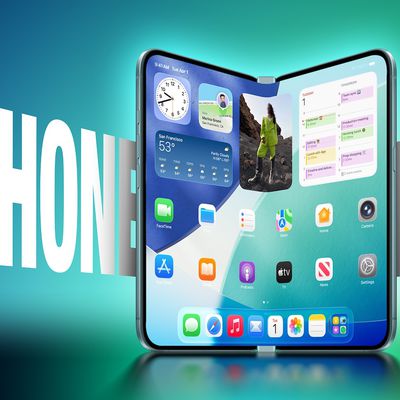
Apple has submitted production line orders for its upcoming foldable iPhone, effectively confirming that the device will launch this year, claims a Chinese leaker. According to the Weibo account "Fixed Focus Digital," assembly lines recently received the orders from Apple, which has apparently allowed the leaker to learn the crease measurements for the device's 7.8-inch inner display....
macbook air blue

What's Coming in the M5 MacBook Air

Thursday February 26, 2026 3:57 pm PST by
Along with the low-cost MacBook, Apple could introduce a refreshed version of the MacBook Air next week. Most of the focus will be on the new machine, but the MacBook Air is expected to get some useful internal updates. M5 Chip The next-generation MacBook Air will adopt the M5 chip, which Apple already introduced in the iPad Pro and MacBook Pro models that came out last year. Apple's M5...

Top Rated Comments

3 weeks ago
iOS 26.3 has made my whole day feel snappier. 🥳
Score: 10 Votes (Like | Disagree)
N0ughtsAndCr0sses Avatar
3 weeks ago


A whopping 13 GB for me on 17PM
It can be quite confusing when two people with the same phone model see totally different numbers for the same update. Even if you are both coming from the exact same previous version, the size difference usually comes down to how Apple packages the files for your specific device at that moment.
Here are the main reasons why this happens:
1. "Delta" Updates vs. Full Updates
This is the most common technical reason:
* Delta (Small): The phone downloads only the specific code that has changed since the last version. It’s like replacing a few parts in a car rather than the whole engine.
* Full/Combo (Large): Sometimes, the system triggers a full download (often 5-6GB+) if it detects a file corruption, a previous update error, or if the "Delta" path is unavailable for your specific build. It replaces the entire operating system to ensure stability.
2. Update Method
* OTA (Over-the-Air): Updates done directly via the iPhone settings over Wi-Fi are usually Delta updates (smaller).
* Via Computer (Mac/PC): If you plug your phone into a computer and use Finder or iTunes, it will always download the full firmware image. This is much larger because it completely overwrites the system to ensure a clean install.
3. App Thinning and Hardware Specifics
Apple uses a process called App Thinning. Even with the same model, the server might send different resource packets based on your regional settings, storage capacity, or even specific hardware revisions within the same model line. Newer models might also download extra assets (like AI models or high-res graphics) that older models don't receive.
4. Preparation Space
Sometimes the size shown includes the space required to unpack the files, not just the download itself. If a device is low on storage, the system might report a different "required space" figure to account for moving temporary files around during the installation process.
> Key Takeaway: No matter which size you see, once the update is finished and the temporary files are deleted, both phones will end up using roughly the same amount of storage.
Score: 9 Votes (Like | Disagree)
3 weeks ago
Keyboard is still broken ^___^
Score: 8 Votes (Like | Disagree)
winxmac Avatar
3 weeks ago
Releases:
iOS 26.3 (23D127)
iPadOS 26.3 (23D127)
macOS 26.3 (25D125)
tvOS 26.3 (23K620)
visionOS 26.3 (23N620)
watchOS 26.3 (23S620)

Source ('https://developer.apple.com/news/releases/')
Score: 5 Votes (Like | Disagree)
3 weeks ago

For my iPhone 15 Pro Max. I’m think I’m ready to update. I hope I don’t regret this.
You will. It will just be slightly less painful than having done it in September.
Score: 4 Votes (Like | Disagree)
3 weeks ago
Downloading! There are a number of bugs I’m hoping this will squash…
Score: 4 Votes (Like | Disagree)

🔗 Related Apple News & Rumors

Stay updated with the latest Apple ecosystem news and verified rumors