Apple Releases macOS Tahoe 26.1 With New Liquid Glass Setting and More - MacRumorsOpen MenuShow RoundupsShow Forums menuVisit ForumsOpen Sidebar
Skip to Content

Apple Releases macOS Tahoe 26.1 With New Liquid Glass Setting and More

Apple today released macOS Tahoe 26.1, the first major update to the ‌macOS Tahoe‌ operating system that came out in September. ‌macOS Tahoe‌ 26.1 comes 49 days after Apple first released ‌macOS Tahoe‌.

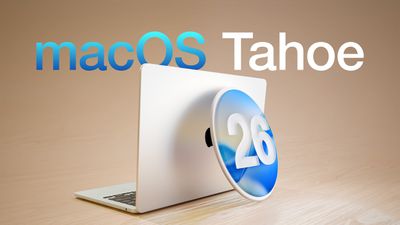
macOS Tahoe 26 Thumb
Mac users can download the ‌macOS Tahoe‌ update by using the Software Update section of System Settings.

‌macOS Tahoe‌ 26.1 adds a toggle that allows you to select a Tinted mode for Liquid Glass, adding additional opacity. There are also improvements to AirPlay and FaceTime, with Apple's full release notes below.

This update includes the following features and enhancements:
- Liquid Glass setting gives you the option to choose between the default clear look or a new tinted look which increases opacity of the material in apps and notifications on the Lock Screen
- Apple Music AutoMix support over AirPlay
- Improved FaceTime audio quality in low-bandwidth conditions
- Communication Safety and Web content filters to limit adult websites are enabled by default for existing child accounts for ages 13-17 (Age varies by country or region)

For information on the security content of Apple software updates, please visit: support.apple.com/100100.

Some features may not be available in all regions or on all Apple devices. To learn more, please visit: apple.com/macos/feature-availability.
Software updates, like this one, add new features and improvements that may affect performance and/or battery life. To learn more, please visit: support.apple.com/125039.

More information on the features in ‌macOS Tahoe‌ can be found in our macOS Tahoe roundup.
Related Roundup: macOS Tahoe
Related Forum: macOS Tahoe

Popular Stories

macOS Tahoe 26 Thumb

Fourth macOS Tahoe 26.6 Beta Now Available for Developers

Monday July 6, 2026 10:18 am PDT by
Apple today provided the fourth beta of an upcoming macOS Tahoe 26.6 update to developers for testing purposes, with the update coming a week after Apple seeded the third beta. Developers can download the macOS Tahoe 26.6 update by opening up the System Settings app, selecting the General category, and then choosing Software Update. Beta Updates will need to be enabled, and a free developer...
iOS 26

Apple Seeds Fourth Public Betas of iOS 26.6, macOS Tahoe 26.6 and More

Tuesday July 7, 2026 1:16 pm PDT by
Apple today provided public beta testers with the fourth betas of iOS 26.6, iPadOS 26.6, macOS Tahoe 26.6, watchOS 26.6, and tvOS 26.6, with the software coming a day after Apple seeded the betas to developers. After signing up to beta test the software updates on Apple's beta site, public beta testers can download the new software using the Software Update section in the Settings app on...
macOS Tahoe 26 Thumb

Fifth macOS Tahoe 26.6 Beta Now Available for Developers [Update: Public Beta Available]

Monday July 13, 2026 10:28 am PDT by
Apple today provided the fifth beta of an upcoming macOS Tahoe 26.6 update to developers for testing purposes, with the update coming a week after Apple seeded the fourth beta. Developers can download the macOS Tahoe 26.6 update by opening up the System Settings app, selecting the General category, and then choosing Software Update. Beta Updates will need to be enabled, and a free developer...

Top Rated Comments

capamac Avatar
10 months ago
I dislike the aesthetics of the large corners and inset lines in Finder windows, etc. Sticking with Sequoia on my M1 still.

Attachment Image
Score: 30 Votes (Like | Disagree)

ThomasJL Avatar
10 months ago

macOS Tahoe 26.1 adds a toggle that allows you to select a Tinted mode for Liquid Glass, adding additional opacity.
Can't innovate anymore, my Liquid Glass!
Score: 28 Votes (Like | Disagree)
ArrayDecay Avatar
10 months ago
Waiting for the .2 update and that's only a maybe.
Score: 21 Votes (Like | Disagree)
10 months ago
Hope, they'd get rid of the liquid glass. Sequoia looks so normal, after Tahoe.
Score: 17 Votes (Like | Disagree)
turbineseaplane Avatar
10 months ago

Okay, at least notifications are not lagging, and overall animations look smooth. AND the calculator finally isn’t causing a memory leak.
My oh my, how far we've fallen here.
It's so sad.

They do not need to be doing these macOS "updates" so often.
I really wish they'd stop it and go to an 18-24 month cycle on Mac at least.
Score: 11 Votes (Like | Disagree)
10 months ago
It's still a mess....Just look at the search box...


Attachment Image
Score: 10 Votes (Like | Disagree)

🔗 Related Apple News & Rumors

Stay updated with the latest Apple ecosystem news and verified rumors