iOS 19 Likely to Sync Captive Wi-Fi Data Between Devices - MacRumorsOpen MenuShow RoundupsShow Forums menuVisit ForumsOpen Sidebar
Skip to Content

iOS 19 Likely to Sync Captive Wi-Fi Data Between Devices

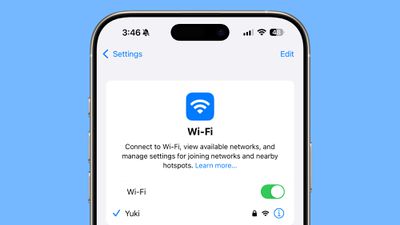
Apple is developing a new feature that will synchronize captive Wi-Fi portal login information across devices, according to Bloomberg's Mark Gurman.
iphone wi fi
The system will allow users to enter login details for captive Wi-Fi networks – commonly found in hotels, airports, and coffee shops – just once, then automatically sync that information across their iPhone, iPad, and Mac devices.

"When you go to a new hotel, office building or gym, you're often asked to fill out a web form on all your devices before you can access the internet," Gurman reports. "This new feature will let you enter that information on one device and have it synched to your other products."

This time-saving addition should eliminate the frustration of repeatedly logging into the same network portal across multiple Apple devices.

Apple is reportedly readying the feature in time for WWDC 2025, suggesting it will likely arrive with iOS 19, iPadOS 19, and macOS 16.

Related Roundups: iOS 26, iPadOS 26
Related Forum: iOS 26

Popular Stories

Apple Cash banner

Apple Cash in iOS 27 Will Help You Split Bills With Just a Photo

Monday June 1, 2026 11:15 am PDT by
iOS 27 will include a nice quality-of-life improvement for those who frequently split bills with friends and family, allowing them to easily take a photo of a receipt and generate payment requests for different people, according to Bloomberg's Mark Gurman. The feature will be tied to the peer-to-peer Apple Cash feature in the Wallet app, which lets users easily send money to other people and ...
ios 26 iphone 16 pro lock screen notifications feature 1

iOS 27 Notifications Will Slide in From Left Side of Your iPhone's Screen

Friday June 5, 2026 7:24 am PDT by
Bloomberg's Mark Gurman today revealed another iOS 27 change: notifications will slide in from the left side of the screen instead of from the top. In addition, accessing Notification Center on iOS 27 will require swiping down on the top-left corner of the screen. If you swipe down on the Dynamic Island area, a new "Search or Ask" interface tied to the revamped Siri will appear, instead of...
ios 27 siri animation

Apple Could Build an OpenClaw Competitor Eventually

Monday June 15, 2026 3:47 am PDT by
Apple may eventually build a direct competitor to OpenClaw, an agentic AI system capable of autonomously operating software on behalf of the user, Bloomberg's Mark Gurman believes. Writing in his Power On newsletter, Gurman says he expects Apple to develop a system that could fully operate iPhone, iPad, and Mac software on the user's behalf. The prediction comes on the back of comments made...

Top Rated Comments

kiranmk2 Avatar
15 months ago

I'm curious how this impacts paid captive wi-fi, specifically those found on aircraft. Currently if the airline charges for wi-fi you'd have to pay a fee for each device. Does this get around it? I would imagine paid wi-fi operators would be able to tell based on the device's MAC address or something similar.
For your use case, specifically, it looks like Starlink will become the default inflight WiFi service as it is just so much faster than the incumbant systems, and I believe Starlink forbids airlines from charging customers for it.
Score: 5 Votes (Like | Disagree)
bradman83 Avatar
15 months ago
I'm curious how this impacts paid captive wi-fi, specifically those found on aircraft. Currently if the airline charges for wi-fi you'd have to pay a fee for each device. Does this get around it? I would imagine paid wi-fi operators would be able to tell based on the device's MAC address or something similar.
Score: 5 Votes (Like | Disagree)
zilchfox Avatar
15 months ago

You know what would be great? The option to dismiss the captive wifi screen beyond "choose other network" which takes you straight to settings, or "use without internet" which connects you to a useless wifi network.
You can— swipe up on the home bar (similar to closing an app), and you will resume where you left off instead. On devices with a Home Button, just simply press it to dismiss.
Score: 4 Votes (Like | Disagree)
cicalinarrot Avatar
15 months ago
Proprietary wifi log-in is still one of the tech-related experiences I hate the most, it makes me feel like it's 2008.
Hope this makes it a little less painful.
Score: 3 Votes (Like | Disagree)
211 Avatar
15 months ago
There is this issue I have had since the 1st iPhone that when you try to connect to a password protected WiFi and you choose to cancel it, it still links to the WiFi, but won’t work as I didn’t provide the password. I then have to go back to forget WiFi, otherwise it won’t disconnnect
Score: 3 Votes (Like | Disagree)
15 months ago

Would any sane person actually use public WiFi when they know the guy sitting next to them could be sniffing their keystrokes and passwords, reading their email? I never use public WiFi.
You can use public wi-fi safely as long as you use a reputable VPN provider to encapsulate all your traffic as it traverses the public network.
Score: 2 Votes (Like | Disagree)

🔗 Related Apple News & Rumors

Stay updated with the latest Apple ecosystem news and verified rumors