

Apple is working on new iOS 15.4 and iPadOS 15.4 updates for the iPhone and the iPad, adding a slew of new features to the latest iOS operating systems. iOS 15.4 is the biggest update that we've had to iOS 15 to date, and it brings Universal Control, Face ID with a mask, new emojis, and tons more.
Watch on YouTubeFace ID With a Mask
With iOS 15.4, there is now an option to unlock your iPhone while wearing a mask. Apple warns that full face ID is the more secure option, but mask Face ID is now available.
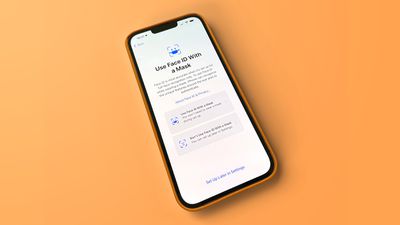
Face ID with a mask can be enabled after updating to iOS 15.4, and it is designed to use the area around your eyes for authentication purposes. It works with glasses, but it is not compatible with sunglasses, and you must be looking at the iPhone to unlock it with a mask on. Face ID with a mask looks to be limited to the iPhone 12 and newer, but it can be used to authenticate Apple Pay transactions and third-party app logins.
Universal Control
iPadOS 15.4 and macOS Monterey 12.3 enable the long-awaited Universal Control feature, which is designed to allow you use a single cursor and keyboard to control the iPads and Macs that are signed into your iCloud account.

Universal Control is super easy to use and enabled by default once you upgrade to iPadOS 15.4 and macOS Monterey 12.3. If you have a MacBook and an iPad, for example, the MacBook's trackpad and keyboard can also be used right on the iPad's display.
There are new settings for Universal Control on the iPad and the Mac, and on the iPad, the option to toggle it on or off is listed under Handoff & Airplay.
Emojis
Spring iOS updates often bring new emoji characters, and iOS 15.4 is no exception. The beta introduces support for Emoji 14, adding 37 emoji and 75 skin tone additions for a total of 112 new characters.
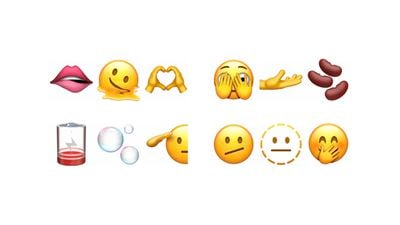
New faces include melting face, saluting face, face with open eyes and hand over mouth, face with peeking eye, face with diagonal mouth, and dotted line face, while new emojis include biting lip and bubbles.
There are several new hand emojis, such as heart hands, rightwards hand, leftwards hand, palm down hand, palm up hand, hand with index finger and thumb crossed, index pointing at the viewer, along with an update to the handshake emoji.
Nest with eggs, empty nest, x-ray, crutch, playground slide, wheel, ring buoy, hamsa, mirror ball, jar, identification card, and low battery are new items, while plants and animals will include coral and lotus. As for fantasy characters, we can expect a new troll emoji, and eggs, beans, and pouring liquid make up new food items.
Turn Off Notifications for Personal Automations in Shortcuts
For Personal Automations that are set up in the Shortcuts app, there's a new "Notify When Run" option that lets you toggle notifications for Shortcuts that are activated on or off. With this option, you can choose not to be notified when a Shortcut activates, something that wasn't possible with earlier versions of iOS 15.
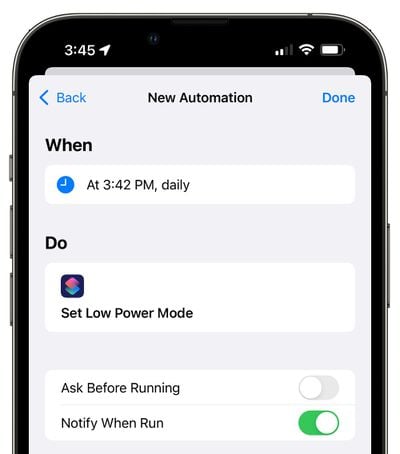
Notify When Run only shows up when you disable the "Ask Before Running" setting.
Apple Card Widget
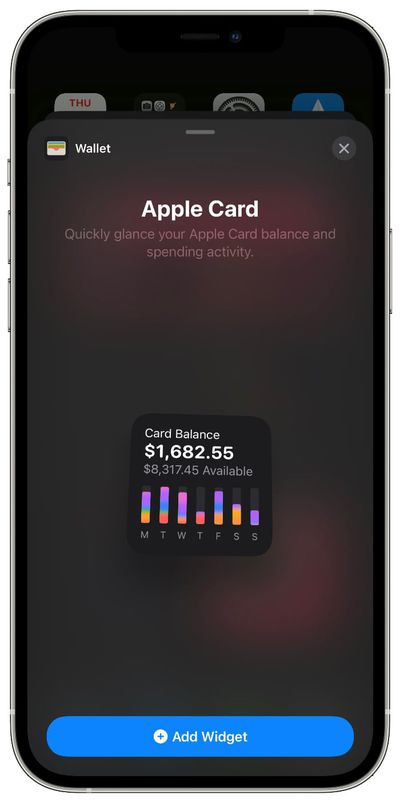
There is a new Apple Card widget in the Today view, which can be added to the Home screen. The Apple Card widget shows your current balance and your daily spending in different categories.
Keyboard Brightness
In iPadOS 15.4, there's a new Keyboard Brightness option that can be added to the Control Center to allow you to adjust the brightness of a connected keyboard with backlighting.
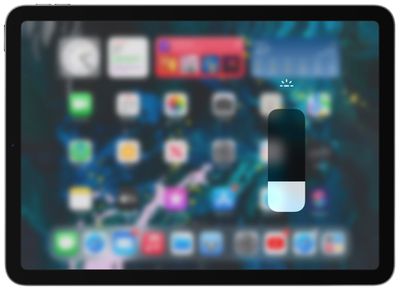
It works for Apple's Magic Keyboard, but it does need to be added to Control Center by going to Settings > Control Center and tapping the "+" button next to Keyboard Brightness.
iCloud Keychain Notes
iCloud Keychain users can now add notes to any password entry, bringing iCloud Keychain more in line with other password storing options like 1Password.
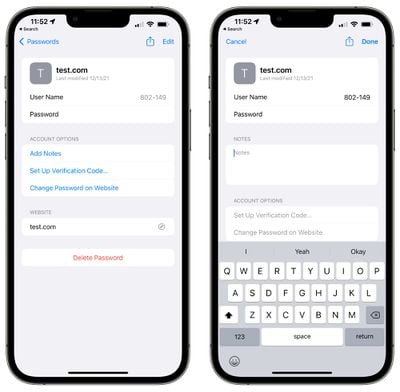
On iPhone and iPad, iCloud Keychain can be accessed in the Settings app under "Passwords."
Hiding Password Alerts in iCloud Keychain
Apple provides security recommendations for weak or compromised passwords that are stored in iCloud Keychain, but in some situations, you might not be able to change those passwords.
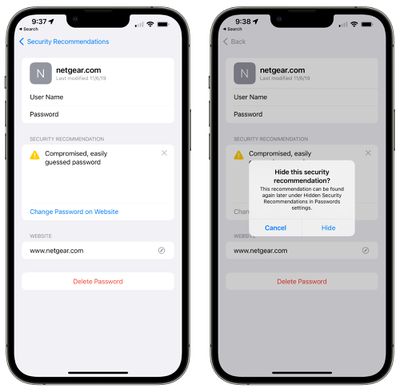
If that's the case, in iOS 15.4, you can dismiss those alerts by tapping on the "x" button next to the alert. The action will hide the security recommendation so that it doesn't show up in the main Passwords section of the Settings app.
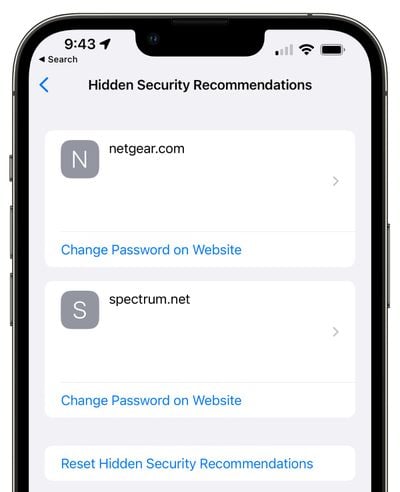
If you need to view the alert again, it can be found under Hidden Security Recommendations in Password settings.
iCloud Keychain Password Saving Update
Apple in iOS 15.4 and iPadOS 15.4 is adding a minor quality of life improvement to the way Safari saves passwords, preventing a password from being saved without a username.
When you are prompted to save a password to iCloud Keychain in iOS 15.4, iPadOS 15.4, or macOS Monterey 12.3 and Safari has only detected a password, Safari will pop up a window asking for a user name. "To save this password, enter the username for your [website] account," reads the alert.
In iOS 15.4 beta and macOS 12.3 beta, when Safari isn’t sure, it’ll prompt you for the username for a password, rather than silently save it sans user name. Sometimes Safari will prefill its best guess here. And we didn’t sneak it in. We intentionally addressed a pain point. 😎 https://t.co/mfrcXk9GT6 — Ricky Mondello (@rmondello) February 16, 2022
120Hz Animations in Third-Party Apps on iPhone 13 Pro
After the iPhone 13 Pro models came out, users noticed that third-party apps were not displaying all animations at the full 120Hz ProMotion refresh rate. Apple said there was a Core Animation bug that would be fixed in a future update, and it appears that iOS 15.4 is that update..
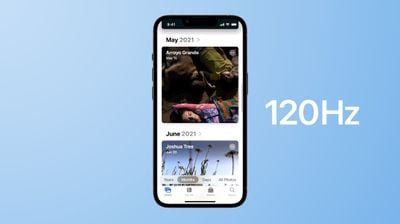
With iOS 15.4, all animations in an app will display at 120Hz for a much smoother and more streamlined app usage experience.
Custom Email Domains
iOS 15.4 beta expands support for the custom email domain feature available for paid iCloud+ plans, adding an option to set up a custom domain with iCloud Mail directly on the iPhone.
If you go to Settings > Apple ID > iCloud, "iCloud Mail" is now a tappable option and it includes a section for setting up a Custom Email Domain.
SharePlay
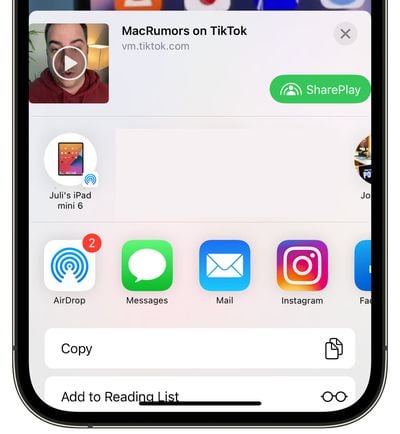
In apps that support SharePlay, there's now an option to activate it directly from the share sheet.
iPadOS Notes App
In the Notes section of the Settings app on iPad, there's a new "Corner Gestures" section under "Quick Notes." In this section, you can select functions for the left corner swipe and the right corner swipe.
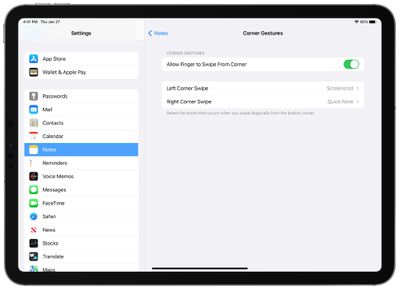
Options include Quick Note or Screenshot, and there's also an option to turn corner swipes off.
TV App Customization
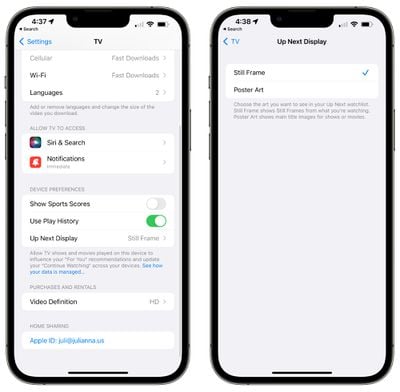
In the TV section of the Settings app under "Preferences," you can now choose "Still Frame" or "Poster Art" options for the Up Next Display in the app. Still Frame shows still frames from what you're watching, while Poster Art shows the main title images for shows or movies.
Passkey Website Sign-in
Apple says that the iOS 15.4 and iPadOS 15.4 betas add a new passkey feature that allows users to sign into passkey-compatible websites and apps on Mac and iPad using an iPhone with a saved passkey.
That means that on websites that allow for authentication via Face ID or Touch ID, you can authenticate with an iPhone instead of having to enter a password.
Game Controllers
According to Apple's release notes, support is available for new DualSense adaptive trigger firmware features.
Vaccination Records in the Health App
Verifiable health records now support adding vaccination records in the EU Digital COVID Certificate format to the Health and Wallet apps, so those in the EU can add their vaccine cards to the Wallet app for easy access.
Push Notifications for Web Apps
There's a new "Push API" toggle in the Experimental settings page for Safari in iOS 15.4, suggesting that Apple is planning to add support for push notifications from web-based apps.
The API is not functional and Apple has not yet added an interface in Safari to ask users for permission to display web-based notifications, but the underlying framework is in place.
Trade-In Cosmetic Scan
Code in iOS 15.4 suggests that Apple is working on a "Cosmetic Scan" feature that will be used when trading in an iPhone. Cosmetic Scan will likely be used to check an iPhone for damage like scratches and dings to provide a more accurate trade-in value estimate.
Tap to Pay on iPhone
With the second beta of iOS 15.4, Apple introduced support for the "Tap to Pay on iPhone" feature that is designed to allow NFC-compatible iPhones to accept payments through Apple Pay, contactless credit and debit cards, and other digital wallets, without requiring additional hardware.
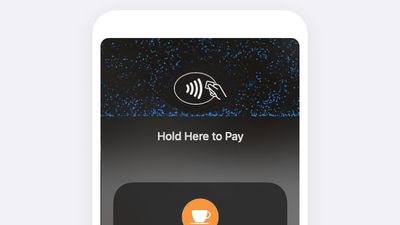
Tap to Pay on iPhone is enabled in the iOS 15.4 beta, but it does require third-party providers to add support, so it is not yet available for use. There are no outward-facing signs of it that are visible to end users, but there's a new "PaymentReceived" sound file and images that show off the Tap to Pay interface.
Preparations for Digital IDs in Wallet
Apple may be planning to roll out support for digital IDs and driver's licenses in iOS 15.4. There isn't a ton of evidence for this at the current time, but there is a mention of the feature in the PassKit code.
"Find out when your driver's license or state ID is ready to use and get important updates about your ID," it reads.
Captive WiFi Network Support on HomePod
Graphics found in the iOS 15.4 code confirm that Apple is adding support for captive WiFi networks on the HomePod, allowing them to be used in situations where there's a web portal or an additional sign-up step to access WiFi.

This is common in hotels, dorms, and similar situations where logins are required for WiFi.
Podcast Filters
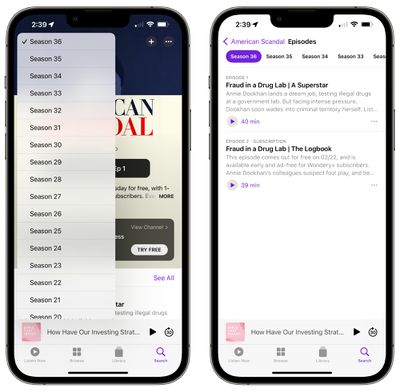
When viewing a show in your library, you can filter episodes by played, unplayed, downloaded or saved. There's also an option to go to any show and filter for a specific season.
New Siri Voice
iOS 15.4 adds a new Siri voice for American users, which can be elected from the Settings app by going to Siri & Search and then selecting Siri Voice.

Anti-Stalking AirTags Update
Apple in iOS 15.4 is adding anti-stalking AirTag changes that were announced in February. When setting up an AirTag or a Find My accessory, there is now a warning that the device is locked to an Apple ID and that using it to track someone without consent is a crime.
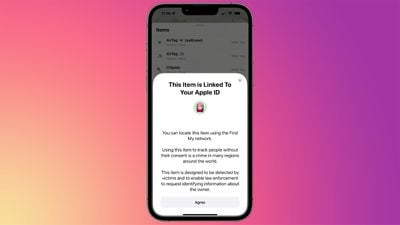
"You can locate this item using the Find My network," reads the setup screen. "Using this item to track people without their consent is a crime in many regions around the world. This item is designed to be detected by victims and to enable law enforcement to request identifying information about the owner."
With this warning, Apple wants to make it clear to those who would use AirTags and Find My-compatible devices from third-party companies as stalking tools that such a use case is illegal and has criminal repercussions.
Apple is also fixing a bug that was causing confusion around unwanted tracking. AirPods can cause an "Unknown Accessory Alert" warning that some people were interpreting as a notice from an AirTag. AirTags are not able to display the "Unknown Accessory Detected" messaging, which is caused by AirPods Pro, AirPods Max, third-generation AirPods, and in some cases, a Find My network accessory.
Other Features
Know of a feature that we left out? Let us know in the comments.



















































