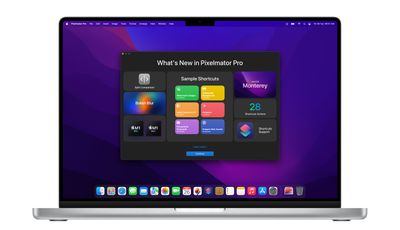
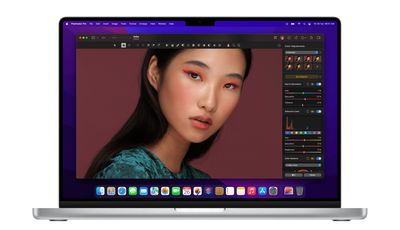
Pixelmator 2.2 got its public release on Tuesday. The latest major update to the popular image editing app includes support for macOS Monterey and Shortcuts, as well as a new Split Comparison View, a new Bokeh effect, and more.
With Monterey bringing Shortcuts to the Mac for the first time, Pixelmator is adding 28 dedicated actions, including all ML-based tools (Super Resolution, Enhance, Denoise, Match Colors, and Crop) and some Shortcuts-exclusive features, like automatic background removal for photos of people. For more information, Pixelmator has provided a tutorial on using Shortcuts with the app.
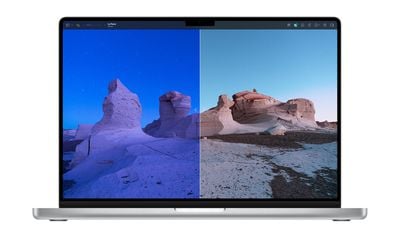
This update also brings a new split-screen comparison view, allowing users to see all their edits more closely. Split comparison view can be turned on by Option-clicking the Show Original button or force clicking the canvas when using the Color Adjustments and Effects tools. Users can also press the Control + C keyboard shortcut or add the new compare button to the Pixelmator Pro toolbar by clicking View > Customize Toolbar.
In addition, there's an all-new Bokeh blur effect, while users can now open Pixelmator Photo files in Pixelmator Pro, and the maximum brush spacing has been increased from 100% to 1000%. Elsewhere, new FaceTime Portrait Masks mean whenever users insert photos of themselves with the FaceTime camera, they'll get an automatically created portrait mask applied to that layer. Some other more minor changes are listed in the full release notes.
Lastly, Pixelmator Pro's developers say users can expect features like ML Super Resolution to be up to 15 times faster on the latest MacBook Pro models when compared to the most recent Intel-powered Mac devices, thanks to Apple's new M1 Pro and M1 Max chips.
The latest Pixelmator Pro update is free for all existing users of Pixelmator Pro, which costs $39.99 in the Mac App Store.
Sunday February 1, 2026 10:08 am PST by Joe Rossignol
Last year, Apple launched CarPlay Ultra, the long-awaited next-generation version of its CarPlay software system for vehicles. Nearly nine months later, CarPlay Ultra is still limited to Aston Martin's latest luxury vehicles, but that should change fairly soon.
In May 2025, Apple said many other vehicle brands planned to offer CarPlay Ultra, including Hyundai, Kia, and Genesis.
In his Powe...
Sunday February 1, 2026 12:31 pm PST by Joe Rossignol
The calendar has turned to February, and a new report indicates that Apple's next product launch is "imminent," in the form of new MacBook Pro models.
"All signs point to an imminent launch of next-generation MacBook Pros that retain the current form factor but deliver faster chips," Bloomberg's Mark Gurman said on Sunday. "I'm told the new models — code-named J714 and J716 — are slated...
Tuesday February 3, 2026 7:47 am PST by Joe Rossignol
We are still waiting for the iOS 26.3 Release Candidate to come out, so the first iOS 26.4 beta is likely still at least a week or two away. Following beta testing, iOS 26.4 will likely be released to the general public in March or April.
Below, we have recapped known or rumored iOS 26.3 and iOS 26.4 features so far.
iOS 26.3
iPhone to Android Transfer Tool
iOS 26.3 makes it easier...
Sunday February 1, 2026 5:42 am PST by Joe Rossignol
Apple is planning to launch new MacBook Pro models with M5 Pro and M5 Max chips alongside macOS 26.3, according to Bloomberg's Mark Gurman.
"Apple's faster MacBook Pros are planned for the macOS 26.3 release cycle," wrote Gurman, in his Power On newsletter today.
"I'm told the new models — code-named J714 and J716 — are slated for the macOS 26.3 software cycle, which runs from...
Tuesday February 3, 2026 8:55 am PST by Joe Rossignol
In 2022, Apple introduced a new Apple Home architecture that is "more reliable and efficient," and the deadline to upgrade and avoid issues is fast approaching.
In an email this week, Apple gave customers a final reminder to upgrade their Home app by February 10, 2026. Apple says users who do not upgrade may experience issues with accessories and automations, or lose access to their smart...