

Mac Pro Hands-On: Adding Additional SSD Storage Using a PCIe Slot - MacRumorsOpen MenuShow RoundupsShow Forums menuVisit ForumsOpen Sidebar
Skip to Content

Mac Pro Hands-On: Adding Additional SSD Storage Using a PCIe Slot

When the Mac Pro became available for purchase a few weeks ago, we bought a base model and have since been demonstrating upgrades with third-party components for those interested in boosting their Mac Pro's capabilities without having to shell out for Apple's upgrades.

We covered upgrading the RAM in a Mac Pro in our last video, and today, we're demonstrating how to add additional SSD storage using one of the Mac Pro's PCIe slots.

Watch on YouTube

The base model Mac Pro comes with 256GB of storage space, which isn't a lot in a professional machine. Luckily, it's easy to add additional storage if you purchase a compatible third-party SSD.

Completely replacing the SSD in a Mac Pro with a new one requires visiting an Apple Store or an Apple Authorized Service Provider because the built-in SSD is tied to the T2 chip that provides encryption and other security benefits, but the existing storage can simply be augmented if you have a free PCIe slot.

The Mac Pro has eight PCIe expansion slots, which allow for extra USB ports, graphics cards, audio cards, and more storage, so that's an easy way to get additional storage space. Note that what we've done here means the SSD we're installing is extra storage space and not a boot disk - it's been added in addition to the existing 256GB SSD the base Mac Pro ships with.

We added a 4TB NVMe SSD from OWC, which is priced at $950. That's a good deal cheaper than the 4TB SSD upgrade option from Apple, which is priced at $1,400. You don't need to use OWC, but third-party SSD options are much more affordable than what Apple is offering.

Installing a new SSD is as simple as popping the case off of the Mac Pro, unlocking one of the PCIe slots, unscrewing the brackets and inserting the card. That's all there is to it. Once the case is back in place and the Mac Pro is booted up after installing a new SSD, the drive will show up on the desktop.

The OWC Accelsior 4M2 SSD we installed claimed to offer transfer speeds up to 6000MB/s. In our testing, we didn't quite see those speeds, but we did see write speeds at 4786MB/s and read speeds of 5360MB/s, which is much faster than the built-in SSD, which hit write/read speeds of 1312 and 2232MB/s, respectively.

When it comes to real life usage, that meant we were able to transfer 50GB of RAW video files to the OWC SSD in just about 20 seconds, a process that took 40 seconds with Apple's SSD. So it's entirely possible to get a faster SSD than what Apple's offering at a lower price. An OWC model is not required, of course, and for those with a Mac Pro interested in upgrading, it's worth doing some research to find the best price to save money.

We'll have more Mac Pro videos coming in the future, including a look at the Promise Pegasus R4i MPX RAID storage module designed for the Mac Pro.

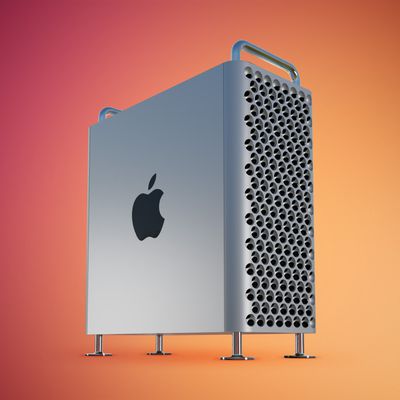
Buyer's Guide: Mac Pro (Don't Buy)
Related Forum: Mac Pro

Popular Stories

iPad mini 7 Review Thumb 1 sans text

Apple Raises iPad and Mac Trade-In Values

Monday October 26, 2026 8:17 am PDT by
Apple today updated its U.S. trade-in estimates, raising maximum values across the iPad lineup and for most Macs following today's announcement of the new iPad mini. Every iPad category has gained value, although the increases are relatively modest. The iPad mini and standard iPad both rise by $20, while the iPad Air gains $15 and the iPad Pro increases by $10. The revised maximum estimates...
Mac Pro Feature Red

Conversion Kit Aims to Put PC Hardware Inside 2019 Mac Pro

Monday October 26, 2026 4:24 am PDT by
Owners of Apple's 2019 Mac Pro could repurpose its enclosure for a custom PC using a conversion kit being crowdfunded by Practical Prototyping (via Hackster). The project comes after Apple discontinued the Mac Pro in March, confirming that it has no plans for future models. For owners of the 2019 Intel-based tower, the conversion offers a potential way to keep using its distinctive...
iPhone Duo Display Cracking

Apple Alerts Stores to iPhone Duo's Display Cracking Issue

Friday October 30, 2026 3:20 pm PDT by
In a memo shared with Apple Stores and Apple Authorized Service Providers this week, and later obtained by MacRumors, Apple provided technicians with guidance on how to diagnose and address the iPhone Duo's inner display cracking issue. If a customer reports the issue, Apple advised technicians to inspect the iPhone Duo and repair or replace it in accordance with their standard procedures....

Top Rated Comments

89 months ago
Many years ago when I got my first job I told myself eventually I’ll get a Mac Pro (that was when the starting at $3000) I think. Fast forward to 2020, starting is at $6000, basically priced out most of the Mac lover. So at this point as much as I love the new line I’m looking at continue to use my 2009 bought used Mac Pro or an iMac if I want a desktop. Sigh, maybe a few more years.....
Score: 13 Votes (Like | Disagree)
tallscot Avatar
89 months ago

The modularity of the Mac Pro is why I really like it. I wish the SSD was accessible and easily upgradable in Apple's iMac/MacBook lines.
Having to use a PCI card to add another SSD, and not being able to just swap out the boot SSD, is very disappointing for a “modular” computer. My son’s gaming PC we built for $900 has interfaces on the ribbon cable and mount screws built into the side of the $80 case - just pop it in and plug in the cable.

I guess Apple will never ever give us the same flexibility as a Windows PC.
Score: 10 Votes (Like | Disagree)
Detnator Avatar
89 months ago

Which are what? You're not editing uncompressed 4k or 8k on the local storage. The disk space requirements are too much - 90 minutes of uncompressed 4k is 6TB...

Nothing wrong with SATA - yes it's slower but for most you won't notice the difference. I've got a mix of SATA SSD's and NVMe in my Windows box in a pool and don't notice which is which in day to day use.

I could see photographers and developers or even data scientists where you could load part of a huge DB locally. Or the editor shooting compressed 4k/8k stuff.

I think the use case is someone who wants a fast, expandable, and quiet Mac. It's neither the fastest machine (Threadripper beats it there for most tasks) not the cheapest. Objectively looking at this machine it's a crazy expensive machine for what it is and another example of Tim's gouging of the faithful.


Databases are one of the workloads that benefits greatly from SSD's or large RAID arrays. Lots of reads and writes especially at startup and definitely when in operation. For the average user the difference is negligible. If you're doing DB work you need all the fast space you can get.
"For the average user" -- and this is my problem with nearly every objection to the Mac Pro.

Everyone complaining about the Mac Pro, or any of these other topics related to it (eg. SATA vs NVMe) in some form or another - including you - keep making their claims based on that statement: "for the average user".

This machine and all the various options for it are not for the average user so every "for the average user" statement is pointless and meaningless in a conversation about adding expensive storage to a genuinely professional machine.

Needless to say, I'd even argue that a lot of people who use Macs in general (not just Mac Pros etc) are not "the average user".

At least some of "the average users" appreciate even the simple things like faster startup times, snappier web browsing (cache stored locally, etc), snappier, well, everything, because that's the end result of faster storage. You don't have to be editing large databases or videos to notice a difference. I know, because my parents and sister notice the difference and they do "average" tasks like email, web browsing, accounting, writing, basic photo management and editing.

There's another example - the average user will notice the difference between SATA and NVMe scrolling through a few thousand photos in the Photos app. Again, my family members did when they made that change.

As for disk space requirements are too much for editing uncompressed 4K. Well ok, maybe so. Or maybe I am installing 40TB of striped 12GB/s+ NVMe drive arrays in my PCIe slots if I want to (no, personally I'm not, but I imagine Kevin Feige wouldn't have any trouble doing that if he wanted to). Sure, that's probably not the best solution. I know for what I do - large databases. If I was in the market for something like this and I was going to be spending any significant time working on them, my workflow would be that I'll copy them off the SAN onto my internal 12GB/s NVMe array, work with it, then copy it back. Depending on what I'm doing with it.

The point is, as always, this machine provides options. And if I sound like I'm on a rant, it's because so many people here keep pushing their opinions based on their own workflows or some narrow limited imagined workflows, and just can't see past those to see how this thing provides enormous flexibility and options for all kinds of workflows. Which is the whole point of it.

So to your next point about how overpriced you think it is. Compared to what? As others have done here and in multiple other places, spec it out against comparable Dell servers, or HP workstations, or any number of other competing machines and it's not overpriced at all. Ok, maybe you want to compare it to the high end iMac or iMac Pro. Sure, spec for spec (CPU, GPU, storage, RAM) yep, it's more expensive. Why do you think that is? Because those machines don't have the EIGHT PCIe slots, the insane cooling, the modularity, the engineering that makes it all work together properly, and all the other things that make this what it is and what those machines aren't. If you want the CPU, GPU, RAM, and storage, all at iMac prices, then get an iMac. If you want all the other stuff that this machine has that makes it more than those then you don't get that for free.

As for your "Threadripper" example. Spec one of those out spec for spec and tell me how this is more expensive. And no, "build-your-own" doesn't count. The other thing that this machine comes with that its target market needs is that they buy it, pull it out of the box, turn it on, and get to work. For these people their time is their most valuable commodity. They get paid multiple hundreds of dollars per hour for the professional WORK they do. Every hour they spend building their own machine - or even researching all the ways they can buy third party RAM instead of Apple's RAM and install it themselves - costs them significantly more than what they'll pay Apple to build this for them instead. If you don't understand that then you just don't understand who this machine is for. And if you're not one of those people whose time is worth something significant then this machine is not for you, nor is it for anyone else on here making similar arguments.


One more thing: Your Threadripper machine doesn't have macOS. macOS isn't free. There's a reason Apple's license agreements say you're not allowed to run macOS on anything other than Apple hardware (even virtualized). That's because Apple's hardware is what pays for macOS. How about Apple change their business model? What's macOS worth? I mean it must be worth something, otherwise why are we even here arguing about this? The ONLY reason anyone would want a Mac Pro instead of a similar specced PC, if they genuinely think the Mac Pro is expensive, is for macOS, right? The only reason we're here complaining about or even discussing Apple stuff is not for the hardware, it's for the OS. Without macOS, there are an enormous amount of alternatives to choose from and Apple becomes a very niche hardware maker with no significant differentiator. So therefore macOS is worth something, for Macs in general to create all this hoopla, right? So what's it worth? Should they just give it away for free? Hardly. You're not going to agree with this but I'm going to argue that it's worth a LOT more than Windows 10 - why? Because it's worth all this fuss. If it's worth all this fuss then it's better than Windows 10, at least for the people who are making the fuss. And it's better because it's had a lot more time, R&D, etc. put into it than Windows 10 has. And even if we look at the $200 price of Windows 10 alone, that's before you include the virus protection and other stuff you have to buy to go with Windows to make it anything close to on a par with macOS. Whatever we price it at, it's included in the price of every mac. So factor that in when you're speccing out your Threadripper machine as well.

I just want to see someone throwing around all these arguments about how this Mac Pro is overpriced show me something comparable by any other decent manufacturer, that's significantly cheaper. No one's been able to do this yet. Anyone want to step up to the plate on this one?


Yep .. had a horrible experience with iMac myself. It's not a laptop (obviously) but not really a desktop either. It, however inherits all of their disadvantages.

Immobile (unless you want to lug the thing around your local Starbucks.. well, not impossible), yet not-upgradeable (at least not if you want to keep its warranty intact). It is a good-looking computer, you could use one for a front desk, or showing it off at the office for more "professional looks". But for actual, long term ownership..? meehhh.
Yet Apple keeps selling millions and millions and millions of them... so weird. ;)


"T2 as an option" should be owners of computers can choose add/change ssd's without Apple service.

I want control of my $8k+ computers and I don't have a choice other than purchasing PCIe ssd cards for boot.... I want to add/change the ssd without Apple service. Also, the T2 is there not just for security!
Why? What's wrong with adding a PCIe SSD card for storage? Why is this such an issue?

You effectively do have T2 as an option (for storage) because you CAN add SSDs without Apple service. That's one of a million options the PCIe slots are for! Are you saying they got that wrong and you should be able to add storage through some means other than PCIe?

If you don't like the internal drive and its reliance on the T2 then ignore it. Add whatever cheap or expensive storage you want in the industry standard PCIe slot and boot off that. There... full control to you.

What on earth is the problem???
Score: 9 Votes (Like | Disagree)
89 months ago

So is what this guy says around the 4 minute mark incorrect?


Dang, that guys makes great videos! Super informative and easy to watch! Learned a ton!
Score: 8 Votes (Like | Disagree)
89 months ago
Those OWC cards are x8 PCIe cards and not exactly getting rave reviews in the Mac Pro forums. Suggest people look at these x16 cards for better performance:

Sonnet M.2 4x4, but pay attention to the NVMe blade restrictions
https://www.sonnettech.com/product/m2-4x4-pcie-card.html

HighPoint 7101-A, but make sure you get the latest model so you can enable silent mode
https://highpoint-tech.com/USA_new/series-ssd7101a-1-overview.htm
Score: 8 Votes (Like | Disagree)
zorinlynx Avatar
89 months ago

Having to use a PCI card to add another SSD, and not being able to just swap out the boot SSD, is very disappointing for a “modular” computer. My son’s gaming PC we built for $900 has interfaces on the ribbon cable and mount screws built into the side of the $80 case - just pop it in and plug in the cable.

I guess Apple will never ever give us the same flexibility as a Windows PC.
If you're going to add an SSD to your computer, especially one as high-end as this one, you want to do it with the highest possible level of performance. A PCIe card is really the best way at this point.


Almost every modern motherboard for desktops comes with at least 1 M.2 SLot for PCI-E based NVME storage.
Also, just to note, they do sell PCIe to M.2 adapters, and they're cheap. So if you want to use an M.2 drive in the Mac Pro it's trivial to do so.

I'm not sure why people are trying to find overly cheap ways to add storage to this machine. If you can spend upwards of $6K on a computer, you might as well get the fastest damn storage you can and connect it with the fastest bus possible.

Maybe if Apple comes out with a less expensive "enthusiast" tower, these arguments will make a bit more sense.
Score: 7 Votes (Like | Disagree)
Latest Stories
Apple Watch Ultra 4 Hits All-Time Low Price With Amazon's $99 Discount
13 hours ago
Reminder: Apple's Big Discount on Beats 360 Ear Cushions Ends Today
13 hours ago
Here's a New Tour of Apple's HomeView Software
14 hours ago
Apple Reveals New iPad Mini's Battery Capacity
15 hours ago
Top Stories: Apple's Big MacBook Pro, iPad mini and iMac Updates
16 hours ago
'Pluribus' Season 2 Reportedly Starts Production Today
23 hours ago
iPhone 18 Pro Sales Surge in China, Offsetting Decline in U.S. and Japan
23 hours ago
HomeView Software 27.2: Wallpapers, Control Center, and More
1 day ago
Apple Alerts Stores to iPhone Duo's Display Cracking Issue
1 day ago
iOS 27.3 Will Enable These Apple Intelligence Features in China
1 day ago
Apple Says iOS 27.3 Beta Coming Next Week
1 day ago
Apple's Flash Storage Suppliers Are Finally 'Getting Their Revenge'
1 day ago
14 New Things Your iPhone Can Do in iOS 27.2
1 day ago
iPhone Duo Review: One Week Later
1 day ago
Samsung Mocks iPhone Duo Display Cracks in New Ad Campaign
2 days ago
The MacRumors Show: OLED MacBook Pro, iPad Mini 8, and More
2 days ago
MacBook Pro With Touch Display: 15 More Details Revealed
2 days ago
Russia Places Apple on State Surveillance Registry
2 days ago
Halloween Weekend Brings Discounts on Apple Accessories and Pre-Orders
2 days ago
Apple Has Released More Than 25 New Products in the Past Two Months
2 days ago
Local Code Launches as Free, Private AI Assistant Tool for Mac
2 days ago
Apple Acquires Ascend.io
2 days ago
HomePod Mini 2 Launches Today: All the New Features
2 days ago
AirTag 2 4-Pack Drops to New Low Price of $69.99
2 days ago
Rian Johnson's iPhone Camera App Goes Viral
2 days ago
Where Did All the iPhone Duos Go? Mostly to Apple's Stores
2 days ago
Apple's Touchscreen MacBook Pro Could Ship 1.5M Units in 2027
2 days ago
New Apple TV 4K and iPad Mini: RAM Amounts Revealed
2 days ago
Apple Executive Comments on New iPad Mini Lacking 120Hz Display
2 days ago
Here's a Hands-On Look at HomePod Mini 2's New Two-Tone Colors
2 days ago

🔗 Related Apple News & Rumors

Stay updated with the latest Apple ecosystem news and verified rumors








































