Apple Releases watchOS 5.1.3 With Bug Fixes and Performance Improvements - MacRumorsOpen MenuShow RoundupsShow Forums menuVisit ForumsOpen Sidebar
Skip to Content

Apple Releases watchOS 5.1.3 With Bug Fixes and Performance Improvements

Apple today released watchOS 5.1.3, the fourth update to the watchOS 5 operating system that runs on modern Apple Watch models. watchOS 5.1.3 comes more than a month after the release of watchOS 5.1.2, a major update that brought ECG functionality.

watchOS 5.1.3 can be downloaded for free through the dedicated Apple Watch app on the iPhone by going to General --> Software Update. To install the new software, the Apple Watch needs to have at least 50 percent battery, it needs to be placed on a charger, and it needs to be in range of the iPhone.
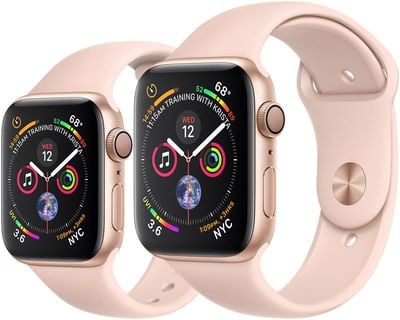
applewatchseries4sizesgold
watchOS 5.1.3 is a minor update that focuses on performance improvements and fixes for bugs discovered since the release of watchOS 5.1.2. We didn't find any changes during the watchOS 5.1.3 beta testing period. Apple's release notes do not mention any new features or include information beyond the general "this update includes improvements and bug fixes" statement.

The prior update watchOS update, watchOS 5.1.2, introduced the long-awaited ECG feature for the Apple Watch Series 4, allowing Apple Watch owners to take single-lead electrocardiograms to detect atrial fibrillation, which can be a sign of serious health problems.

Related Roundup: Apple Watch 11

Popular Stories

3 4 24 Sport Band Refresh Feature

Sketchy Rumor Claims Apple Watch Series 12 Could Introduce Sensor in Band

Friday July 3, 2026 8:54 am PDT by
The Apple Watch Series 12 could ship with a new health sensor built directly into one of its bands, according to a sketchy rumor from a known leaker. The leaker known as "Kosutami" says the sensor will be injection-molded into a silicone band, and only a silicone band, apparently because Apple has not yet solved how to embed similar hardware in bands made from other materials. No detail was...
watchos 27

Siri AI Comes to Apple Watch in watchOS 27 Beta 3

Monday July 6, 2026 1:24 pm PDT by
With watchOS 27 beta 3, Apple added support for Siri AI and the Siri app, so Apple Watch users can now use the features right from their wrist. Apple said Siri AI would be coming to the watch back when watchOS 27 was first introduced, but the feature wasn't live until now. The Dynamic App Grid that pops up when the Digital Crown is pressed displays the Siri app in the center, and the...

Apple Watch Series 10 Jet Black

Apple Watch Series 13 Rumored to Mark the End of an Era

Wednesday July 8, 2026 1:29 pm PDT by
While the Apple Watch Series 12 is still a few months away, a new rumor suggests that next year's Apple Watch Series 13 will mark the end of an era. According to a recent post from a known leaker on the Chinese social media platform Weibo, the Apple Watch will be receiving a major redesign next year, and this will apparently include a new way of attaching bands to the watch. As a result, the ...

Top Rated Comments

testcard Avatar
98 months ago
It does for me at least seem to be better in 5.1.3. It's all in the flick of the wrist as you raise to your mouth.
When I give the wrist a little flick as raising to mouth it works. If I simply raise the watch to my mouth hit and miss.
Probably something I need to practise in private first :)
Score: 5 Votes (Like | Disagree)
magicschoolbus Avatar
98 months ago
apple watch updates are always welcome.. best apple product out there.


Score: 4 Votes (Like | Disagree)
gwhizkids Avatar
98 months ago
Ok. @Applesupport was able to help. Following the tips they gave me (see below) I’ve gotten Raise to Speak working about 75-80% of the time. The difference changer seems to be the speaking before the screen wakes up.

===========================
While there is no need for any flick of your wrist, we do have a few tips that can help more consistently activate Siri:

Make sure the Watch screen stays asleep until less than one or two seconds before the watch is at your mouth and start speaking. It is best to start with the screen asleep and at least ten inches lower than your mouth.

Bring the Watch up close to your mouth in one fluid motion without turning the wrist to wake the screen until the device is at your mouth.

Start speaking as soon as the watch is in position near the mouth instead of waiting to see the screen wake first.

Bring the watch closer to your mouth when speaking.

Try speaking a bit louder when making your request. Low volume or whispered requests are not expected to be loud enough to activate Siri.

Let us know if any of these tips help. een until the device is at your mouth.

Start speaking as soon as the watch is in position near the mouth instead of waiting to see the screen wake first.

Bring the watch closer to your mouth when speaking.

Try speaking a bit louder when making your request. Low volume or whispered requests are not expected to be loud enough to activate Siri.

Let us know if any of these tips help
Score: 3 Votes (Like | Disagree)
testcard Avatar
98 months ago
Big thing here for me is Raise to use Siri. Worked once right after I installed the update but not since.
[emoji35]
Only works intermittently for me and no improvement with 5.1.3.
Score: 2 Votes (Like | Disagree)
burgman Avatar
98 months ago
That “improvements and bug fixes” line isn’t cute, it’s arrogant and disrespectful of the customer.
You must really go off on IOS app updates most use the same line. :)
Score: 1 Votes (Like | Disagree)
testcard Avatar
98 months ago
I don't think Apple is going to activate this functionality without some pretty big press releases in the affected countries. They are not going to sneak it in to a minor update and say nothing.
Yes, it'll be a fairly major announcement when this goes live in other countries.
Score: 1 Votes (Like | Disagree)

🔗 Related Apple News & Rumors

Stay updated with the latest Apple ecosystem news and verified rumors












































