A passcode bypass vulnerability has been discovered in iOS 12 that potentially allows an attacker to access photos and contact details on a locked iPhone.
The rather convoluted bypass method was shared in a video by Jose Rodriguez, who has discovered iOS bugs in the past that Apple has subsequently fixed.
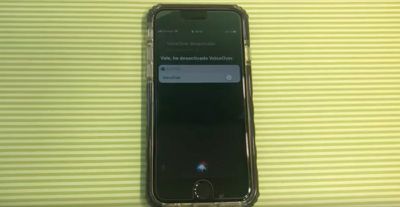
With physical access to the locked device, the attacker first asks Siri to activate VoiceOver, sleeps the device with the Side button, and then calls the iPhone using another device. Once the call screen shows up, the attacker taps the Message button, opts to create a custom message, and then taps the plus (+) icon in the top right.
Next, on the other phone, the attacker sends a text or iMessage to the target iPhone, whose screen is then double-tapped when the message notification appears. This causes an odd behavior in the UI, since it highlights the plus icon underneath.
After a short wait, the screen goes white and the notification disappears, but the VoiceOver's text selection box is apparently still tappable and can now be used to access the Messages interface. Following multiple screen swipes, the VoiceOver is heard to say "Cancel," which reveals the original Messages screen.
Adding a new recipient to the message and selecting a numeral from the virtual keyboard then reveals a list of recently dialed or received phone numbers and contacts. Further, if one of the numbers or contacts includes an info ("i") button, disabling VoiceOver and tapping the button shows the contact's information. Performing a 3D Touch action on the contact also brings up call and message options, along with options to Add to Existing Contact or Create New Contact.
In a similarly complicated set of steps involving an invisible user menu, an attacker can eventually access a locked iPhone's Camera Roll and other photo folders, which can then be used to add profile pictures to contact cards.
The bypass methods work on all iPhones including the iPhone XS lineup, but Apple doesn't appear to have fixed the vulnerabilities in the latest iOS 12.1 beta. Thankfully however, all of the above can be easily prevented by disabling access to Siri from the lock screen.
Concerned users can do so by navigating to Settings > Face ID & Passcode (that's Settings > Touch ID & Passcode on iPhones with Touch ID) and disabling the Siri toggle under the "Allow access when locked" menu.
Youtuber EverythingApplePro reported that it was found by a taxi driver who tries to discover bugs like this on his iPhone while waiting for passengers.
He's also famous for being the taxi driver who has one customer every 10 years.
Why in the world do people have Siri enabled on the lock screen in the first place? The only thing worse would be the truly clueless who enable control center on the lock screen.
So when I’m cooking, I can just yell “Hey Siri, set a timer for 2 and one-half minutes!” and not be bothered by picking it up.
Or when I’m driving, just say “Hey Siri, tell dad I’ll be there in five minutes.” Since Apple doesn’t feel it can leave iPhone on while plugged in listening to music.
Now, serious question, what’s wrong with Control Center being enabled on lock screen?
Surely this must have been discovered in some reverse-engineering of iOS. How else would you ever find this.
Youtuber EverythingApplePro reported that it was found by a taxi driver who tries to discover bugs like this on his iPhone while waiting for passengers.
Wednesday October 28, 2026 10:11 am PDT by Juli Clover
Apple today announced a new high-end MacBook Pro, which is available in 14-inch and 16-inch sizes. The new device has a PROLED XDR display that supports touch gestures, and a glowing rear Apple logo.
Pricing on the MacBook Pro starts at $2,899 for the 14-inch model and $3,399 for the 16-inch model.
Apple says the MacBook Pro has the "world's best display in a pro laptop." The PROLED...
Apple today announced a refreshed 14-inch MacBook Pro featuring the M6 chip, upgraded connectivity specifications, and more.
The M6 chip in the MacBook Pro features a 12-core CPU with 2 super cores, 4 performance cores, and 6 efficiency cores, paired with a 12-core GPU. This is up from the M5 chip with a 10-core CPU with 4 super cores and 6 efficiency cores, paired with a 10-core GPU.
M6...
Thursday October 29, 2026 1:47 pm PDT by Joe Rossignol
While the new iPad mini has an OLED display, the device does not support ProMotion, meaning the display's refresh rate is limited to 60Hz instead of 120Hz.
ProMotion support would have allowed for the iPad mini's refresh rate to automatically adjust from 10Hz to 120Hz depending on the content being displayed, but evidently Apple has kept the feature exclusive to the iPad Pro among iPad...


















































Top Rated Comments
Or when I’m driving, just say “Hey Siri, tell dad I’ll be there in five minutes.” Since Apple doesn’t feel it can leave iPhone on while plugged in listening to music.
Now, serious question, what’s wrong with Control Center being enabled on lock screen?