

Apple Releases tvOS 11.3 for 4th and 5th Generation Apple TV Models - MacRumorsOpen MenuShow RoundupsShow Forums menuVisit ForumsOpen Sidebar
Skip to Content

Apple Releases tvOS 11.3 for 4th and 5th Generation Apple TV Models

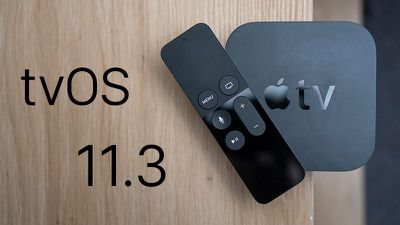
Apple today released tvOS 11.3, the second major update to the tvOS operating system designed for the fourth and fifth-generation Apple TV models. tvOS 11.3 comes more than three months after the release of tvOS 11.2, and a month after the release of a minor tvOS 11.2.6 update.

tvOS 11.3 can be downloaded over the air through the Settings app on the Apple TV by going to System --> Software Update. Apple TV owners who have automatic software updates turned on will be upgraded to tvOS 11.3 automatically.
tvos113
tvOS 11.3 introduces performance improvements and bug fixes for issues discovered following the release of tvOS 11.2.6.

The update introduces enhancements to Match Content support, automatic frame rate switching on the fourth-generation Apple TV (a feature that was added to Apple TV 4K in a past update), and automatic mode switching for AirPlay video sessions.

The TV app, designed to let users find and watch television shows and movies aggregated from entertainment apps, is expanding to Brazil and Mexico. Brazil is also gaining Siri support on Apple TV 4K and the fourth-generation Apple TV.

Early beta versions of tvOS 11.3 included support for AirPlay 2, allowing the Apple TV to be added to the Home app as part of a HomeKit setup and enabling multi-room audio across multiple Apple TVs.

AirPlay 2 functionality was, however, removed in the third beta of tvOS 11.3, eliminating these features. AirPlay 2 was not re-added during the beta testing period, so it's likely Apple is saving the feature for a future update.


Related Roundup: Apple TV
Buyer's Guide: Apple TV (Don't Buy)

Popular Stories

tvOS 27 Feature

Apple Seeds tvOS 27 Beta 3 to Developers

Monday July 6, 2026 10:22 am PDT by
Apple today seeded the third beta of tvOS 27 to developers for testing purposes, with the update coming two weeks after Apple released the second beta. The beta can be downloaded and installed through the Settings app on the Apple TV. A free developer account is required. tvOS 27 has few new features compared to the other 27 software updates, but it does add a redesigned Podcasts app,...

General visionOS watchOS and tvOS Betas Feature Redux

Apple Releases Fourth watchOS 26.6, tvOS 26.6 and visionOS 26.6 Betas

Monday July 6, 2026 10:16 am PDT by
Apple today provided developers with the fourth betas of upcoming watchOS 26.6, tvOS 26.6, and visionOS 26.6 betas for testing purposes. The software comes a week after Apple seeded the third betas. The software updates are available through the Settings app on each device, and because these are developer betas, a free developer account is required. There's no word on what's in the...
New Apple TV Logo

Apple TV Earns Record 87 Emmy Nominations for 2026, Led by 'Pluribus' and 'Widow's Bay'

Wednesday July 8, 2026 10:37 am PDT by
Apple earned its highest number of Emmy nominations to date in 2026, with popular shows like Pluribus, Margo's Got Money Troubles, Widow's Bay, Shrinking, and Slow Horses earning the most nominations. New series Widow's Bay received 19 nominations, while Pluribus was second with 18 nominations. The five most highly nominated shows are up for best series in their respective categories, and...

Top Rated Comments

maestrokev Avatar
109 months ago
finally 24Hz frame rate!
Score: 4 Votes (Like | Disagree)
109 months ago
Only thing I need from the Apple TV at the moment is a quicker way to connect my airpods. I hate going out and into settings. Perhaps there is an easier way I am not aware of
Score: 2 Votes (Like | Disagree)
109 months ago
tvOS 11.3 also added Dolby Vision support to Sony TV's that were updated to support Dolby Vision. The Dolby Vision profile that the Sony TVs use was incompatible with the Apple TV 4K until tvOS 11.3.
Score: 2 Votes (Like | Disagree)
Totalkharnage Avatar
109 months ago
Only thing I need from the Apple TV at the moment is a quicker way to connect my airpods. I hate going out and into settings. Perhaps there is an easier way I am not aware of
From the home screen, hold down the play button, this brings up a menu when you can select Airpods.

Wish there was an even quicker way or even then automatically syncing but his is easier than digging into Settings menu.
Score: 1 Votes (Like | Disagree)
109 months ago
Only thing I need from the Apple TV at the moment is a quicker way to connect my airpods. I hate going out and into settings. Perhaps there is an easier way I am not aware of
Hold down the Play/Pause button from the home screen for three seconds and then choose the AirPods from audio device list. I didn’t know about this until fairly recently either.
Score: 1 Votes (Like | Disagree)
109 months ago
Only thing I need from the Apple TV at the moment is a quicker way to connect my airpods. I hate going out and into settings. Perhaps there is an easier way I am not aware of
Just hold down the play/pause button while on the home screen. This will give the option to connect to your AirPods.
Score: 1 Votes (Like | Disagree)

🔗 Related Apple News & Rumors

Stay updated with the latest Apple ecosystem news and verified rumors











































