Apple Shares Official HomePod User Guide - MacRumorsOpen MenuShow RoundupsShow Forums menuVisit ForumsOpen Sidebar
Skip to Content

Apple Shares Official HomePod User Guide

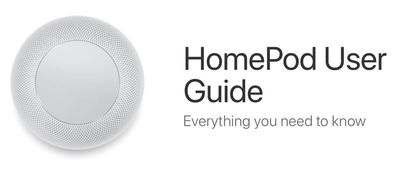
Now that the HomePod is available in Australia, where it is Friday, February 9, Apple has shared its official HomePod User Guide, providing an overview of all the features for new HomePod owners.

The guide offers a detailed walkthrough on getting the HomePod ready to use out of the box, with information on HomePod controls, HomePod settings, and using AirPlay.
homepoduserguide
There are also dedicated sections for Apple Music, Apple Podcasts, and News, which outline all of the Siri commands you can use with the HomePod, such as "Hey Siri, play some party music," or "Hey Siri, add this song to my library."

A "Control your home" section of the guide walks users through using Siri commands to control HomeKit devices and it includes details on using HomePod as a home hub, an automatic function, while an "Assistant" section includes even more Siri options.

On HomePod, Siri can send messages, read messages, and create notes and reminders for the person who owns the HomePod, and there are tools included to turn off these kinds of personal requests if someone else also uses the HomePod.

Siri can also offer up general knowledge, provide traffic information, set alarms and timers, share the weather, provide details on sports games, do unit and math conversions, and translate English into French, German, Italian, Mandarin Chinese, and Spanish.

Many of the Siri commands outlined in the HomePod User Guide will be familiar to you if you already use Siri on iOS devices, but the guide is still worth looking through while you await your HomePod delivery just to get familiar with the setup and the controls.

HomePod is already available in Australia and is set to launch in the UK and the United States soon.

Related Roundup: HomePod
Buyer's Guide: HomePod (Caution)

Popular Stories

Rumored Home Products Thumb

Apple's 2026 Smart Home Lineup: New Apple TV, HomePod, and Home Hub

Wednesday July 15, 2026 11:03 am PDT by
Now that Siri AI is ready to launch in iOS 27, iPadOS 27, and macOS 27 Golden Gate, Apple can finally introduce new smart home products built to work with the smarter version of Siri. Subscribe to the MacRumors YouTube channel for more videos. Apple has multiple new home devices in development, several of which are rumored to launch before the end of the year. We're waiting on a new version...
Apple Event Logo

Apple Working on All-New Operating System

Wednesday July 29, 2026 11:39 am PDT by
Apple is developing an all-new operating system that is essentially a mix of tvOS, watchOS, and iOS, according to Bloomberg's Mark Gurman. In a report this week, he said the operating system will feature a grid of icons, widgets, and apps, along with customizable clock faces. The new software platform is intended for Apple's long-rumored smart home hub. With built-in facial recognition,...


imac video apple feature

Apple Made Its Second-Biggest Acquisition Ever This Year

Wednesday July 29, 2026 12:03 pm PDT by
Apple this year acquired Israeli startup Q.ai for close to $2 billion, according to the Financial Times. That would make this Apple's second-biggest acquisition ever, after it paid $3 billion for the popular headphone maker Beats in 2014. This is also the largest known Apple acquisition since the company purchased Intel's smartphone modem business and patents for $1 billion in 2019. Q.ai...

Top Rated Comments

diddl14 Avatar
111 months ago
they're really emphasizing the "Hey Siri" aspect in the doc. I'm already surprised Hey Siri isn't constantly going to the wrong device with various iPads, iPhones, Apple Watches, etc... around here. With a bunch of these speakers now too I wonder how well it will intuit which Siri I'm intending to speak to.
According to The Loop ('http://www.loopinsight.com/2018/02/06/review-apple-homepod/'):
"Siri polls all of your devices over Bluetooth to figure out which device should handle your request. Everything being equal, HomePod will respond. However, the system is smart enough to know if HomePod or another device should answer.

For instance, if you raise your wrist and say, “Hey Siri,” the combined devices will assume you want Siri on your Apple Watch. If you’re using your iPhone, then you probably want that device to respond. If you’re just sitting, not touching any device, then HomePod will take over."
Score: 5 Votes (Like | Disagree)
111 months ago
I'm glad they illustrated how to change the settings for your $350 Hallway HomePod. I assume the process is the same for your Walk-in Closet HomePod, Mudroom HomePod, Attic HomePod, Dog House HomePod, Shed HomePod and Back Staircase HomePod?

What if I want stereo HomePods in my Mudroom? Do I have to change the settings for each one individually?

On an unrelated note, where would you recommend I find a quality payday loan?
Score: 1 Votes (Like | Disagree)
111 months ago
Anyone just trying to use a Mac to use one of these? I guess time will tell how that goes.
Can confirm it works as an AirPlay destination from iTunes, and also shows up in the Sound system settings as an output device.
Score: 1 Votes (Like | Disagree)
111 months ago
So, confirmation you need iOS with bluetooth enabled to set up. Airplay section only mentions iOS devices can play audio to it.

Anyone just trying to use a Mac to use one of these? I guess time will tell how that goes.
Score: 1 Votes (Like | Disagree)

🔗 Related Apple News & Rumors

Stay updated with the latest Apple ecosystem news and verified rumors