

Most iPhone X owners have had barely 48 hours to get to grips with Apple's new home bar-based user interface which does away with traditional home button functions, but the general consensus is that it becomes extremely intuitive to use after just a few hours. In this article, we've gathered some neat tips and gestural tricks for using iOS 11 on iPhone X that you may not have come across.
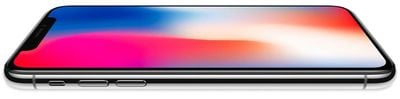
Some of the tips listed below offer an alternative one-handed approach to gestures that typically require two hands, while others simply demonstrate a quicker way of interfacing with your iPhone X that Apple hasn't made explicit in its support literature. Hopefully at least one of them will be new to you and will help you get more out of your new smartphone.
Faster App Switcher Access
Apple's Guided Tour of the new iPhone X interface would have you believe that to access the App Switcher you must swipe upwards from the middle of the home bar and then pause for a moment, before swiping along to see your open apps.
Actually there's another, faster method you can try: simply swipe up from the home bar at a 45-degree angle towards the right of the screen and then let go, and the app switcher should move straight into view almost immediately. Granted, it's a tiny adjustment to the official way of doing things, but you'll probably find it a little speedier and more intuitive.
Watch on YouTube
















































Top Rated Comments
And remember:
1. No pausing
2. No L-shaped gesture
3. No r-shaped gesture
4. No whatever-shaped gesture
5. No gesture at weird angles
Simply up! Boom and you're done!
My App Switcher graphic demonstrated in video
Both hands:
One hand:
More lesser-known gestures in this thread ('https://forums.macrumors.com/threads/a-collection-of-useful-and-lesser-known-gestures-for-iphone-x-guaranteed-to-make-your-life-easier.2084829')
I’m enjoying most of the new gestures on iPhone X but the decision to move Control Center to the top right is bizarre. It completely breaks one-handed use. I wish they would put it in the app switcher, or do something like a 3D Touch on the “Home Bar” to invoke Control Center.
The home indicators gestures are a good first step, but "notification centre vs control centre" swipes are just plain awful (especially if they warrant the need for reachability). All of this non-immediate-app access needs better integration. Maybe improvements will come with iOS 12.