

SanDisk's iXpand Flash Drive, which is able to transfer files between an iPhone and a PC, has been around since 2014, giving iPhone and iPad users a simple way to back up their photos, offload extra content, and expand the storage space on their devices.
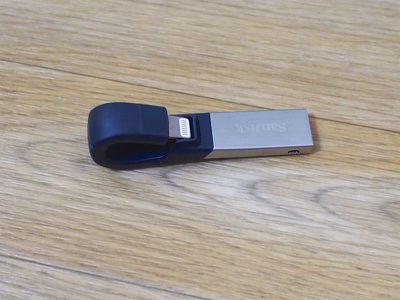
Today, SanDisk is ready to debut a second-generation iXpand Flash Drive, introducing the same file transfer functionality in a smaller package with faster USB 3.0 transfer speeds and a revamped app that makes it easier to use. Available in 16, 32, 64, and 128GB capacities, the iXpand can back up a full photo library and store a wide range of media files that can be viewed directly from the drive.
Design
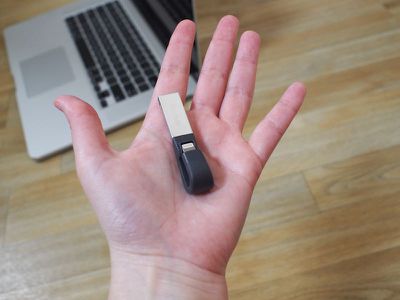
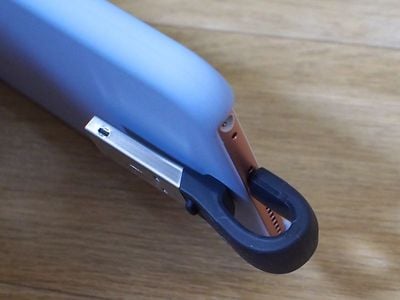
The new iXpand Flash Drive, made of metal and a flexible rubber, material, has a curved design with a Lightning connector on one end and a USB connector on the other end. When plugged into an iPhone, the USB connector wraps around the back, allowing the iPhone to be used as normal while it's plugged in.
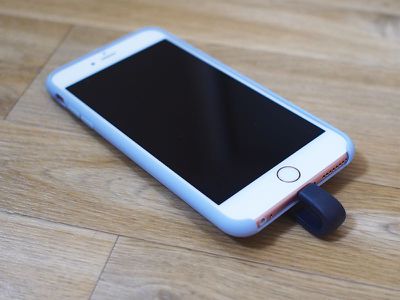
Design wise, the iXpand Flash Drive works well. When plugged in, the iXpand sticks out from the Lightning connector about an inch, but it doesn't seem to interfere with normal usage. It makes it more awkward to hold an iPhone or stick it in a pocket with the dongle plugged in, but it's not difficult to adjust to.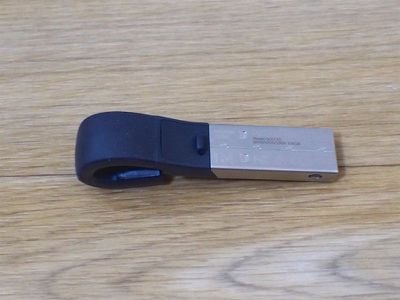
Plugging the iXpand into the iPhone requires bending the flexible casing forward to get the connector to line up with the Lightning port. I was able to use the iXpand with an Apple iPhone case and most other cases should work fine, too, due to the amount of flex. The iXpand can bend quite a bit to accommodate a thick case.
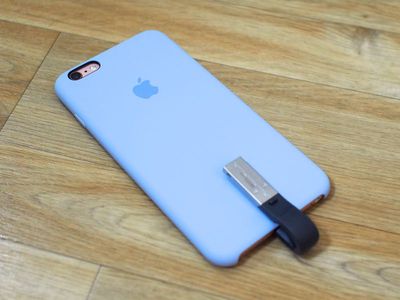
On a Mac or PC, the iXpand fits into any USB port and features USB 3.0 transfer speeds for moving files between devices. Neither the USB side nor the Lightning side are protected with caps, something that could potentially be an issue if the iXpand is tossed into a bag or backpack.
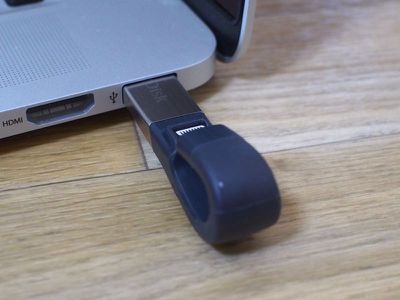
Aside from that, the iXpand is small enough to carry in a pocket or clip to a keychain. The design of the iXpand isn't the prettiest I've seen, but it's functional and portable, two qualities desirable in an iPhone dongle.
App Interface
SanDisk doesn't ship the iXpand with directions and it was initially unclear which app I needed to download, but plugging the iXpand into my iPhone let me know which app I needed through a popup that took me right to the App Store.
The iXpand Drive app is required to use the iXpand because it enables all of the iXpand's backup and file transfer/management functionality. There have been apps for previous versions of the iXpand, but with the launch of the second-generation iXpand Drive, there's a newly revamped app. I'm not familiar with the older versions of the iXpand app, but the new app is feature rich, with a simple layout for managing files and support for transferring and sharing files.
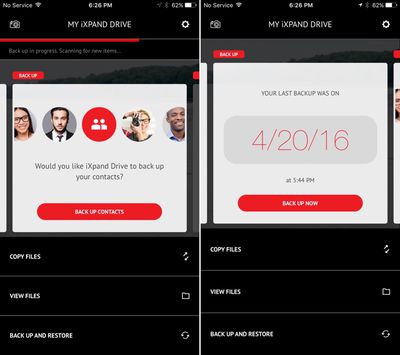
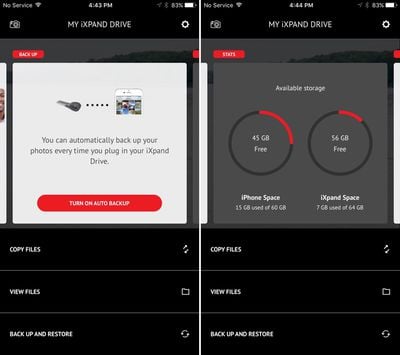
There are tools for creating backups and menus for copying files, viewing files, and restoring from a backup. The card-based interface offers quick access to the main features of the iXpand, including automatically backing up, and an overview displays how much storage is remaining on the iPhone and the iXpand device.
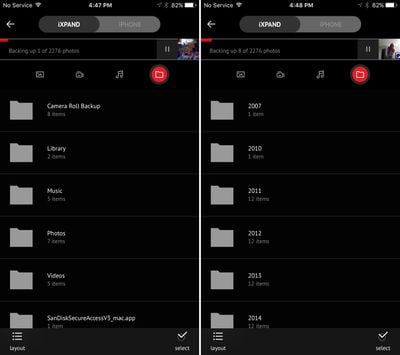
Interfaces for file management are straightforward, making it easy to find photos, music, or other files stored on the iXpand or the iPhone, and there's a built-in camera option. With the camera, photos and videos taken through the app will be stored directly on the device, but the photo taking tools are rudimentary with no control options beyond a timer and a flash.
In the granular menus for managing files, there are multiple view options and separate sections for Music, Photos, Videos, and other file types, along with dedicated menu buttons for quick access to each section. Files are organized logically by default, with photos set up by date taken and music available by song, album, or artist.
In the Settings section of the app, there are help files, options for clearing the cache, and a privacy feature that will lock files with a password. Files can be locked on a selective basis, so it's possible to lock select folders while leaving others unlocked for sharing purposes.
The iXpand Drive app supports 3D Touch, so there are Home screen quick actions for making a quick backup, taking a photo, playing a video, or browsing photos.
Backup Functionality
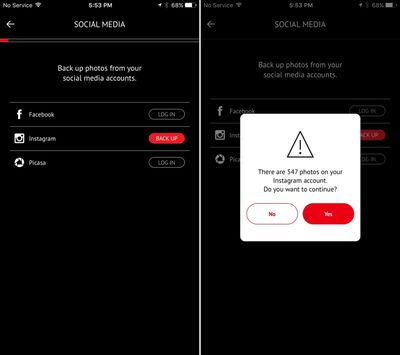
iXpand can automatically back up photos and videos on the camera roll, but there are no options for selecting specific folders or images -- it's all or nothing. It can also back up images you've uploaded to social media sites including Facebook, Instagram, and Picasa, again with all or nothing options. Contacts can also be backed up through an automatic process.
Setting the iXpand up as a backup for my iPhone photos, videos, and contacts took just a few taps, and my collection of more than 2,000 images and videos transferred over in approximately 30 minutes. After the transfer, the iXpand asked if I wanted to delete all of the existing photos on my device to save space. I didn't accept that option, but it's good to have for users who want to transfer their photo libraries over to the iXpand entirely.
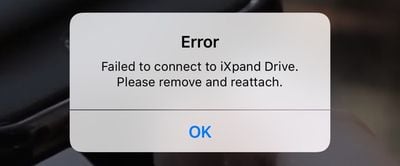
I ran into a few errors suggesting the iXpand wasn't connected to my iPhone during the transfer process, even when it was, and at several points, the upload stopped and I had to remove the iXpand and shut down the app.
Once a photo library has been backed up the first time, new photos added to the library (or new contacts) will be automatically backed up each time the iXpand is connected to the iPhone and the iXpand Drive app is opened up.
The iXpand Drive app isn't able to differentiate between different backups, so this isn't a device that's going to be able to back up multiple photo libraries. I gave that a try with iCloud Photo Library turned on and I ended up with duplicates of every photo with no real organizational structure or way to separate them between devices.
That said, you can back up an iPhone or iPad and then plug the iXpand into a different device to view all of your photos and videos. All of the content backed up to the iXpand is also accessible on a Mac when plugged into a USB port.
File Transfers and Supported Media
Video and audio files transferred to iXpand can be viewed directly within the iXpand Drive app. I tested .MOV, .AVI, .MP4, .MKV, .OGG, .FLAC, .WMA, .WAV, and .MP3 files, all of which I was able to watch or listen to in the iXpand app. I was also able to transfer these files to other apps and send files to other people via AirDrop, Messages, Mail, and more.
Music purchased from iTunes is supported and can be played alongside music stored on the iXpand Drive and playlists can be created directly in the app. Movies and television shows purchased from iTunes can't be loaded on the iXpand Drive, nor can music downloaded on an iPhone from Apple Music.
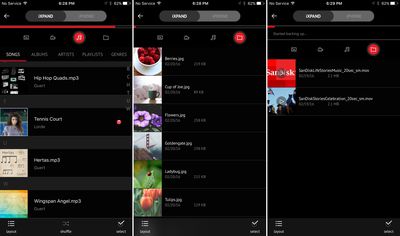
The iXpand app can't open files from apps like Pages added to the device through a PC or Mac, but when these files are tapped within the app it opens up a share sheet. The share sheet lets files be copied to an appropriate app or be sent to another person. Through this method, it's possible to transfer documents to iXpand and use them in third-party apps, and this is also the way files can be uploaded to a cloud service like Dropbox.
Transferring files from my Mac to the iXpand was quick thanks to USB 3.0 connectivity. According to iXpand, file transfer speeds can reach 70MB/s, and it didn't take long to get my entire photo library from my iPhone to the iXpand and then to my Mac. Transferring files from the iXpand to my iPhone over Lightning wasn't quite as quick, but it was by no means glacial.
Bottom Line
The iXpand is useful for people who don't have enough storage space, whether due to a 16GB iOS device or a media collection that exceeds the available space even on a device with more storage.
If you have an iPhone or iPad and need additional storage for photos, videos, or music, the iXpand is a solid choice. Files need to be viewed and managed within the iXpand app, but the interface is easy to use and content can be shared with other people and opened in other apps. iXpand's video and audio playback capabilities are robust, so it's possible to have an entire music or video library stored on the device.
iXpand is also useful for quickly transferring files from an iPhone or iPad or a PC and it's a good solution for backing up content like photos and contacts. Photos and contacts can be backed up at little to no cost using iCloud, but multiple backups are always good to have.
All in all, the iXpand works as advertised. It's a fully functional media storage and file transferring device, and while it isn't super cheap, the iXpand is a worthwhile purchase for those who need the features it offers.
Pros:
- Compact
- Support for a wide range of media files
- Fast transfer speeds
- Automatic backup functionality
- Built-in security features
- Can play iTunes music
Cons:
- No cap to protect USB/Lightning connectors
- Photo taking capabilities are limited
- No easy way to wipe the iXpand
- App crashes and needs to be restarted occasionally
- Drive isn't recognized and needs to be re-plugged in occasionally
- Needs better tools for accessing Dropbox and other cloud-sharing services
- No selective backup tools
- Restricted to iXpand app
How to Buy
The iXpand Flash Drive is available in 16, 32, 64, and 128GB capacities at the following prices: $49.99 (16GB), $69.99 (32GB), $89.99 (64GB), and $129.99 (128GB). It can be purchased from the SanDisk website or through third-party retailers like Best Buy and Amazon.
According to SanDisk, the iXpand works with the iPhone 5 and later, the iPad Air and later, the iPad mini and later, and the 5th generation iPod touch.
Note: SanDisk provided an iXpand Drive to MacRumors free of charge for the purposes of this review. No other compensation was received.


















































Top Rated Comments
But, I don't get it either, just connect your iPhone to a computer and it will back up, hell, you don't even need to AFAIK, you can sync over WIFI.
What happens when Apple inevitably phases out the Lightning connector in favour of something that will make the phone a lot more thin?
I've been buying the ones that didn't include it! No one told me!
Edit: also, in your attempt to "burn" me (is that what the kids say?) you listed Mini-DP > Thunderbolt > Thunderbolt 2 as three different items in your "change of connector" list.
You should probably go and look at a Mini-DP cable, and a Thunderbolt cable, and a Thunderbolt 2 cable. I'll wait here patiently while you explain the difference in mechanical connection between them.
It's "inevitable". *eyeroll*