

Earlier this year, Signify (formerly Philips) debuted a new range of outdoor Hue lighting products that are designed to bring the iPhone-controlled multi-colored lights that you're used to using inside to the outside.
There are outdoor spotlights, wall lanterns, pathway lights, outdoor bulbs, and for accent lighting, the Hue White and Color Ambiance Outdoor Lightstrip.
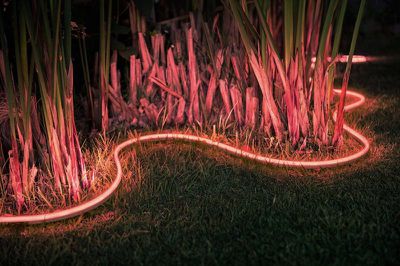
Measuring in at 80 inches, the $89 Outdoor Lightstrip is perfect for balconies, patios, backyards, and anywhere else you'd like to add gorgeous and functional accent lighting that's also weatherproof.
Design
I've been using Hue products for years and I have a standard indoor Hue Lightstrip, and when I got the outdoor version, I assumed it'd be similar. It is, in the sense that it's a long string of LEDs, but the similarities end there.
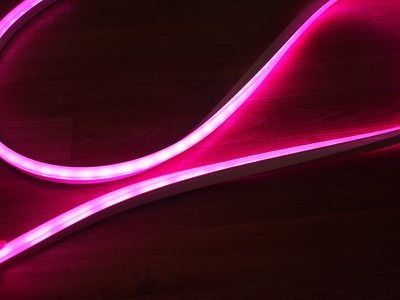
While the indoor Hue Lightstrip features LEDs that are uncovered, for weatherproofing reasons, the outdoor Hue Lightstrip's LEDs are protected by an opaque silicone cover that diffuses the light and looks fantastic.
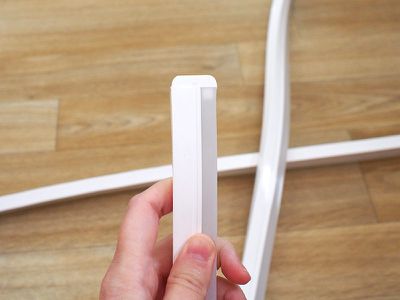
I'm a fan of my indoor Hue Lightstrips, but the way the outdoor version diffuses the light is superior, and I wish the indoor models looked like this. Because of the silicone-covered design, the Outdoor Lightstrip doesn't need to be used as background accent lighting, it can be front and center on a pathway, along a railing, on a fence, or in other similar spots.
The Outdoor Lightstrips are available in 80 or 197 inch configurations. Unlike the indoor version, there is no adhesive involved here. Instead, the Outdoor Lightstrip is made from a flexible material that can be manipulated and shaped into the design that you need. It's not going to fully bend, but it can be routed along a soft curve.

Hue's Outdoor Lightstrip is fully weatherproof, so it's going to hold up in rain, snow, and other harsh weather conditions. There are some limitations to be aware of if you live in an area with extreme temperatures, though, because it has an operational range of -4 degrees Fahrenheit to 113 degrees Fahrenheit.
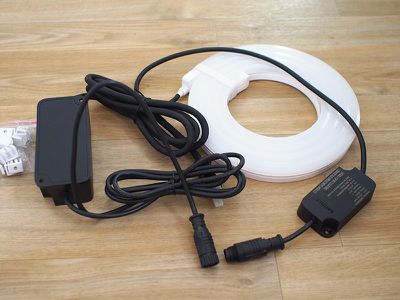
It is a heavy duty setup with a large weatherproof power supply and an extra long two-piece cord, all of which is resistant to rain, dust, and other outdoor elements. I was tempted to use the Outdoor Lightstrip indoors because I loved the look of the diffuse light, but there is a lot of cord to deal with and no option to make it shorter.
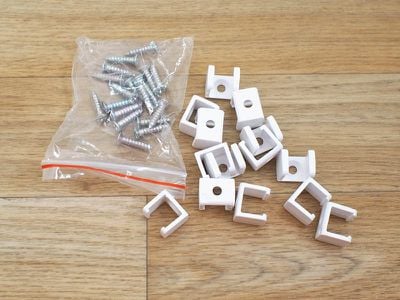
The Outdoor Lightstrip measures in at .78 inches tall and .43 inches wide, so it's slim enough to go just about anywhere. There is no adhesive involved because it likely wouldn't stick outdoors. Instead, Signify supplies mounting brackets and screws that can be used to attach the Lightstrip to a fence, an overhang, or anywhere else.
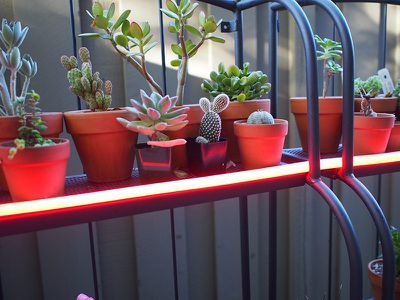
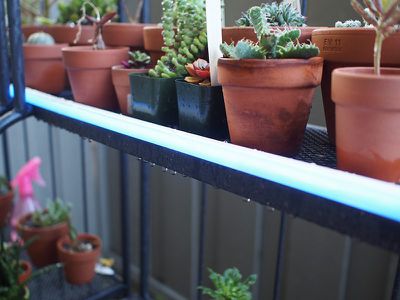
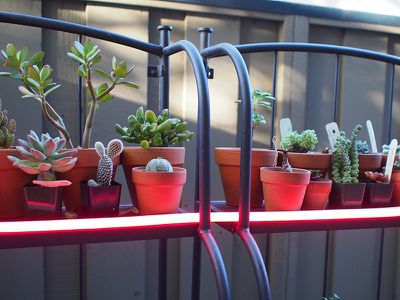
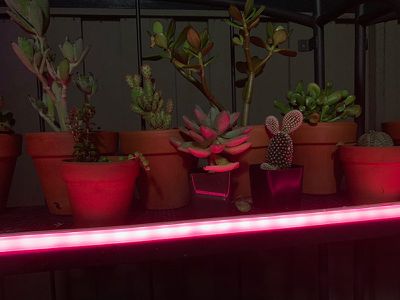
I live in an apartment so my ability to permanently attach the Lightstrip to an outdoor area is limited, but I did install it on a set of shelves that I have to hold my plants, where it worked brilliantly. With the individual LEDs covered, the Outdoor Lightstrip looks like one continual light strand.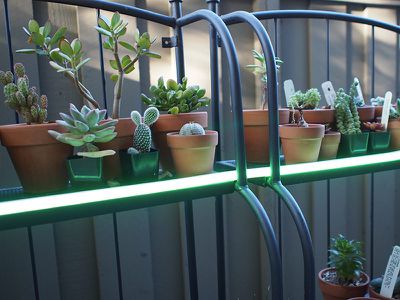
Though the light is diffuse, the Outdoor Lightstrip is bright enough to serve as atmospheric lighting for the outdoors. Total brightness will vary by color, with the lumen output rated at 900 lumens at 6500K (cool white light), 850 lumens at 4000K, 760 lumens at 2700K, and 740 lumens at 2000K (warm yellow light).
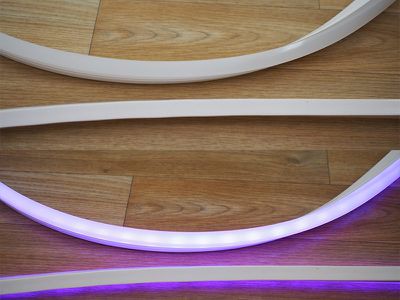
As with all White and Color Ambiance products, the Outdoor Lightstrip can be set at several different white light temperatures or to 16 million different colors in various shades and hues of red, orange, yellow, green, blue, and purple. Most of the colors are vibrant and accurate, though the purple shade is weak.
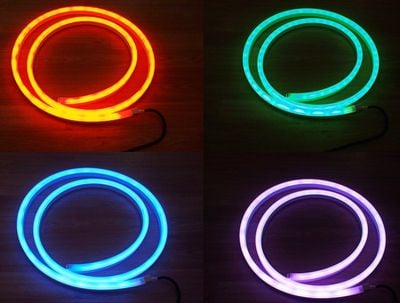
Some lightstrip options let you change the color of individual LEDs or sets of LEDs, but that's not the case with Hue products. The lightstrip can only be set to one color at a time.
With the indoor Hue Lightstrips there are connectors at the end to add additional strands and the option to cut them in between LEDs for a more exact fit. The Outdoor Lightstrip does not support these features. You can't cut it or connect another strand because doing so would negate the waterproofing.
Because there's no option to size the Outdoor Lightstrip, it's less flexible than the indoor version. You are limited to the two size options with nothing in between.
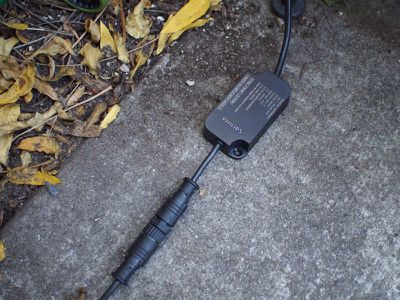
On the plus side, the weatherproofing works. As mentioned before, I set up the Outdoor Lightstrip on an outdoor shelf with plants, which were watered on a daily basis. The lightstrip, the cord, and the power adapter were repeatedly exposed to moisture for over a week with no problem.
Setup
To use individual Hue products like the Outdoor Lightstrip, you need an existing Hue setup with a Hue Bridge, which is used to control all of the lights. Hubs are available in Hue starter kits priced as low as $100 or on a standalone basis for $60.
If you already have a Hue Bridge, setting up the Outdoor Lightstrip is as simple as opening up the Hue app, selecting the Settings option, choosing "Light setup" and selecting "Add light."
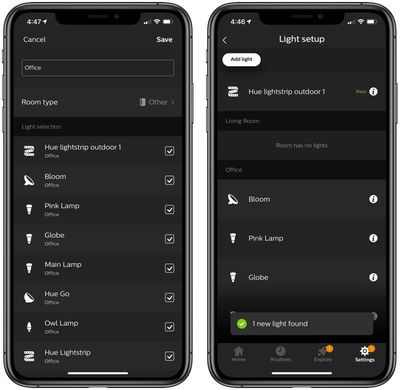
While Hue devices are all HomeKit-enabled, HomeKit control comes via the Bridge and Hue lights can't be added through the Home app itself - you will need the Hue app.
If you don't have a Hue Bridge set up, you'll need to plug one in to your router, download the Hue app, and then follow the steps before you can use a Hue Lightstrip.
For the Outdoor Lightstrip, you're going to need it to be within range of your Hue Bridge, which in turn needs to be connected to a Wi-Fi router, so it's not going to be able to be located too far from the house. I tested mine on a patio outside, and while I have a mesh Wi-Fi system, the closest router was about 15-20 feet away and the signal was fine. The Outdoor Lightstrip can be up to 64 feet from the Hue Bridge or the next nearest light according to Signify's documentation.
App and Functionality
The Outdoor Lightstrip works with other Hue lights in the Hue app, which is one way to control Hue lights, though there are many third-party app options as well.
The Hue app lets you organize your lights into rooms, name them, and control the brightness and the color. All of your installed Hue lights are listed on the Home screen, with quick options for changing brightness or turning them off all at once.
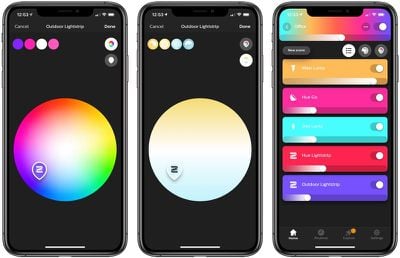
Tapping into a room provides a list of all of the lights, with additional quick access buttons for adjusting brightness or off/on state on a per light basis.
If you tap on one of the lights, like the Outdoor Lightstrip, there's a color picker that lets you choose color and saturation for an array of different options at your fingertips. It will also display your most recently used color choices, and at the right, there are toggles to switch between the color palette and the white light palette.
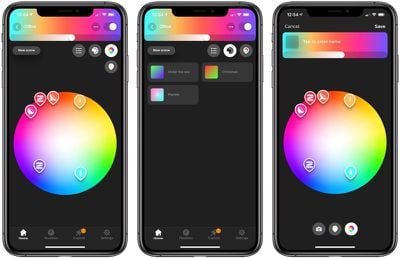
Back at the main menu, there are options to set a selection of lights as a scene that can be recalled later, there's a list of previously saved scenes, and there's a palette for adjusting the colors of all your lights all at once.
There are some advanced options here, such as dragging the markers for multiple lights together to create lighting groups that can be adjusted all at once.
Along with the Home screen, the Hue app has a Routines section, used for creating automations for all of your Hue lights. You can use Routines to have the Outdoor Lightstrip come on or turn off at specific times, automatically at sunset/sunrise (with fading in and out), on a timer, or when you leave home or arrive home.
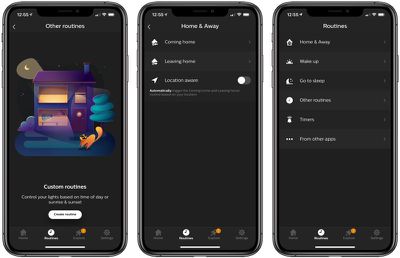
The app also features an Explore option for finding third-party Hue apps and products, and a Settings app for software updates, configuring accessories, changing rooms, renaming lights, and customizing widgets and the Apple Watch app.
With the Hue app, you can control your lights when you're away from home so long as you're signed in to your Hue account. Remote control is also available through HomeKit functionality, and the lights can also be set to come on automatically using several Hue or Home app methods.
Hue lights have been around for years now, which has given Signify a lot of time to refine the Hue app. It's gone through growing pains, but as of now, the Hue app is functional, easy to use, and a useful way to control your Hue lights, including the Outdoor Lightstrip.
HomeKit
The Hue Bridge is HomeKit enabled, which means all Hue lights connected to it can be controlled like any other HomeKit device.
When adding a new Hue light to a Hue Bridge that's connected to HomeKit, it's available immediately as a HomeKit accessory. It can be accessed through the Home app, and there are options for changing the name of the lightstrip (which should be set to something easy to speak aloud to Siri), changing its room, or grouping it up with other accessories.
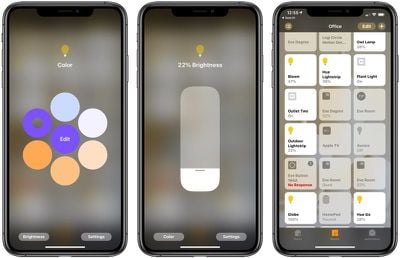
There are rudimentary controls for adjusting brightness and changing the color in the Home app that are fine to use in a pinch, but not as simple as the controls in the dedicated Hue app. There's a slider for brightness and an adjustable color picker with the option to save your favorite colors for quick access.
With HomeKit's Siri integration, you can ask Siri to turn the Outdoor Lightstrip on or off, dim the brightness, turn the brightness up, or set it to a specific color. Asking Siri to turn the Outdoor Lightstrip pink or blue, for example, works well to change the colors without needing to open up the Hue app.
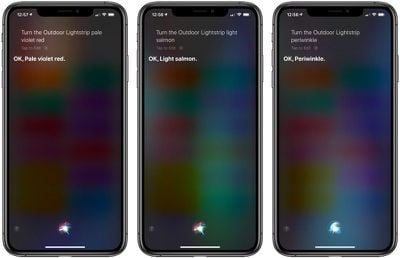
Siri can set Hue devices to many standardized X11 color names, and it's a useful way to get a specific color that you can't necessarily get easily from the color picker within the Hue app.
Along with Siri controls, you can use HomeKit to create automations and control the Outdoor Lightstrip right alongside all of your other HomeKit products. So, for example, if you have a motion detecting HomeKit device, you can do things like set the lightstrip to come on automatically when motion is detected.
You can set up many of the same time-based automations through HomeKit that are available in the Routines section of the Hue app, but HomeKit offers more granular control on a light by light basis, while the Hue app does not.
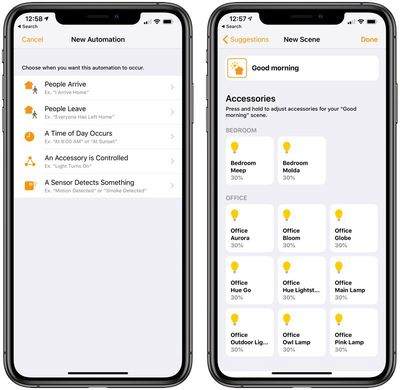
Automations can be set based on geofencing options when people leave or arrive, a specific time of day, or based on another accessory.
Beyond HomeKit, the Outdoor Lightstrip works with Amazon Alexa, Google Assistant, Nest, and Samsung's SmartThings.
Bottom Line
As a longtime owner of Hue lights, I love the look of the Outdoor Lightstrip, and I hope that the diffuse look created with the silicone cover is expanded to other Hue Lightstrip products in the future.
Outdoors, the Outdoor Lightstrip looks fantastic, and while it doesn't put off enough light on its own to read by, it creates fantastic ambient lighting outdoors and can be used to light up pathways, balconies, patios, and more.
You can't adjust the Outdoor Lightstrip's size by cutting it or adding additional strips so it might be difficult to get a perfect fit, but this limitation allows for the waterproofing that keeps it safe outdoors.
If you have a Hue lighting setup already and have an outdoor space that's close to the house and ideal for this kind of setup, the Outdoor Lightstrip isn't going to be a disappointment.
If you're new to Hue, you can't quite start with the Outdoor Lightstrip, but the whole system is worth checking out if you've been looking for simple, attractive outdoor lighting.
As is typical with Hue lighting products, the Outdoor Lightstrips aren't cheap, but they're certainly well made and are able to hold up to continued exposure to outdoor conditions.
How to Buy
The Hue White and Color Ambiance Outdoor Lightstrip can be purchased from the Philips Hue website for $89.99 for an 80 inch version. A 197-inch version is also available for $160. Amazon sells the Outdoor Lightstrip at the same price point.


















































Top Rated Comments
PSA, I guess.
They’d be close to flawless without this dealbreaker.
The outdoor version the leds seem closer together.