

Eve Systems has been offering HomeKit-connected devices since 2015, and the Eve Room, able to measure temperature, humidity, and air quality, is the newest Eve product available for purchase.
The new Eve Room is actually an upgraded version of an original Eve Room that was one of Eve's first product releases back in 2015, but the new version has been overhauled with a redesigned enclosure that's both sleeker and more informative.
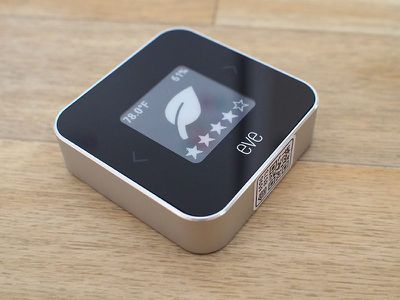
While the original Eve Room was just a little white plastic block, the Eve Room adopts the new aluminum and e-ink design that was first introduced with the Eve Degree, Eve's more affordable temperature and humidity monitor that does not offer air quality monitoring.
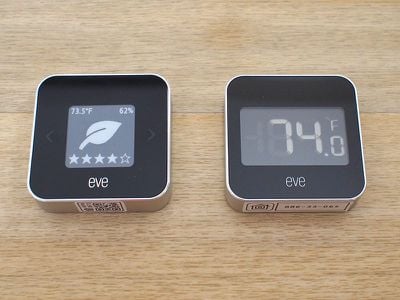
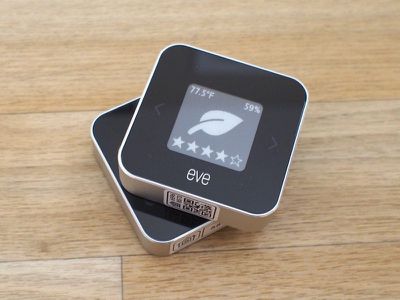
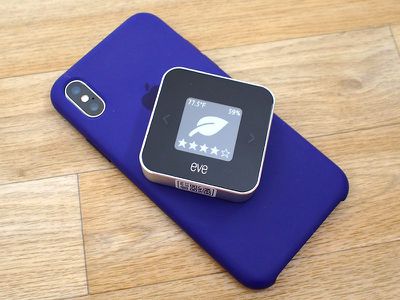
Like the Eve Degree, the Eve Room is palm sized and tiny enough that it's unobtrusive on a shelf, on a table, on a kitchen counter, or on a bedside table. It measures in at 2.1 x 2.1 x 0.6 inches, which is quite a bit smaller than the 3.1 x 3.1 x 1.3 inch measurements of the original Eve Room. Eve Room is an indoor product and should not be used outdoors.
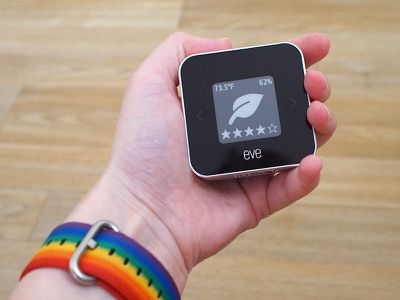
The 200x200 e-ink display of the Eve Room displays the current temperature, humidity, and air quality in the room, with air quality pictured as a series of stars from one to five. If you press on the arrows next to the display, you can cycle through several display options that focus on temperature, humidity, or both.
I like the addition of the e-ink screen in the Eve Room because I can check the room conditions at a glance without needing to open up an app or ask Siri, something that was necessary with the previous version of the Eve Room. You do need a little bit of force to change the display output, but it's nice having the option to focus on the parameter most important to you.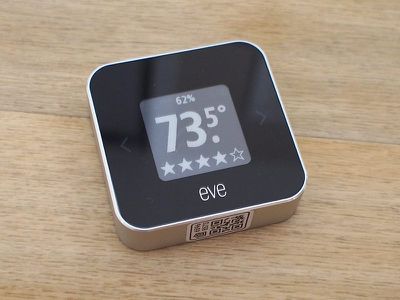
Prior Eve products have largely relied on replaceable batteries, but Eve Room has a built-in rechargeable battery that can be powered up with a micro-USB cable, which is an excellent design change that eliminates the need to purchase batteries. For the prior version of the Eve Room, I had to replace the batteries every few months.
According to Eve, the new Eve Room lasts for about six weeks before needing to be recharged.
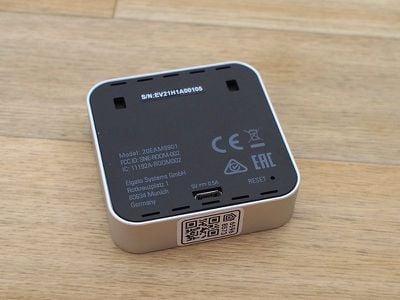
Like most of Eve's products, Eve Room connects to a HomeKit setup using Bluetooth rather than Wi-Fi, so there's no need for a hub or a Wi-Fi connection to view the room temperature. Bluetooth-connected HomeKit products had flaws early on in HomeKit's release, but over the course of the last several years, all of those issues have been worked out.
I've used Bluetooth-connected Eve products for years now and I've never had an issue getting a temperature or air quality readout shortly after opening up the app or asking Siri. It takes just a few seconds, and when away from home, my Eve products continue to work because I have a HomePod and an Apple TV set up as hubs.
Because the Eve Room uses Bluetooth there some situations where there can be range limitations to the readings. I've never run into issues, but past Eve product reviews on sites like Amazon have sometimes cited Bluetooth range as an issue.
Adding the Eve Room to my HomeKit setup required opening the Eve app, tapping the "+" option to add a new product, and scanning the HomeKit code. The app detected the Eve Room right away, and it was added to HomeKit within a matter of seconds.
As mentioned above, the Eve Room tracks air quality, temperature, and humidity. For comparison's sake, the Eve Degree, Eve's other similar sensor, tracks temperature, humidity, and air pressure.
On the Eve Room itself, air quality is displayed as a star rating, but within the app, specific air quality information is available with exact readouts of the ppb (parts per billion) that the sensor is tracking. Like many devices that monitor air quality, Eve Room is designed to keep track of volatile organic compounds, or VOCs.
VOCs are gases that are produced by a wide range of sources, from cleaning products to perfumes to cooking. It does not detect particulate matter so it cannot track things like pollen, dust, pet dander, bacteria, and other potential allergens.
Eve Room will tell you when the air quality indoors is poor because of VOCs in the air, and I saw increases in VOC ratings when doing things like cooking and cleaning.
Having a measurement of VOCs is useful for making sure the air quality is safe for pets and children and for letting you know when a room should be aired out after cleaning. The Eve Room doesn't do anything about the VOCs that it's sensing, so it is useful to pair it with an air purifier.
With an air purifier that does not already detect VOCs, the Eve Room can let you know good times to run it to keep the air in your home clean. There are few HomeKit connected air purifiers, but a smart plug has the potential to be paired with an accessory like the Eve Room for automated use based on VOC readings.
Of course, if the air quality outdoors is good, you can also just open a window to cut down on VOCs caused by cooking, cleaning, and other activities.
In the Eve app, you can see all of the information collected by the Eve Room at a glance, and you can add it to HomeKit scenes and automations.
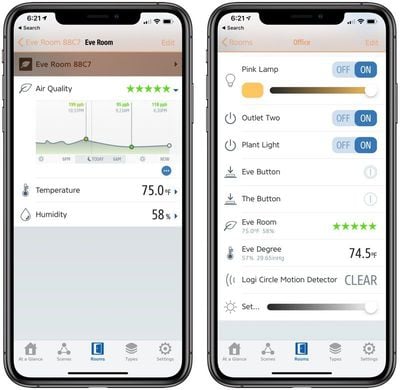
While it's useful to be able to see information on air quality, temperature, and humidity at a glance in the Eve app, where the Eve Room shines is its historical data. Eve Room tracks all of those parameters over a matter of days, weeks, and months, so you can see trends and overall data that can also be exported if needed. Data is stored even if you're away, so you just need to sync up with the Eve Room every week or so.
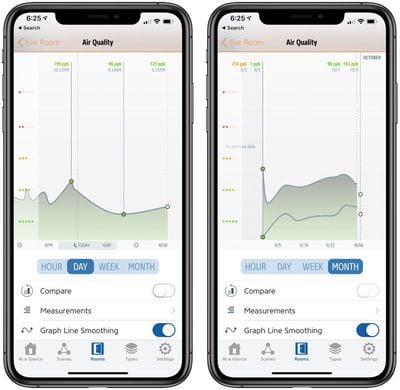
In Apple's Home app, you can see current temperature, humidity, and air quality, but you can't see historical data. Information is also much better presented in the Eve app, so this is one occasion where it's worth using the dedicated app for the device rather than the Home app.
As with all HomeKit products, Eve Room works with Siri. You can ask Siri to tell you the current temperature, humidity, or air quality in the room where the Eve Room is located.
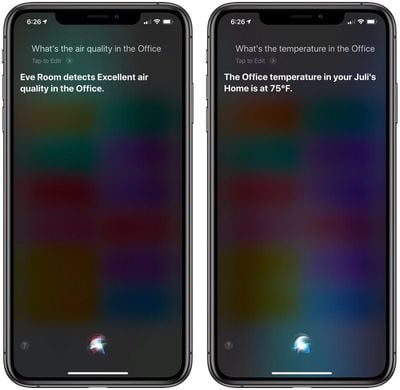
In my testing, the Eve Room appeared to be mostly accurate. I have other temperature sensors in my office, and the Eve Room was always within a degree for both temperature and humidity. It also matched the VOC readings that I saw with my Dyson fan, with air quality generally not fluctuating much unless exposed to VOCs via cooking and cleaning.
I am not sure that the new Eve Room is more accurate than the existing one as I also saw accurate readings from the original model. The Eve website says that it is accurate to +/- 0.54°F and +/- 3% humidity, with an operating range between 32°F - 122°F and 5% - 95% humidity.
Bottom Line
Being able to track temperature, humidity, and air quality from a HomeKit-connected device is useful, but at $99, the Eve Room is expensive. The new version of the Eve Room is better than its predecessor in almost every way, but it's also pricier.
Most of us know to open a window when cooking or cleaning to cut down on fumes, but there can be occasions where VOCs are less obvious, and the Eve Room can give you a general reading of the air quality. Eve Room can't do anything about bad air quality, but it can let you know when to open a window or turn on the air purifier, and it's definitely useful paired with other HomeKit accessories.
The Eve Room isn't going to be for everyone at this price point, but for those concerned about air quality in sensitive areas where there are pets or children, it has the potential to be worth the investment.
The temperature and humidity settings are also useful for monitoring areas sensitive to change, such as cigar storage, a wine cellar, or an area with humidity sensitive plants like orchids.
Of course, if you only need temperature and humidity monitoring, there's also the Eve Degree, which is cheaper at just over $60 on Amazon. The Eve Room, however, is the only Eve device that measures air quality and one of the few HomeKit-connected devices able to do so.
How to Buy
The Eve Room can be purchased from the Eve Online Store and from Amazon.com for $99.95.

















































Top Rated Comments
https://en.m.wikipedia.org/wiki/Air_quality_index
If you’re using an iOS device, tap on term.
When pop up appears choose “Lookup”.