

Eve Systems has been making HomeKit accessories since just after HomeKit launched, and the company has made several different weather-monitoring devices. The Eve Weather, introduced earlier this year, is Eve's newest weather sensor, and it's ideal for keeping an eye on the temperature and weather conditions right outside of your home.
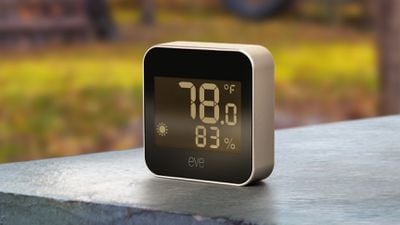
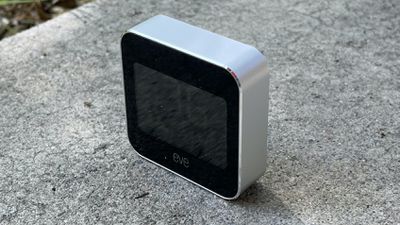
The Eve Weather is similar in design to the 2018 Eve Degree, a square shape that measures in at just over two inches by two inches, with a depth of just over half an inch. It's palm-sized, small, and able to be tucked away wherever you might need it. There's also a wall mount if you prefer to mount it indoors or outdoors, but I've just had it sitting tucked away on a table.
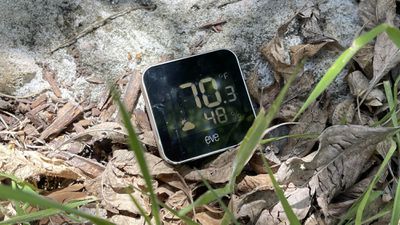
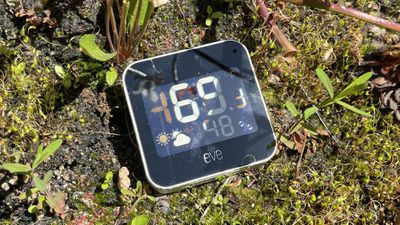
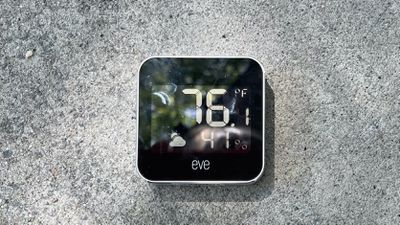
A large black and white display at the front of the Eve Weather displays the current temperature, humidity, and the weather trends, so you can see the necessary weather information that you need at a glance. The weather trend feature lets you know the upcoming weather over the course of the next 12 hours by analyzing barometric pressure changes.
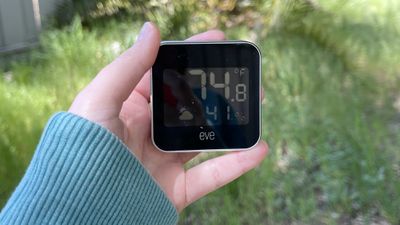
You can, of course, see the weather immediately looking out the window, but it can be useful to have a general sense of the weather that's coming up. Speaking of trends, all of the weather data that the Eve Weather collects is viewable in the accompanying Eve app, so you can see the temperature, humidity, and barometric pressure over time.
Weather data can be viewed by hour, day, week, and month, and there are options to view the raw data collected by the sensor. The Eve app is also useful for getting a quick temperature or humidity reading while the sensor is outdoors, though you can also use Siri or the Home app.
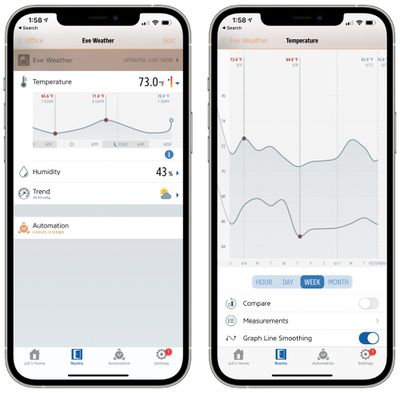
You can ask Siri to tell you the temperature or the humidity or look in the Home app, but for all of the data over time, you need to use the more comprehensive Eve app. You can also use the Eve app for your other HomeKit products and it has long been one of my favorite apps for HomeKit device control.
Eve Weather has an IPX3 weather resistance rating, which means it can withstand spraying water. It should hold up well to rain and moisture, but it's probably a good idea to keep it somewhere out of the rain where it won't be drenched because IPX3 is not the most robust water resistance rating. Indoors, the little display is fine, but I found it difficult to read at times depending on positioning outside. The screen is glossy and also gets washed out in sunlight, so your best bet is probably checking the app to see the temperature when it's in a sunny spot.
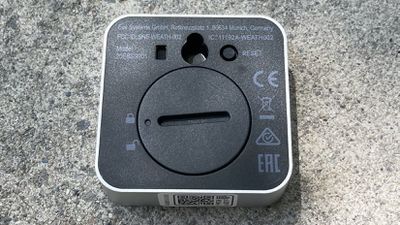
The Eve Weather has a CR2450 replaceable battery that's supposed to last for around a year, so it shouldn't need much maintenance other than a battery change every 12 months or so.
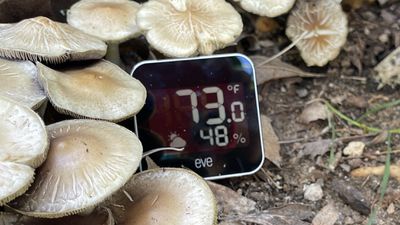
I tested Eve Weather indoors and out, and from what I can tell, the temperature/humidity readings are accurate. I have a few devices that can measure temperature and humidity in my office like a Dyson Air Purifier, and the Eve Weather is always within a degree or so of the temperature reading on my Dyson. I also have a temperature/humidity sensor that I use specifically for plants and it too lines up with the Eve readings I'm seeing.
Like any HomeKit product, setting up Eve Weather is a matter of scanning a HomeKit QR code in the Home app or the Eve app. Eve Weather is a Bluetooth device, so it does not need to connect to a WiFi network, and as with some other Eve products, it has support for the Thread mesh networking protocol and is a Minimal Thread Device.
Thread is designed to make smart homes more reliable by improving connections and the distance with which things are able to communicate with the network. With Thread, Eve Weather is able to better communicate with a smart home setup, plus it saves battery life. If you have a Thread device like a HomePod mini, you will benefit from the Thread capabilities of Eve Weather.
The Eve Weather is ideal for monitoring the weather conditions right in your specific area, making it useful for keeping an eye on plants or seeing how your microclimate compares to the local weather reports. Eve Weather is considered an always-on sensor so it can't be used in automations for triggering actions when certain temperatures are met, nor can it be added to scenes, but you can create rules using the Eve app (rules are not available in the Home app).
With rules, you can set other HomeKit products to activate when the temperature detected by the Eve Weather reaches a certain threshold. Humidity and Temperature can both be conditions for a rule for controlling other HomeKit products. You could, for example, have a light indoors come on if the temperature gets to a certain point, or trigger a humidifier in an outdoor greenhouse when the humidity is too low.
With an outdoor Eve Weather setup there may be a limited number of situations where it's beneficial to set up triggers based on temperature and humidity, but for those who need it, it exists.
For most, HomeKit functionality is primarily useful for checking the temperature outside when you're indoors or away from home, though the over-time data collection also has some benefits to those who like to keep tabs on their homes. You can also use the Eve Weather as an indoor temperature sensor if desired, though many people have this functionality built into other smart home devices and accessories meant to be used in the home like thermostats.
Bottom Line
If you want an outdoor weather monitoring solution that can be accessed anytime indoors or when you're away from home (when paired with a home hub like a HomePod or iPad), the Eve Weather is worth checking out.
It is more expensive than the outdoor temperature monitors you can get that don't have smart connectivity, but being able to keep an eye on the weather from anywhere and the weather tracking features over time will make the expense worth it for some.
How to Buy
Eve Weather can be purchased from Amazon for $70.

















































