

GM was one of the early adopters of CarPlay, with the feature debuting on a few 2016 Chevrolet models and rapidly spreading across the company's various brands including Buick, GMC, and Cadillac.
As part of a 2018 model year redesign intended to breathe some more life into its Regal sedan, Buick introduced the Regal TourX, an all-wheel drive wagon version that offers more cargo space to compete against some of the top models in the class including the Subaru Outback and Volvo V60.
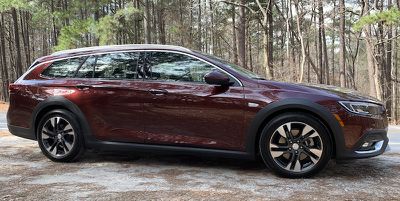
I've spent some time testing out a 2019 Buick Regal TourX to get a sense of GM's latest infotainment system (which GM is calling next-generation Buick Infotainment) and how it integrates with CarPlay.
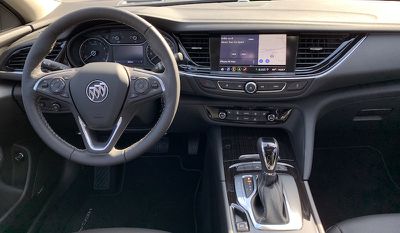
My test vehicle was the high-end Essence trim, nearly maxed out with most of the available upgrades including built-in navigation, panoramic moonroof, automatic cruise control, park assist, automatic emergency braking, and more.
Buick Infotainment
GM has been working on unifying its infotainment offerings, starting with the 2017 Cadillac CTS that launched with the "next-generation CUE" infotainment system. The same general system with some slight tweaks has been starting to expand across the Buick, Chevrolet, and GMC brands since that time, with the Buick Regal receiving the new Buick Infotainment version of the system on some 2018 vehicles.
The Essence trim of the Regal TourX comes with a generous 8-inch touchscreen display integrated nicely into the dashboard, while the mid-level Preferred and base TourX trims come with a slightly smaller 7-inch display as standard. The Buick Infotainment system operates identically on both screen sizes, although you'll need the 8-inch screen if you want features like built-in navigation and a marketplace for third-party apps. All trims support CarPlay and Android Auto.
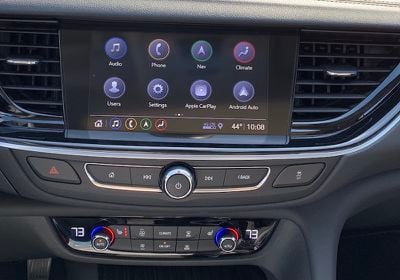
While it doesn't float above the dashboard like on some other vehicles where the driver's line of sight is of utmost priority, the Regal TourX's display is still highly visible, with prominent placement tilted slightly toward the driver. A matte finish and a bit of brim from the dashboard help cut down on visible fingerprints and glare, and the whole thing comes across as a very cohesive design rather than a screen awkwardly stuck onto the dashboard.
Below the screen, there's a strip of hardware controls including a centered volume/power knob, forward and back buttons on either side to change tracks or station presets, and home and back buttons on the outside edges of the row. It's a fairly limited selection of physical controls, but it's largely sufficient for the most common quick adjustments that are more easily made by feel.
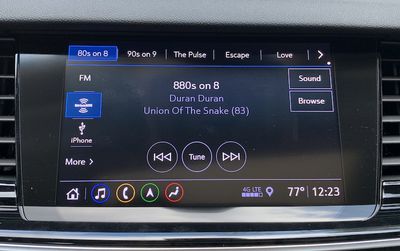
The Buick Infotainment system offers an extremely clean design that's very simple to navigate. It has a modern look that's reminiscent of a smartphone or tablet operating system. Icons are simple and easy to recognize at a quick glance, with a little bit of color to differentiate the major functions.
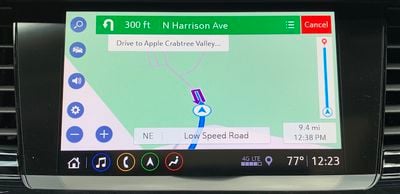
The system is controlled strictly by touch, with no trackpad or scroll wheel input provided. That's a good thing in my view, as direct manipulation via a touchscreen is a far more natural interaction mechanism.
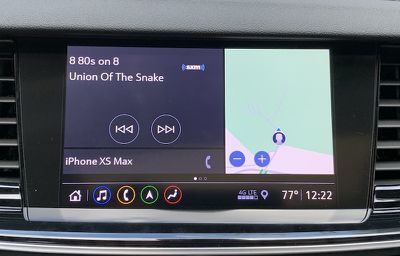
The system offers a couple of different home screen views, with the ability to swipe between them. One view divides the screen into three sections, with one showing a map of your general area, another showing your current audio information and track controls, and then a small strip showing any connected phones to give you quick access to their functions.
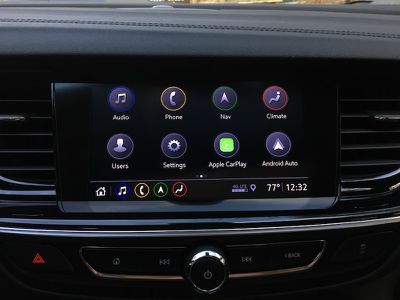
The other main home screen view is a customizable 4x2 grid of app icons that spans multiple pages if necessary. Aside from the default apps included on the system, you can also download a number of third-party apps including The Weather Channel, Spotify, and more.
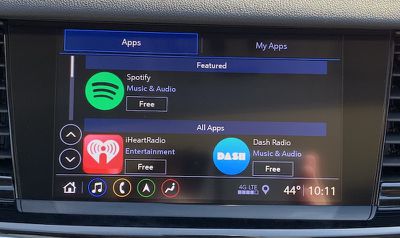
Any of the app icons on these home screen pages can be rearranged by tapping and holding, then dragging the icon to the desired location, with other icons adjusting their positions to make room, just like on iOS.
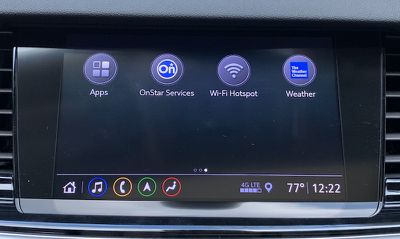
When you're within the Buick Infotainment system, there's a persistent shortcut tray or bar along the bottom that offers icons for quickly getting back to the home screen or to music, phone, navigation, or climate. The bar also shows the current time, exterior temperature, and cellular signal strength.
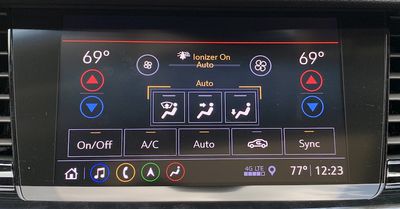
Most climate controls can be managed through a set of buttons and knobs located lower on the center stack, but you can also make adjustments through the infotainment system.
CarPlay
CarPlay on the Buick Regal TourX requires a wired connection using one of the two USB-A ports inside the center console compartment. While connected, you can store your phone either inside the compartment or in a nearby cupholder with the cable routed through one of the gaps in the front of the console compartment lid.
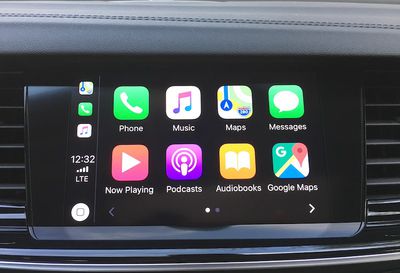
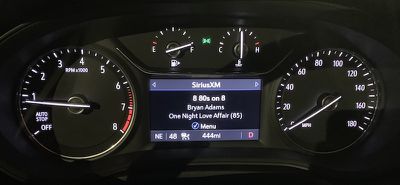
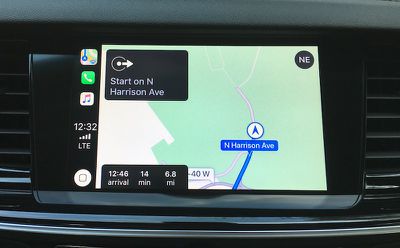
CarPlay does take over the entire infotainment screen when it's active, so you won't be able to see information such as audio or navigation from the Buick system. If you've opted for the digital driver's display that's standard on the Essence trim and an option on the Preferred trim, that helps overcome the visibility issue as you can select from several different views to get the information you need right in front of you.
There's no Buick app icon on the CarPlay home screen, but the hardware home button makes it easy to get in and out of CarPlay at any time. Pressing the home button while in CarPlay takes you back to the Buick system, while pressing and holding the button takes you into CarPlay. That makes this system one of the relatively few with an always-available hardware method for accessing CarPlay regardless of what you're doing in the infotainment system.
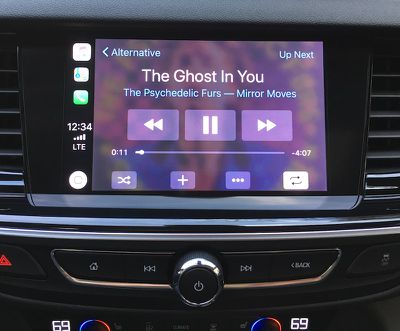
Colors on the CarPlay screens look a little washed out, and there don't appear to be any settings to adjust the color. I'm not sure the reason for this issue with the colors, as they seem fine on the native infotainment system. I got used to the CarPlay colors after a while, and it's not a major problem, but it was definitely noticeable at first after coming from other vehicles with more vivid colors.
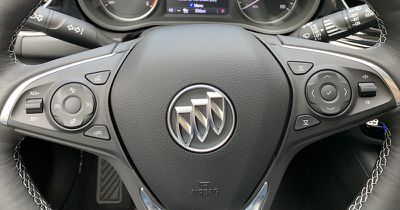
Voice control is managed through a dedicated button on the steering wheel, with a short press bringing up the Buick voice assistant and long press accessing Siri.
Ports and Wireless Charging
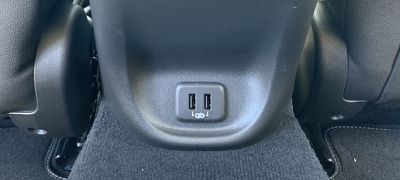
Aside from the two USB-A ports inside the center console that can be used for connecting for CarPlay purposes, my tester also came equipped with a pair of charge-only USB-A ports on the rear of the center console. There's also a 12V power port up front and another in the rear cargo area.
A vertical wireless charging pocket is available on the Regal TourX, but only on the Essence trim and only as part of a $1,725 package that also includes LED auto-leveling and cornering headlights, heated side mirrors, rear park assist, lane change/blind zone alert system, rear cross traffic alert system, and upgraded power lumbar seat controls.
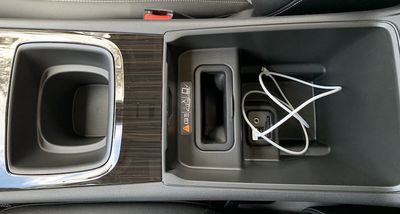
Unfortunately, the charger has a few design issues. First, it's located inside the center console compartment, which makes things a bit more difficult than just tossing your phone on the charger when you hop in the car and grabbing it as you exit. Second, it doesn't fit Plus/Max-sized iPhones. A naked iPhone XS Max can be forced down into the charger, but even then it's not deep enough to allow the phone to charge.
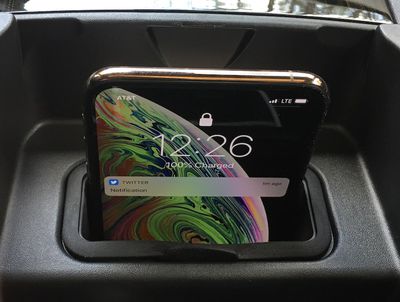
In fact, GM's wireless charging system is generally a bit of a mess for iPhone owners, as you can see in device compatibility matrix. Prior to the 2019 model year, some of GM's models used wireless chargers that didn't fully implement the Qi standard, and so they were incompatible with iPhones unless the vehicles are retrofitted with newer hardware. But even now that GM has rolled out full Qi support in 2019 models, the company acknowledges that Plus/Max iPhones may not fit in their chargers.
OnStar and Wi-Fi Hotspot
As a GM vehicle, the Buick Regal TourX comes with the company's powerful OnStar suite of connected services. Basic access such as vehicle diagnostics, maintenance reminders, and the third-party app marketplace is included for ten years, while buyers receive a one-month trial of OnStar's Safety and Security Plan that offers automatic crash response, roadside assistance, stolen vehicle assistance, and turn-by-turn navigation assistance from a live advisor.
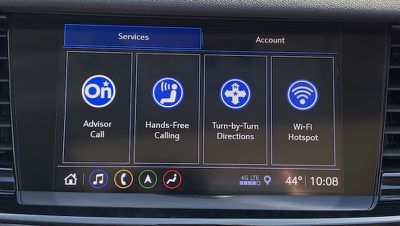
Once your trial runs out, you can choose from a variety of paid plans with different combinations of features.
The Regal TourX also has available 4G LTE hotspot service through AT&T. Service can be purchased separately or as part of the Unlimited Access Plan bundle that also includes OnStar services.
Wrap-up
I really liked the Regal TourX's infotainment system with a clean and modern user interface that makes it easy to find exactly what you need without garish colors. The minimal hardware controls are enough to get things done by feel without making it overly complicated, and they look nice too. The overall hardware design of the center stack is great, with the screen fitting in extremely well rather than looking like an iPad mini stuck onto the dashboard as an afterthought.
CarPlay integrates quite well with the Buick Infotainment system, and the available driver's display helps compensate for the lack of a split-view widescreen infotainment display. The 8-inch screen in particular provides plenty of real estate for both CarPlay and the Buick Infotainment system, and the screen and hardware controls are within easy reach of the driver. The dual-duty hardware home button makes it simple to jump back and forth between the systems as needed.
Beyond the infotainment system itself, the Regal TourX could use some refinements. The only available USB ports for plugging into the system are inside the center console compartment, which is fine for those who prefer to keep their phones tucked away, but I prefer having some options with at least one USB somewhere on the center stack and another inside the console.
Wireless charging is another area that really needs improvement here. While GM is moving past its early issues with iPhone incompatibility on the technology side, it's mindboggling that Apple's larger phones won't even physically fit in the charger. Apple's Plus/Max phones have been essentially the same size since the iPhone 6 Plus launched in 2014, so there's no excuse for not making the charger large enough to accommodate them.
That said, the wireless charging issue may not affect that many users, as many will have smaller phones that fit fine or won't want to use wireless charging since they have to plug in for CarPlay anyway. It's also an expensive add-on considering it requires the top-end trim plus an additional pricey package to even get it, so I imagine many owners won't even opt to have their vehicles equipped with it.
The 2019 Buick Regal TourX starts at $29,995 for the base model, which does include CarPlay on the 7-inch touchscreen. The mid-level Preferred trim starts at $33,595, and if you want to upgrade that to the larger 8-inch screen with built-in navigation, you'll have to do it as part of a package that includes other features like Bose premium audio, the digital driver's display, and remote start, which pushes the price to around $35,500.
Alternatively, you can go straight to the high-end Essence trim starting at $35,995 and get the 8-inch screen standard. A package adding navigation and Bose premium audio bumps the price to just over $37,000, and if you go all-in on the advanced safety features and other options, you can push the price tag up to over $43,000.
















































Top Rated Comments
[doublepost=1550606850][/doublepost]And wagons have always been awesome.
[doublepost=1550675270][/doublepost]This is out 3rd Buick(2018 TourX) this decade and haven't found anything that will match turbo-4 efficiency, power, and as you said the quietness for the price.