

In macOS Sonoma, Apple changed how widgets work. Unlike previous versions of macOS, widgets don't have to be hidden away offscreen and largely forgotten in the Notifications Center panel. Now they can live right on your Mac's desktop – and they're interactive, too. Here's how to use them.
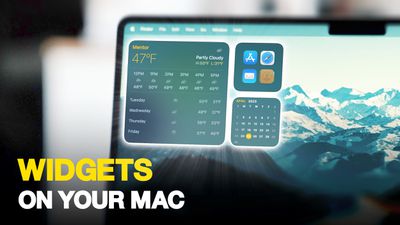
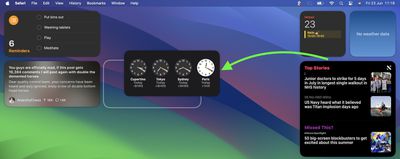
If you liked how widgets lived in Notification Center, don't worry – you can still keep them contained there, but now they can also be dragged out onto the desktop using your pointer.
The first widget can be placed anywhere, then Apple provides placement guidance for subsequent widgets by displaying a widget-shaped outline, indicating where they can be snapped into position in relation to the others.
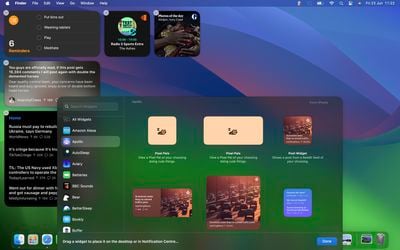
Alternatively, if you right-click on an empty space on the desktop, the menu that appears includes an "Edit Widgets..." option. Selecting this brings up a widget gallery, which – thanks to Apple's Continuity feature between Apple devices – also includes widgets from your iPhone in all available sizes. So even if you don't have the corresponding Mac app, you can still use the iOS widget right on your desktop. Simply drag it from the gallery into an available space.
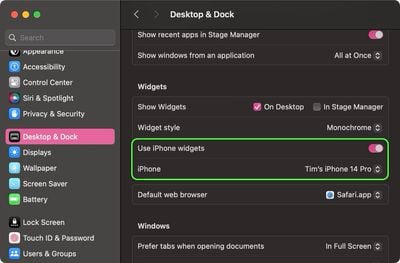
If you have more than one iPhone, you can also choose which widgets show up in your Mac's widgets library. Go to System Settings ➝ Desktop & Dock, and in the "Widgets" section, click the iPhone dropdown to select the device that you want to sync to.
As mentioned, widgets are natively interactive. In the Home app widget, for instance, you can control specific accessories by clicking the individual buttons to turn them on and off. Another example is the ability to check off completed to-do items in a Reminders list widget.
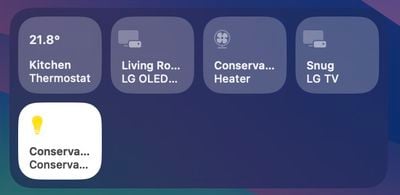
Note that if you right-click a widget, any available customization options appear in the contextual menu. Widgets are available in Small, Medium, and Large sizes, and all include an option to "Remove Widget" if you want to get rid of it.
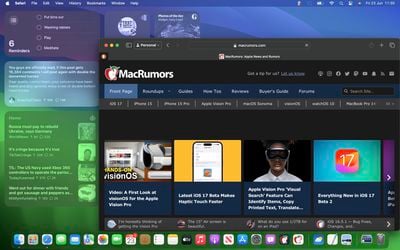
When not in use, widgets fade into the background by taking on the color of your wallpaper, so you can concentrate on the active app or window. There's also an option in System Settings to change the widget style from full color to Monochrome, for a more uniform look.
Widgets have evolved in macOS Sonoma. By bringing them in from the dark and out into the open workspace of your desktop, they encourage you to are actively work alongside them.
















































