

In macOS Monterey, Tab Groups are a new Safari feature that aim to make organizing and preserving your open browser tabs more manageable without having to have those tabs active and taking up space.
Tab Groups are a way to easily save and manage related tabs, such as those used when planning trips or shopping, or groups can be used to store the tabs you visit daily.
If you're planning a trip, for example, you can save all of your tabs into a "Vacation" group, accessing them when needed and leaving your device free for other content when you're not doing active planning. Or if you have a set of websites you always open up for work, you can save these in a dedicated Tab Group.
How to Create a Tab Group in Safari
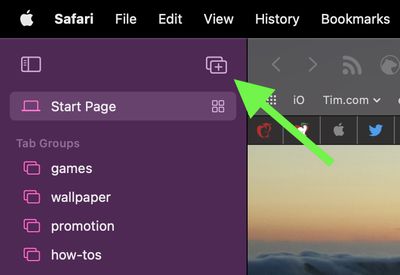
- In Safari, click the Show Sidebar icon next to the traffic lights, then select New Tab Group. Alternately, click the down arrow next to the Show Sidebar icon and select either New Empty Tab Group or New Tab Group With X Tabs, "X" being the number of tabs currently open.

- Give your Tab Group a name, then press Enter.
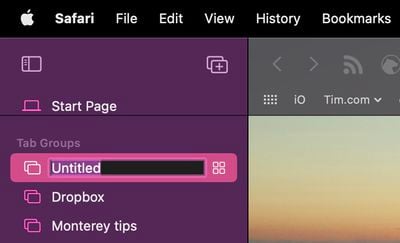
Any Tab Groups you create are listed in the sidebar for easy switching. You can also select groups by clicking the down arrow next to the Show Sidebar icon. Any tabs that are opened when a Tab Group is selected will automatically be included in that group.
How to Get a Tabs Group Overview in Safari
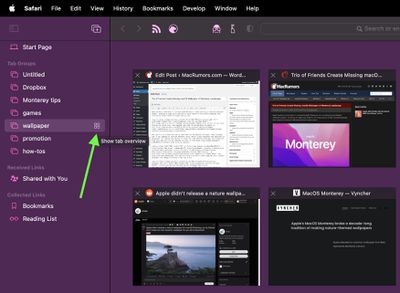
You can get an overview of all the tabs in a group by following these steps.
- Click the Show Sidebar icon next to the traffic lights to reveal the sidebar.
- Select a Tab Group, then click the four-squared icon next to its name. Alternately, right-click (Ctrl-click) the Tabs Group you want to get an overview for, then select Show Tab Overview.
How to Rearrange Tab Groups in Safari
- Click the Show Sidebar icon next to the traffic lights to reveal the sidebar.
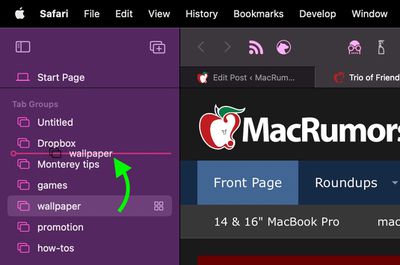
- To rearrange the Tab Groups in the list, click and hold a Tab Group, drag it to the desired position, then release the mouse button.
How to Copy Links in a Tabs Group in Safari
You can copy a list of links for all the websites in a Tab Group to the clipboard for sharing with someone or pasting elsewhere.
- Click the Show Sidebar icon next to the traffic lights to reveal the sidebar.
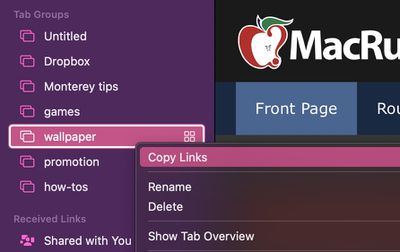
- Right-click (Ctrl-click) the Tabs Group you want to get links for, then select Copy Links.
- Paste the links in the clipboard to wherever you like.
How to Delete a Tabs Group in Safari
When you no longer need a Tab Group, it's easy to delete it.
- Click the Show Sidebar icon next to the traffic lights to reveal the sidebar.
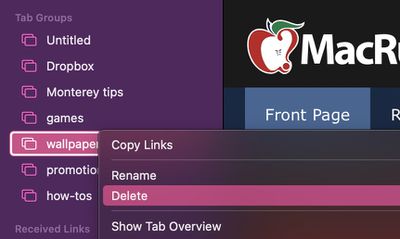
- Right-click (Ctrl-click) the Tabs Group you want to get rid of, then select Delete.
All of your Tab Groups sync across your devices, so you can access them on iPhones and iPads running iOS 15 and iPadOS 15, as well as any other Macs you own running macOS Monterey.





















