

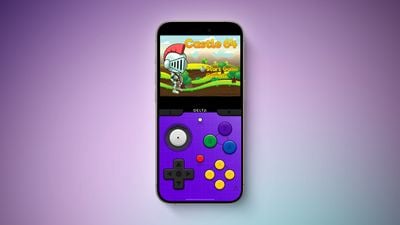
If you're a fan of classic Nintendo games and own an iPhone, we have great news for you. Apple has recently updated its App Review Guidelines to allow game emulators in the App Store. This change opens up new possibilities for playing your favorite retro games on modern devices. Keep reading to learn what's changed and how you can get gaming in no time.
Apple's App Store Policies: What Changed
In April 2024, Apple revised its App Review Guidelines to permit "retro game console emulator apps" on the App Store. This policy shift marks a significant change as emulators have long existed in a grey legal area despite a U.S. court ruling affirming their legality.
Game emulators have managed to sneak onto the App Store several times over the years by using hidden functionality, but Apple has not explicitly permitted them until now. The rule change that allows for game emulators is worldwide.
ROMS: Your Source of Retro Games
While emulators themselves are legal, as reinforced by U.S. law, it is critical to understand the legality surrounding the possession and use of game ROMs (Read-Only Memory). ROMs are digital copies of games, and while downloading them without proper ownership is illegal, there are legal avenues to obtain these files.
Users can legally acquire ROMs by using their own game cartridges with a ROM reader or downloading games from websites that offer classic games within the public domain or under a Creative Commons license. Some developers also release their games or ROMs for free as part of promotional campaigns or for archival purposes.
Delta: The Best Game Emulator Available
Among the various emulator apps available, Delta by developer Riley Testut is a standout choice recommended for iPhone users. Delta's broad compatibility is a key feature, supporting multiple systems such as the Nintendo Entertainment System (NES), Super Nintendo Entertainment System (SNES), and various Game Boy iterations up to the Nintendo DS. What makes Delta particularly appealing is its polished interface that closely mimics the classic gaming consoles it emulates, enhancing the nostalgic experience.
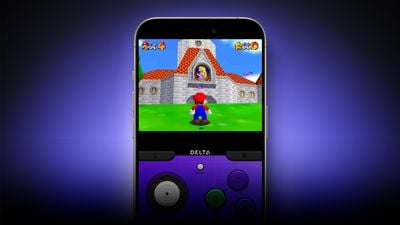
In summary, here's what makes Delta the emulator of choice:
- Comprehensive System Support: Emulates NES, SNES, Nintendo 64, Game Boy through Nintendo DS, ensuring a wide range of gaming experiences.
- Adaptive Controls: Offers customizable on-screen controls and support for external game controllers, adapting to your preferred gaming style.
- Save States and Cheat Codes: Enables saving gameplay at any moment and integrating cheat codes, enhancing gameplay flexibility.
- Cloud Sync and ROM upload: No games included with Delta, but it can open zipped files that are uploaded to iCloud Drive, Dropbox, or Google Drive. Cloud support also allows progress syncing across devices.
- Local Multiplayer Support: Delta supports local multiplayer for NES, SNES, and N64 games, allowing up to four players to enjoy games together, making it a fantastic choice for group entertainment.
- AirPlay Support: Includes the ability to stream games to Apple TV via AirPlay, providing a big-screen experience that’s perfect for more immersive gameplay.
Note that, as of writing, iPhone users in the EU can only download Delta from AltStore PAL, an alternative app marketplace made by the creator of Delta, Riley Testut. Testut has been working on AltStore PAL since Apple announced plans to support alternative app marketplaces in iOS 17.4. Alternative app marketplaces are not available outside of the European Union.

















































