

Apple's HomePod smart speaker is primarily geared towards playing songs from the Apple Music catalog and listening to music and podcasts in your iTunes library, but it also features a handy speakerphone function that's ready to use out of the box.
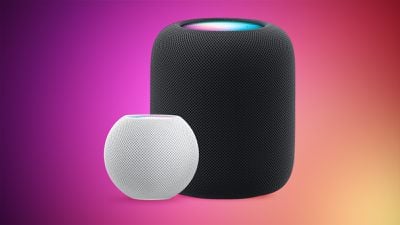
The speakerphone feature is available on both the HomePod mini and larger HomePod, but it works best with the latter device since it has a multi-microphone array, which features an advanced echo cancellation system so that Siri can understand anyone speaking to it in the room.
This also means that anyone in your household on the same local network can easily hand off calls to the HomePod from a nearby iPhone, with the HomePod able to serve as both a speaker and a microphone for a handsfree conversation, regardless of their position in relation to the device. Here's how it's done.
How to Use Speakerphone Mode on HomePod
- When you're next in a call or about to accept a call on your iPhone, tap the Audio option in the call interface, then choose the HomePod in the list that you'd like to use as a speakerphone.
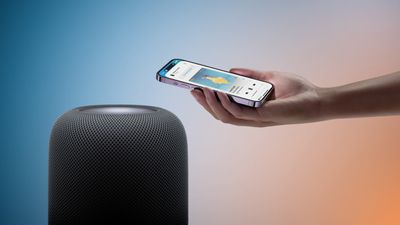
- Alternatively, hold your iPhone near the top of HomePod to handoff the call automatically. (To hand off audio, your device must have Bluetooth turned on and be on the same Wi-Fi network as HomePod. You must also turn on Transfer to HomePod in Settings -> General -> AirPlay & Handoff on your iPhone.)

- Wait for the light on top of the HomePod to turn green, which tells you it's connected to the audio of your call.
- Now you can put down your iPhone and continue your call handsfree using the HomePod as your speakerphone.
- To hang up the call, simply tap the top of the HomePod, or refer back to your iPhone's call interface to do so.
Managing Multiple Calls in Speakerphone Mode
With speakerphone mode active, you can also use HomePod's touch interface to manage multiple calls, either by ending the current call or putting the caller on hold to switch between conversations.
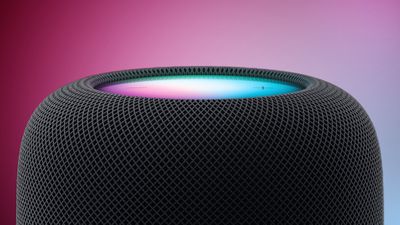
Putting the current caller on hold to answer an incoming call couldn't be easier: Simply tap the green light on top of the speaker. Note that you can switch between calls at any time with a double tap. Alternatively, to end the current call and answer the new one, tap and hold the green light on top of the HomePod until the switchover occurs.




















Top Rated Comments
I can say "hey Siri -- call X" on my iDevices and done. I can press the Siri button on my Mac and do the same (actually configured the work around "hey Siri" command on my Mac but obviously that's not standard). So it's just one more Siri does this on that product, but not on that product. Why? If anything HomePod is ideal as a voice command speaker phone. Clearly Siri CAN do this.
[doublepost=1518179215][/doublepost]Bah. That's enabler talk. This isn't Apple's first Siri rodeo. Siri has been out longer than Jobs has been dead. Every previous Apple product with Siri has had a chip and at least one speaker. And smart speakers have been out for years. Apple supposedly took it's time to "get it right." OK. Then the features should be there. There really is no excuse here regarding hands-free calling with Siri.
Please repost this every other post in every HomePod thread.
Apple hasn’t cracked multi-user on iOS yet. Even on the AppleTV, which has warranted multi-user for some time, there isn’t the option to have multiple users associated with it.
Other vendors have solved the multi-ID challenge as their voice assistants can differentiate between users.
When answering calls on the HomePod...it’s fantastic. It sounds like the person is in the room with me(you can only get this kind of quality when using FaceTime Audio) cellular sound..is well...pretty tinny sounding.
Anyways, this HomePod has better bass and clarity then my Dolby Atmos surround system. Apple did it right!! This thing figured out your environment and I have music bouncing off the walls, over my head...coming through the floor.
I reset my echos and echo show and unplugged them and I’m selling them.
This is the greatest product Apple has released since the iPhone.
For those of you who call the iPhone Ten the iPhone EX....here’s my middle finger. I’m going to play my Xbox One TEN now and then I’ll use some Mac OS EX.