

Most of us are touching our iPhones constantly throughout the day, which means the iPhone can be a magnet for germs, dirt, and fingerprints. It's a good idea to regularly clean your iPhone, especially during the flu season and, right now, the COVID-19 coronavirus outbreak.
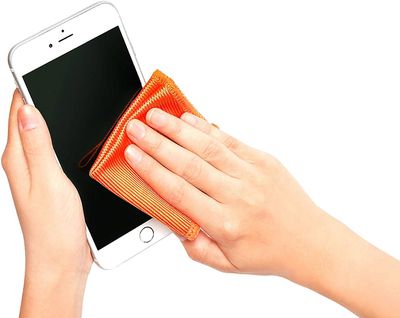
Apple has some specific guidelines for cleaning depending on which iPhone you have.
Cleaning iPhone 11, 11 Pro, and 11 Pro Max
Apple's iPhone 11, iPhone 11 Pro, and iPhone 11 Pro Max have a higher water resistance rating than other iPhones, which means Apple can recommend washing them a bit more thoroughly than other iPhones.
- Unplug all cables and turn off the iPhone.
- Use a soft, slightly damp light-free cloth to rub debris and fingerprints from the display.
- If material is still present, use a soft, lint-free cloth with warm soapy water.
Apple instructs people to make sure not to get moisture in the openings of the iPhone during the cleaning process.
Cleaning iPhone XS, iPhone 8, and Earlier
For these phones, Apple does not recommend the step of using warm soapy water for cleaning purposes.
- Unplug all cables and turn off the iPhone.
- Use a soft, slightly damp light-free cloth to rub debris and fingerprints from the display.
- Avoid getting moisture in openings.
These guidelines don't exactly address disinfecting the iPhone (with the exception of using warm, soapy water), and Apple recommends against harsh cleaning products and abrasive materials because these can diminish the oleophobic coating, but there are certain disinfecting products that Apple approves of.
Disinfecting Your iPhone
A simple solution of isopropyl alcohol is an effective way to eliminate illness-causing particulates from your iPhone, and Apple says that it is safe to use either 70 percent isopropyl alcohol or Clorox cleaning wipes on your devices.
- With a cleaning spray or 70 percent isopropyl alcohol, moisten a microfiber cloth until it's just damp.
- Wipe down the iPhone, front and back, with the microfiber cloth.
- Dip a Q-Tip or cotton swab and go over the edges of the iPhone to make sure to disinfect all of the crevices.
- Alternatively, take a Clorox wipe that is not too moist and thoroughly wipe the front, back, and sides of the iPhone.
Display cleaning sprays:
- Monoprice Screen Cleaner ($5.79)
- Whoosh Screen Cleaner Kit ($9.99)
- Clorox Screen Cleaning Wipe ($3.99)
- Care Check Lens Wipes ($8.99)
- iCloth Lens and Screen Cleaner ($19.49)
It's a good practice to make sure to do a small test spot when using any kind of screen cleaning spray just to make sure it's not causing damage to the iPhone's fingerprint coating.
Cleaners other than isopropyl alcohol and those that are specifically designed for displays should be avoided. Harsh cleaners that contain bleach and other surfactants should not be used under any circumstances.
Cleaning Dust From the Lightning Port
Displays aren't the only part of the iPhone that can become dirty, as dust and other particulates can coagulate in the Lightning port of the iPhone, leading to problems with charging. Luckily, there's an easy fix:
- Turn off the iPhone.
- Using a toothpick, very carefully remove any visible lint that's in the Lightning port.
- You may need a flashlight to get a good look inside the port so that you can see what you're doing.
- You can also use the toothpick to clean out speaker grilles and anywhere else dust has accumulated.
Note that the tips that we've provided for the iPhone also work on Apple's iPads. Make sure to check out our how to on disinfecting your Apple keyboard, trackpad, and mouse, which can also be a hotbed for germs.
















































