

Apple's Powerbeats Pro headphones offer around nine hours of listening time and six hours of talk time on a single charge, with up to 24 hours of playback using the charge case on a single charge. The earphones also come with a Fast Fuel feature that lets you get 1.5 hours of music playback after five minutes of charging, and 4.5 hours of playback after 15 minutes of charging.
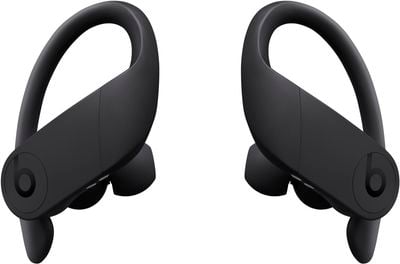
During use, you'll hear a tone when your Powerbeats Pro batteries are low, and another tone just before they run out. But you don't have to wait for these tones to know how much charge they have remaining. Here are a few other ways that you can keep a closer eye on your earbuds' battery life.
On iPhone
If you're not using your Powerbeats Pro earbuds, open the charging case lid with them inside and hold the case close to your iPhone. The charge status of the earbuds and case should appear separately on the device's screen, and if you take out an earbud, you'll see individual percentages for the two earpieces.
You can also check the charge status of Powerbeats Pro using the Batteries widget in your iPhone's Today View, accessed by swiping right on the Lock screen or on your Home screen's first screen of apps.
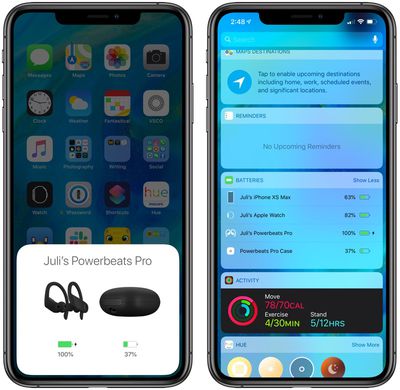
If you're wearing the Powerbeats Pro earbuds, the Batteries widget will show a single percentage for the two of them that's rounded down to the earpiece with the lowest battery. If you place one of them in their charging case, the widget will show you individual percentages, as well as the current charge level of the charging case itself.
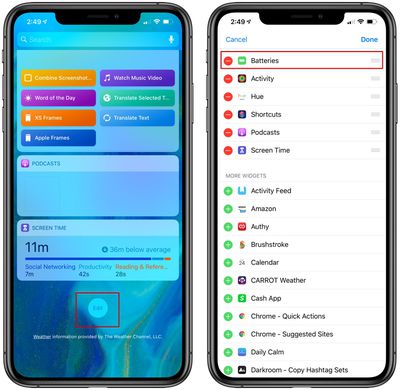
If you don't have it installed already, you can add the Batteries widget manually. To do so, enter the Today view, scroll to the bottom of the column of widgets and press the Edit button. Then simply tap the green plus button in the list next to Batteries and tap Done in the upper right of the screen.
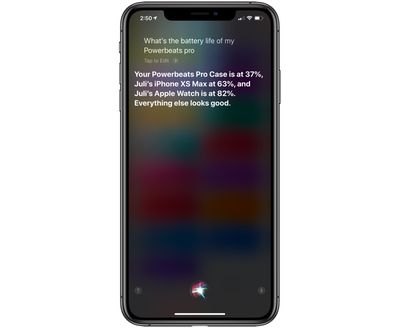
If you're a Siri user and you're wearing your earbuds, you can ask the virtual assistant "How is the battery life of my Powerbeats Pro?" and you should get an answer.
On Apple Watch
You can check the battery level of Powerbeats Pro from your wrist, whether they're paired with your iPhone or directly with your Apple Watch.
To do so, bring up the Control Center on your Apple Watch: Swipe up on a watch face, or when in an app, press the bottom edge of the screen then drag up the Control Center. Then tap the Apple Watch battery icon, indicated by a percentage.
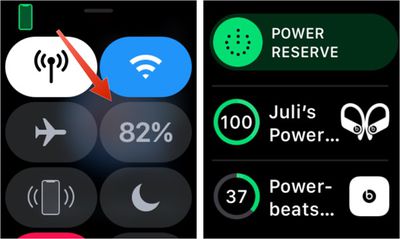
Your Powerbeats Pro battery level will be displayed as a ring below the Apple Watch battery percentage, and if you place an earbud in its charging case, you'll see individual percentage charges for the lot.
On the Charging Case
If you put the Powerbeats Pro earbuds in their charging case, the LED status light in the case will turn white for a few seconds when charging starts.
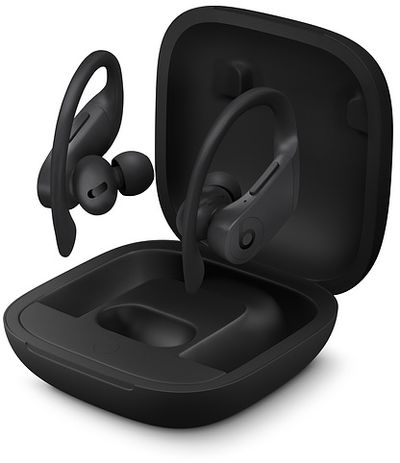
The charging case light will turn red when the case battery drops to 40 percent, which indicates the case is unable to fully charge both earphones until it's been recharged using the supplied Lightning cable.

















































