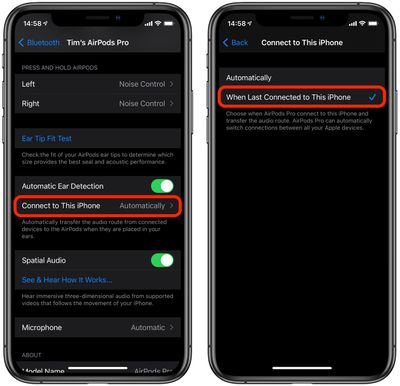
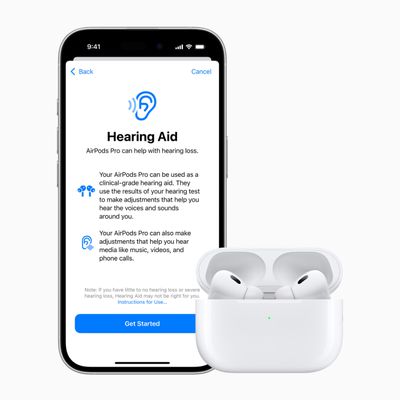
Apple in September 2020 issued an update for AirPods and some Beats-branded headphones that allows them to automatically switch between your iPhone, iPad, and Mac depending on which device you want to listen to.
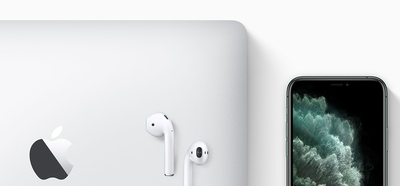
For example, if you’re listening to another device with your AirPods but you want to listen to your iPhone instead, start playing music, a podcast, or other audio on your iPhone, and your AirPods will switch to iPhone automatically. Your AirPods can also switch to iPhone when you make or answer a call on your iPhone.
What You Need
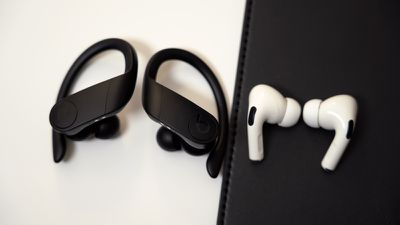
To take advantage of audio switching, you'll need one of the following Apple or Beats headphones that support the feature.
- AirPods Pro
- AirPods (2nd generation)
- Powerbeats
- Powerbeats Pro
- Solo Pro
For audio switching to work, your other devices need to be signed in with the same Apple ID as your iPhone. Audio switching also requires iOS 14, iPadOS 14, macOS Big Sur, or later, as well as the right firmware for your headphones.
Make Sure Your Headphones Firmware is Up to Date
Owners of Beats earphones or headphones can use the Beats Updater to keep them up to date with the latest firmware.
As for AirPods and AirPods Pro, there's no clear cut way to upgrade the firmware, with new firmware installed over-the-air when they're connected to an iOS device. However, putting your earbuds in the case, connecting them to a power source, and then pairing the AirPods to an iPhone or an iPad should force the update after a short period of time.
Apple in September 2020 released the 3A283 firmware for AirPods Pro that introduced spatial audio and audio switching. Apple may have released newer firmware by the time you read this, but you can check your AirPods Pro firmware by following these steps:
- Make sure the AirPods are connected to your iOS device.
- Open the Settings app.
- Tap General.
- Tap About.
- Tap AirPods.
- Look at the number next to "Firmware version."
How to Turn on Audio Switching
- Make sure the AirPods are connected to your iOS device.
- Launch the Settings app on your iPhone or iPad.
- Tap Bluetooth.
- Tap the Info (i) button next to the name of your Airpods or Beats headphones.

- Tap Connect to This iPhone/iPad.
- Tap Automatically.
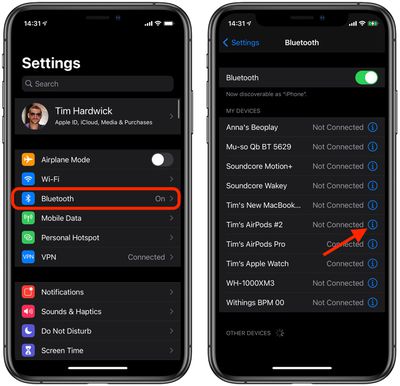
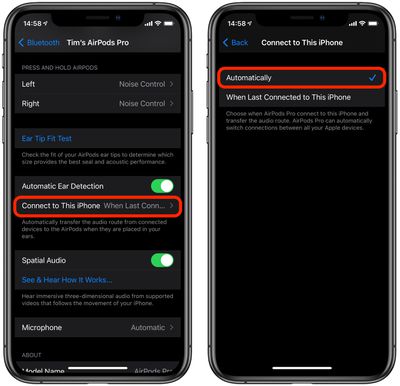
If your headphones automatically switch from your iPhone to another device but you want them to stay connected to your iPhone/iPad, tap the blue arrow in the "Moved to" notice that appears at the top of your iPhone/iPad screen.
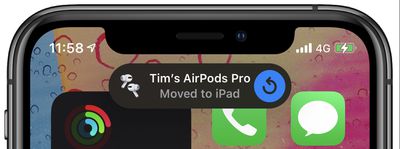
How to Turn Off Audio Switching
- Make sure the AirPods are connected to your iOS device.
- Launch the Settings app on your iPhone or iPad.
- Tap the name of your AirPods just under your Apple ID banner. Alternatively, tap Bluetooth, then tap the Info (i) button next to the name of your Airpods or Beats headphones.
- Tap Connect to This iPhone/iPad.
- Tap When Last Connected to This iPhone.