

Apple in iOS 12.2 introduced Apple News+, a subscription service that provides access to hundreds of magazines and some paywalled news content for $9.99 per month.
Apple has some work to do with the Apple News+ interface, and it's not obvious how to do simple things like add a magazine to "My Magazines" to make sure you receive new issues of your favorites. In this guide, we'll walk you through the steps you need to follow to get a magazine to show up in My Magazines.
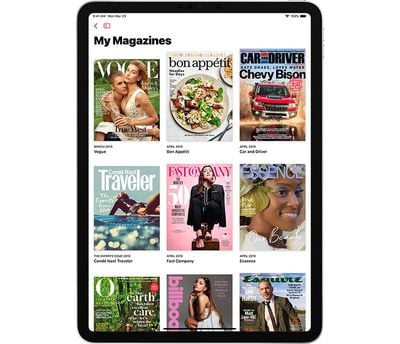
In iOS 12.3 or macOS 10.14.5
As of iOS 12.3 and macOS Mojave 10.14.5, you can also subscribe to a publication to follow directly from the Apple News+ catalog view by tapping on the "Follow" button in the main Apple News+ view. If you're still using an earlier version of iOS or macOS, you won't see the Follow button.
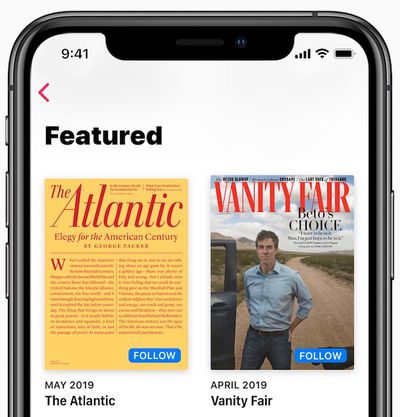
While Reading a Magazine
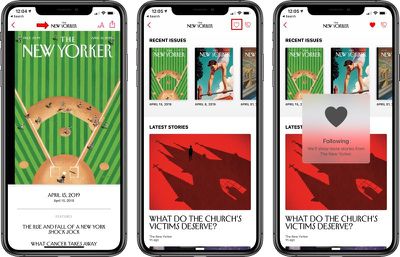
- With the News+ app on iPhone or iPad, open up the magazine you want to add to My Magazines.
- Tap on the title of the magazine at the top of the navigation bar.

- Tap on the icon shaped like a heart.
Through Search
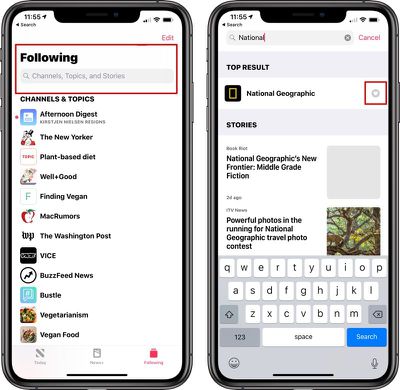
- On iPhone or iPad, search for the name of the magazine that you want to add to favorites.
- To do so, on iPhone tap on the "Following" tab to get to the search interface and on iPad, open up the side bar and use the search bar at the top.
- Type in the name of the magazine you want to add to My Magazines.
- Tap on the heart icon in the search results to add it to My Magazines.
Any magazine that you've favorited with a heart will be listed in the My Magazines interface, and new issues will automatically be downloaded for offline reading when available. You'll also be notified whenever a new issue becomes available to read.
Note that My Magazines will also show recently read magazines and magazines that you're reading now, though these will not stay in your My Magazines feed permanently.
Favoriting a magazine will also cause content from that source to show up more frequently in Apple News and Apple News+.
Removing a Magazine From My Magazines
To remove a magazine from My Magazines, follow the above instructions and make sure to tap the heart again to remove it from your list. A heart that's filled in means that it's been favorited, while an outline means that it has not.
Blocking a Magazine from Apple News
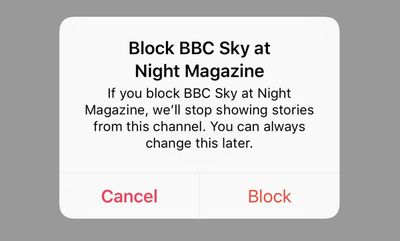
You'll also notice an icon that's a heart with a slash through it. Tapping on this icon will block it from Apple News and you will no longer see content from that magazine in your Apple News+ feed.
For more on Apple News+, make sure to check out our dedicated Apple News+ guide.


















































Top Rated Comments