M4 vs. M4 Pro vs. M4 Max Chip Buyer's Guide: Which Should You Choose? - MacRumorsOpen MenuShow RoundupsShow Forums menuVisit ForumsOpen Sidebar
Skip to Content

M4 vs. M4 Pro vs. M4 Max Chip Buyer's Guide: Which Should You Choose?

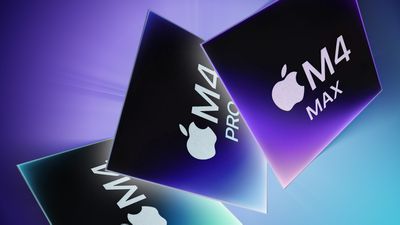
Apple this week debuted its M4 Mac models, unveiling the M4 Pro and M4 Max chips. So how do the three latest-generation Apple silicon chips compare and which should you choose?
M4 M4 Pro vs M4 Max Feature
The MacBook Pro is the only product line currently available with a choice of all three M4 chips, but you will also have to choose between the M4 and M4 Pro chip when buying a Mac mini. All of the differences between the M4, M4 Pro, and M4 Max chips are listed below:

M4 M4 Pro M4 Max
Up to 10 CPU cores
(4 performance + 6 efficiency cores)
Up to 14 CPU cores
(10 performance + 4 efficiency cores)
Up to 16 CPU cores
(12 performance + 4 efficiency cores)
Up to 10 GPU cores Up to 20 GPU cores Up to 40 GPU cores
120GB/s memory bandwidth 273GB/s memory bandwidth 546GB/s memory bandwidth
Up to 32GB memory Up to 64GB memory Up to 128GB memory
Media Engine with one video encode engine and one ProRes accelerator Media Engine with one video encode engine and one ProRes accelerator Media Engine with two video encode engines and two ProRes accelerators
Thunderbolt 4 support (up to 40Gb/s) Thunderbolt 5 support (up to 120Gb/s) Thunderbolt 5 support (up to 120Gb/s)
11- and 13-inch iPad Pro (2024)
14-inch ‌MacBook Pro‌ (2024)
‌Mac mini‌ (2024)
iMac (2024)
14-inch ‌MacBook Pro‌ (2024)
16-inch ‌MacBook Pro‌ (2024)
‌Mac mini‌ (2024)
14-inch ‌MacBook Pro‌ (2024)
16-inch ‌MacBook Pro‌ (2024)

Benchmarks for the M4 Pro and M4 Max chips are yet to be seen, but performance is likely to scale similarly to the M3 series of chips.

The M4 chip is an ideal choice for everyday users who need dependable performance for typical productivity tasks, web browsing, and media consumption. With up to 10 CPU and GPU cores and support for up to 32GB of memory, it easily handles lightweight workflows without draining battery life excessively. Devices like the ‌iPad Pro‌, 14-inch ‌MacBook Pro‌, ‌Mac mini‌, and ‌iMac‌ offer this chip, providing great value for those prioritizing efficiency over intensive workflows.

For users who frequently handle intensive applications and multitasking but don't have extreme performance demands, the M4 Pro strikes an excellent balance. With its added CPU and GPU cores, faster memory bandwidth, and support for Thunderbolt 5, the M4 Pro is a smart choice for video editing, graphic design, and advanced multitasking. It's available in both the ‌Mac mini‌ and the 14- and 16-inch ‌MacBook Pro‌ models.

Finally, the M4 Max is engineered for power users with high-performance needs, such as 3D rendering, complex data processing, or heavy-duty video production. With up to 16 CPU cores, 40 GPU cores, and 128GB of unified memory, the M4 Max is equipped to handle the most intensive workflows. It's a good fit for those who require top-tier performance across the CPU and GPU. It is currently exclusively available in Apple's 14- and 16-inch ‌MacBook Pro‌ models.

Related Roundups: MacBook Pro, Mac mini
Related Forums: MacBook Pro, Mac mini

Popular Stories

mac mini green 2

Apple Cuts More Mac Studio and Mac Mini RAM Options as Memory Shortage Worsens

Tuesday May 5, 2026 12:34 pm PDT by
Apple has removed more desktop Macs from its online store as the global memory shortage continues. Mac mini models with 32GB and 64GB of RAM are no longer available for purchase, nor is the M3 Ultra Mac Studio with 256GB RAM. The M3 Ultra Mac Studio is now available only in a 96GB RAM configuration, with higher-tier options eliminated. Both M3 Mac Studio and M4 Max Mac Studio models have...
nvidia rtx spark

Nvidia Challenges Apple Silicon With New RTX Spark PC Chip

Monday June 1, 2026 3:41 am PDT by
Nvidia is entering the consumer PC chip business for the first time and has thrown down the gauntlet to Apple, describing its new RTX Spark processor as "the most efficient PC chip ever built." Nvidia says its RTX Spark Superchip is purpose-built to run AI agents that can work proactively across apps and run in the background as a personal "teammate." With the chip, Nvidia says users...
MacBook Pro Low Angle Wide Lens 2

MacBook Pro OLED Display Production Clears Key Hurdle

Thursday May 21, 2026 1:41 am PDT by
Apple's first OLED MacBook Pro models have cleared a major manufacturing hurdle, with panel supplier Samsung Display having reportedly achieved yields above 90 percent on its Gen 8.6 OLED production line. According to Korean publication The Elec, some individual process stages are now reaching yields as high as 95 percent, a level that the display industry considers "golden yield" territory ...

Top Rated Comments

21 months ago
If you don't know whether you need a M4 Pro or a M4 Max, then you actually need the regular M4.
Score: 14 Votes (Like | Disagree)
Rychiar Avatar
21 months ago

What I miss is a use case. I really do not know how GPU and CPU-intensive Photoshop, Lightroom, Camera Raw, etc., is, or when the 20 GPU cores more between the Pro and Max make a difference for Premiere Pro or any other video editing tool. I use an M1 Max in a MacBook Pro for photo and video editing. This could be an M4 Pro with lots of memory, but when would I need a Max?
Because there are different choices now, I have no clue.
this is true. at my office I have an M2 Max Mac Studio and at home I currently just have a base m2 Mac mini and the mini seems just as fast at most of my photoshop tasks and other uses. the biggest difference I notice is the lack of RAM on the mini crippling my raw editing ability at home but then again its just a stop gap machine til we get an m4 studio release... I'm surprised how much I've accomplished with that base m2 mini last few years though.
Score: 9 Votes (Like | Disagree)
mcilwraith Avatar
21 months ago
im thinking M4 is good enough for 90% of folks. i have a M1 Pro MBP at home and its still silly fast!
Score: 9 Votes (Like | Disagree)
21 months ago
What I miss is a use case. I really do not know how GPU and CPU-intensive Photoshop, Lightroom, Camera Raw, etc., is, or when the 20 GPU cores more between the Pro and Max make a difference for Premiere Pro or any other video editing tool. I use an M1 Max in a MacBook Pro for photo and video editing. This could be an M4 Pro with lots of memory, but when would I need a Max?
Because there are different choices now, I have no clue.
Score: 9 Votes (Like | Disagree)
G5isAlive Avatar
21 months ago

Errors there, you CANNOT get 64GB RAM with Pro chip on MBP.


This a post about new MBPs not about Mini.
No, it's about the chips. The article even brings up the mini..

"The MacBook Pro is the only product line currently available with a choice of all three M4 chips, but you will also have to choose between the M4 and M4 Pro chip when buying a Mac mini."
Score: 8 Votes (Like | Disagree)
21 months ago
doesn't look like you can get 64GB memory on the M4 Pro, tops out at 48
Score: 8 Votes (Like | Disagree)

🔗 Related Apple News & Rumors

Stay updated with the latest Apple ecosystem news and verified rumors