

What You Need to Know About HEIF in macOS - MacRumorsOpen MenuShow RoundupsShow Forums menuVisit ForumsOpen Sidebar
Skip to Content

What You Need to Know About HEIF in macOS

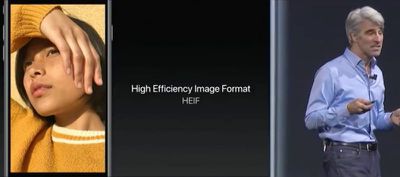
With the official release of iOS 11 and macOS High Sierra, Apple introduced support for a new image format called HEIF, which uses the file extension HEIC. Apple sees HEIF as a worthy successor to the JPEG format. So what makes it so good that it can replace an industry standard that's been in use for almost 25 years?
HEIF

What is HEIF?

HEIF stands for High Efficiency Image Format and can be considered the still-image version of the HEVC video codec that Apple's ecosystem now officially supports. (You can learn more about HEVC here.) The HEIF standard wasn't made by Apple – it was developed in 2015 by the MPEG group, which also invented the AAC audio format used in iTunes.

Benefits of HEIF Over JPEG

As the name implies, HEIF is a more streamlined method of storing image data and offers better quality than the traditional JPEG format. For example, HEIF supports image transparency and can capture a more extended color range than JPEG (16-bit versus 8-bit), which should increase the accuracy of photos taken on Apple's latest iPhones. At the same time, a HEIF-encoded image should be around half the file size of an equivalent-quality JPEG, so users will be able to keep twice the number of shots on their Apple devices (or in iCloud) before they max out their storage capacity.

In addition, HEIF files include a 320x240 embedded thumbnail that's four times the resolution but only twice the file size of a standard JPEG thumbnail. HEIF images can also be rotated and cropped without altering the image or re-saving them, all of which makes working with HEIF files that much faster than JPEG on both Mac and iOS devices.
ios11livephotos
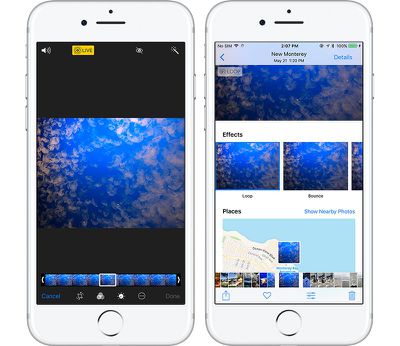
HEIF also brings other benefits that JPEG doesn't offer because it's unlike your typical image format. That's because it's also capable of acting as a container for multiple files. This should be a boon for anyone who takes bursts of photos or lots of Live Photos – which can be edited in multiple new ways in iOS 11 – but it also means HEIF could become a wholesale replacement for GIF.

HEIF Compatibility and Image Sharing

Currently, Apple only supports HEIF image encoding on iOS devices with a minimum A10 Fusion processor, so that includes the 2017 10.5-inch and 12.9-inch iPad Pro, the iPhone 7 and iPhone 7 Plus, and of course Apple's new 2017 range of iPhones. Owners of these devices can check their camera is encoding photos in HEIF by going to Settings -> Camera -> Formats, and ensuring the "High Efficiency" option is selected. The "Most Compatible" option means photos will be encoded in JPEG format.
highsierraphotoscurves
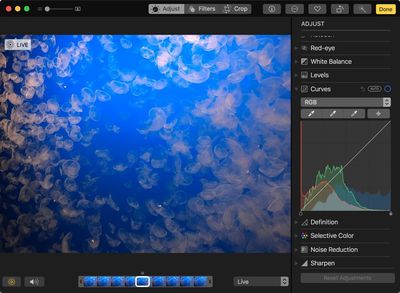
HEIF is supported on all Macs capable of running macOS High Sierra, and many macOS applications work natively with HEIF, including Photos, Preview, and Quick Look. This means macOS users might consider converting their JPEG image files to HEIF for greater storage or network benefits.

The transition to HEIF within the Apple ecosystem should be mostly transparent, but if users need to move HEIF content outside of that ecosystem, it's worth looking into transcoding options (JPEG, for example) to provide the best backwards compatibility for other users. Happily, iOS 11 will auto-convert HEIF images to JPEG when they are shared to devices running earlier versions of iOS, non-Apple devices, and popular social media sites, or when they are passed over to apps that don't yet support the standard.


Tag: HEIF
Related Forums: iOS 11, macOS High Sierra

Popular Stories

iPhone Duo Display Cracking

Apple Alerts Stores to iPhone Duo's Display Cracking Issue

Friday October 30, 2026 3:20 pm PDT by
In a memo shared with Apple Stores and Apple Authorized Service Providers this week, and later obtained by MacRumors, Apple provided technicians with guidance on how to diagnose and address the iPhone Duo's inner display cracking issue. If a customer reports the issue, Apple advised technicians to inspect the iPhone Duo and repair or replace it in accordance with their standard procedures....
iPad mini OLED feature 1

Apple Executive Comments on New iPad Mini Lacking 120Hz Display

Thursday October 29, 2026 1:47 pm PDT by
While the new iPad mini has an OLED display, the device does not support ProMotion, meaning the display's refresh rate is limited to 60Hz instead of 120Hz. ProMotion support would have allowed for the iPad mini's refresh rate to automatically adjust from 10Hz to 120Hz depending on the content being displayed, but evidently Apple has kept the feature exclusive to the iPad Pro among iPad...
Pinched iPad Mini

Apple Avoids Showing Pinched Fingers on iPad Mini Page in South Korea

Thursday October 29, 2026 11:52 am PDT by
In the U.S. and most other countries, Apple's website shows the new iPad mini being held by pinched fingers, but this is not the case in South Korea. The new iPad mini shown with pinched fingers on Apple's website in the U.S. On its South Korean website, Apple simply shows an image of the iPad mini on its own. The new iPad mini shown without pinched fingers on Apple's website in South Korea ...

Top Rated Comments

katanna Avatar
119 months ago
This means macOS users might consider converting their JPEG image files to HEIF for greater storage or network benefits.
Is there an option inside of Photos to batch-convert your entire library to HEIF?
Score: 7 Votes (Like | Disagree)
zorinlynx Avatar
119 months ago
This means macOS users might consider converting their JPEG image files to HEIF for greater storage or network benefits.
Does this mean that JPG -> HEIF conversion is completely lossless? Because if it's not, NO, macOS users shouldn't convert their images.
Score: 6 Votes (Like | Disagree)
Superhai Avatar
119 months ago
I have used HEIF for some time and the short version of what you want to know is this:

Encoding and decoding is processor intensive. On my MacBook Pro without hardware acceleration, photos are not displayed instantly as with jpeg, but could take seconds. This is noticeably if you have lots of photos to go through. Consider this if you want others to view your photos as well.

The quality is much higher than jpeg. Especially skies and surfaces with little color change are much less blocky even with 8-bit sources. And it support higher bits per color without needing a different format. And like jpeg you decide how much or little compression you require.

Avoid converting jpeg to HEIF. Unless you have stored the jpeg at near lossless quality, you will loose even more detail. And storing jpeg artifacts require more space.

Apple Photos does not convert your master files to HEIF automatically. Only if you transfer to a device without HEIF support will macOS or iOS convert HEIF to jpeg. Not the other way round. It should make sense as Photos neither did this before with TIFF, PNG, camera RAW or any other file format it supports.


A HEIF photo is basically a one frame HEVC video. Interestingly you can use ffmpeg or other video software to create a HEIF image, but you still need to put it in the right container by some other software. Also knowledge of HEVC compression settings are directly transferable to HEIF.
Score: 5 Votes (Like | Disagree)
rishiomedia Avatar
119 months ago
I’m also interested in knowing if it’s possible to convert an existing library of jpeg and Raws into HEIF on the Mac.
Score: 5 Votes (Like | Disagree)
119 months ago
Are older pictures automatically converted in the HEIF format?
This is my question too.

Also - can you do other non-destructive editing (aside from cropping/resizing) on them similar to RAW.
Score: 4 Votes (Like | Disagree)
119 months ago
Are older pictures automatically converted in the HEIF format?
Score: 4 Votes (Like | Disagree)
Latest Stories
Apple Offers Steps to Fix Daylight Saving Time Bug on Apple Watch
2 hours ago
Apple Watch Ultra 4 Hits All-Time Low Price With Amazon's $99 Discount
21 hours ago
Reminder: Apple's Big Discount on Beats 360 Ear Cushions Ends Today
21 hours ago
Here's a New Tour of Apple's HomeView Software
21 hours ago
Apple Reveals New iPad Mini's Battery Capacity
22 hours ago
Top Stories: Apple's Big MacBook Pro, iPad mini and iMac Updates
1 day ago
'Pluribus' Season 2 Reportedly Starts Production Today
1 day ago
iPhone 18 Pro Sales Surge in China, Offsetting Decline in U.S. and Japan
1 day ago
HomeView Software 27.2: Wallpapers, Control Center, and More
2 days ago
Apple Alerts Stores to iPhone Duo's Display Cracking Issue
2 days ago
iOS 27.3 Will Enable These Apple Intelligence Features in China
2 days ago
Apple Says iOS 27.3 Beta Coming Next Week
2 days ago
Apple's Flash Storage Suppliers Are Finally 'Getting Their Revenge'
2 days ago
14 New Things Your iPhone Can Do in iOS 27.2
2 days ago
iPhone Duo Review: One Week Later
2 days ago
Samsung Mocks iPhone Duo Display Cracks in New Ad Campaign
2 days ago
The MacRumors Show: OLED MacBook Pro, iPad Mini 8, and More
2 days ago
MacBook Pro With Touch Display: 15 More Details Revealed
2 days ago
Russia Places Apple on State Surveillance Registry
2 days ago
Halloween Weekend Brings Discounts on Apple Accessories and Pre-Orders
2 days ago
Apple Has Released More Than 25 New Products in the Past Two Months
2 days ago
Local Code Launches as Free, Private AI Assistant Tool for Mac
2 days ago
Apple Acquires Ascend.io
2 days ago
HomePod Mini 2 Launches Today: All the New Features
2 days ago
AirTag 2 4-Pack Drops to New Low Price of $69.99
2 days ago
Rian Johnson's iPhone Camera App Goes Viral
2 days ago
Where Did All the iPhone Duos Go? Mostly to Apple's Stores
2 days ago
Apple's Touchscreen MacBook Pro Could Ship 1.5M Units in 2027
2 days ago
New Apple TV 4K and iPad Mini: RAM Amounts Revealed
3 days ago
Apple Executive Comments on New iPad Mini Lacking 120Hz Display
3 days ago

🔗 Related Apple News & Rumors

Stay updated with the latest Apple ecosystem news and verified rumors










































