

Apple Releases visionOS 26 With Persistent Widgets, Lifelike Personas, and Spatial Scenes for Vision Pro - MacRumorsOpen MenuShow RoundupsShow Forums menuVisit ForumsOpen Sidebar
Skip to Content

Apple Releases visionOS 26 With Persistent Widgets, Lifelike Personas, and Spatial Scenes for Vision Pro

Apple today released visionOS 26, the newest version of the visionOS operating system that runs on the Apple Vision Pro.
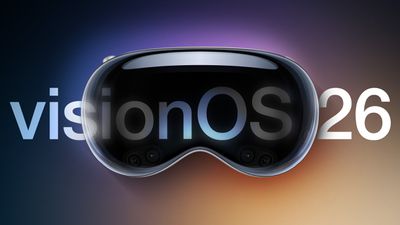
visionOS 26 Feature
‌visionOS 26‌ can be downloaded on all Vision Pro headsets by navigating to the Settings app, selecting the General section, and choosing the Software Update option. To install an update, the Vision Pro headset needs to be removed, and there is a software progress bar available on the front EyeSight display.

With visionOS 26, Apple is introducing a new class of widgets that can be integrated into the space around you. They'll stay put even when you move around or restart your Vision Pro. Personas have been upgraded with more lifelike hair and movement, Spatial Scenes add depth to 2D images, and Safari features spatial browsing that hides distractions and lets you interact with 3D models. There's also a new Jupiter Environment.

You can now share visionOS experiences with someone else wearing a Vision Pro in the same room, and a Live Recognition accessibility feature can describe objects that are in the room. Apple's release notes for visionOS 26 are below:

Widgets and persistence
- Widgets seamlessly integrate into your space, allowing customization of frame thickness, color, and depth
- Persistence lets widgets and windowed apps stay where you placed them, even if you restart your Apple Vision Pro
- The new Widgets app lets you easily discover and access widgets available on your Apple Vision Pro
- WidgetKit allows developers to create widgets with depth and dimension for their apps

Spatial scenes
- Spatial scenes let you view your 2D photos with lifelike depth in Photos, Safari, and Spatial Gallery
- The Spatial Scene API lets developers add spatial scenes into their apps for a more immersive experience

Safari
- Spatial browsing hides distractions, reveals spatial scenes as you scroll, and automatically summarizes articles on compatible webpages
- 3D models can be embedded directly in a webpage so they can be viewed and interacted with inline
- Apple Immersive Video and wide field-of-view video can be played directly from webpages

All-new Persona
- All-new Persona feel more natural and familiar, with enhanced hair, eyelashes, complexion and movement
- Persona capture process has been updated to include new glasses styles and materials, and allow you to preview your spatial Persona before saving

Shared experiences
- Share Apple Vision Pro experiences with people in the same room, like watching the latest movie or collaborating with colleagues on a digital whiteboard

Apple Intelligence
- More styles with ChatGPT let you explore additional styles like Oil Painting and Anime, or you can tap Any Style to describe the image and style you want in Image Playground
- Choose expressions for images of people in Image Playground, making them look happy, shocked, and more
- Personal attributes like hairstyle and facial hair can be modified for Image Playground and Genmoji that are inspired by people from your Photos library
- Language support expands to English (Australia, Canada, India, Singapore, UK, U.S.), French (Canada, France), German, Italian, Japanese, and Spanish (Mexico, Spain) for Image Playground app
- Apple Intelligence language support expands to English (Australia, Canada, India, Singapore, UK, U.S.), French (Canada, France), German, Italian, Japanese, Korean, and Spanish (Mexico, Spain) for Writing Tools, Priority Notifications, Priority messages in Mail, Smart Reply, Summary, Genmoji, Image Wand, Memory movie and search photos and videos

Wide field-of-view video support
- Wide field-of-view, 180° and 360° video from action cameras like Insta360, GoPro and Canon can be played back natively on Apple Vision Pro using the new Apple Projected Media Profile

Enterprise
- Team device sharing gives you the ability to easily and securely share devices between team members of their organization
- Securely save hand and eye data, vision prescription, and accessibility settings on your iPhone so you can quickly start using a different Apple Vision Pro
- New Enterprise APIs like Protected Content, Stereoscopic Main Camera, and Window Follow Mode grant enhanced sensor access and increased control, so businesses can create more powerful spatial experiences

Accessibility
- Live Recognition in VoiceOver uses on-device machine learning to describe surroundings, find objects, read documents, and more
- Zoom into your surroundings lets you easily see what is in your view like zoom into physical books, people in the room
- Typing using Dwell and Switch Control is easier and more accurate using QuickPath, which lets you draw a path along the keyboard, and it will predict the word that you're typing
- Live Captions shows real-time transcripts of spoken dialogue in more languages, so you can follow along with conversations, FaceTime calls and content with audio narrative
- Braille Access helps you take notes, read documents, access Live Captions, launch apps, and perform various other tasks effortlessly with your connected braille display
- Accessibility Reader makes text in any app easier to read by giving you new ways to customize text with extensive options for font, color, and spacing, as well as support for Spoken Content
- Accessibility Nutrition Labels in App Store product pages tell you if accessibility features like VoiceOver, Voice Control, and Captions are available within apps and games before you download them

Other
- Freeform adds the ability to see 3D objects inside a portal on the board for more seamless viewing
- Screening for unknown senders helps you to stay in control of who can reach you, and puts screened messages in a new area of your conversation list so they're out of your way
- Backgrounds can be added to conversations to make them more personal, with the option to use built-in backgrounds, your own photos, or images made with Image Playground
- Polls can help you find out everyone's availability for an upcoming dinner plan or decide on a group gift
- Typing indicators in groups make it easy to know exactly who is about to chime in
- Folders can now be created, named, and used to group apps on the Home View
- Control Center has been redesigned to give you more convenient access to essential controls like Guest User, Travel Mode, and more
- The new Jupiter Environment lets you view Jupiter from one of its moons and speed up its rotation for more spectacular views of its enormous, swirling storms
- Look to scroll allows you to scroll horizontally or vertically through Safari and other apps just by using your eyes
- Relay cellular calls from your iPhone to Apple Vision Pro
- Record live phone calls or FaceTime audio calls to help recall important details. When you start a recording, Vision Pro automatically announces that the call is being recorded, so no one is surprised
- Unlock and view your iPhone while wearing Apple Vision Pro, even during an immersive experience
- 90Hz hand tracking makes spatial games feel more fluid and responsive
- Spatial accessory support for PlayStation VR2 Sense controller and Logitech Muse unlock new ways to create, collaborate, and play
- Game controllers remain visible even when you are in an Environment, making it easier to stay immersed while playing
- Digital Prism Correction Feature provides digital image adjustments in Apple Vision Pro in accordance with your prism prescription

More information on the Vision Pro can be found in our roundup, and we also have a dedicated Vision Pro forum for those who want to discuss the update.

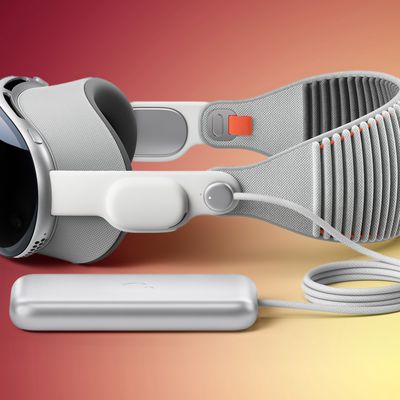
Related Roundup: Apple Vision Pro
Buyer's Guide: Vision Pro (Neutral)
Related Forum: Apple Vision Pro

Popular Stories

Apple Remnants Vision Pro

Apple Unveils Immersive Horror Film Coming Exclusively to Vision Pro

Tuesday October 13, 2026 5:26 am PDT by
Apple on Monday announced Remnants, an immersive horror film that will be released exclusively on the Vision Pro on Friday, October 16. The film will be in the Apple Immersive Video format, meaning it will be a 3D video recorded in 8K resolution with a 180-degree field of view and Spatial Audio. Apple shared a short video of people reacting to the film while wearing the Vision Pro....
apple vision pro orange

Apple Releases visionOS 27.2

Monday October 26, 2026 10:46 am PDT by
Apple today released visionOS 27.2, the first big update for the visionOS 27 operating system that runs on the Apple Vision Pro. visionOS 27.2 can be downloaded by opening the Settings app, selecting the General section, and choosing Software Update. Installing the update requires the headset to be removed, and a progress bar appears on the EyeSight display. The visionOS 27.2 update...

General visionOS watchOS and tvOS Betas Feature Redux

Apple Releases Third watchOS 27.2, tvOS 27.2 and visionOS 27.2 Betas

Monday October 5, 2026 11:20 am PDT by
Alongside new betas of iOS 27.2, iPadOS 27.2, and macOS Golden Gate 27.2, Apple has released the third betas of watchOS 27.2, tvOS 27.2, and visionOS 27.2. The betas come two weeks after Apple released the second betas. Registered developers can download the betas through the Settings app on each device. With iOS 27.2 and watchOS 27.2, Apple is testing the new Health app that it showed...

Top Rated Comments

15 months ago

Curious on where Apple is taking the Vision pro to, a M4/M5 won’t be a compelling reason for me to buy it again - the core use cases, or the lack of, hasn’t been fixed
What you can do with the device has been improving steadily but very slow. Most of the quirks and bugs have been ironed out and the device is useful for daily work.

Where it excels:

* Provides a distraction free huge workspace for your Mac. The virtual display is genuinely great for intensive work. What has not really gotten enough attention is that the environments are amazing in improving focus — removing all visual distractions from your field of view.
* Movies and TV — no other device or even going to a movie theater can offer anything similar.

There are many other use-cases, but I consider them "nice to have" additions.

What I would love to get is support for full Mac apps running in the device (including a fully capable web browser) instead of just "iPad" level apps that are mostly too limited and finicky for (my) real work. Secondly — I would love to use AVP for video conferencing, but the fact that Apple has chosen to limit screen (window) sharing to FaceTime makes it unusable (I need to be able to use Google Meet, Zoom, Teams, .. whatever the other parties are using) WITH ability to share windows (and browser tabs).

All that said — likely M4/M5 will not change anything. They might allow Apple to enable more demanding apps like desktop version of Safari, but I am not holding my breath.
Score: 3 Votes (Like | Disagree)
15 months ago

Curious on where Apple is taking the Vision pro to. A M4/M5 won’t be a compelling reason for me to buy it again - the core use cases, or the lack of, hasn’t been fixed.
While it would be nice to sell again to someone that owns one, my guess is that they’re going to be focusing on the over 7 billion folks that don’t currently have an Apple Vision Pro rather than the almost 2 million (maybe) that do. So, while an M5 with everything else the same may not be enough for someone that already owns one, that’d be plenty for the millions and millions of folks that don’t have one if that’s something they’re looking for.
Score: 2 Votes (Like | Disagree)
15 months ago
A lot of us have been using OS26 for weeks and weeks.
Score: 2 Votes (Like | Disagree)
15 months ago

While it would be nice to sell again to someone that owns one, my guess is that they’re going to be focusing on the over 7 billion folks that don’t currently have an Apple Vision Pro rather than the almost 2 million (maybe) that do. So, while an M5 with everything else the same may not be enough for someone that already owns one, that’d be plenty for the millions and millions of folks that don’t have one if that’s something they’re looking for.
I want to clarify by what I mean by buy again.
I was a huge Vision Pro advocate. I bought a Vision Pro on Day 1, then extensively tested it out. Then unfortunately decided to return it because the use case is too narrow for me.


By buying again it’s for me who’s already someone who really wanted a good AR device to even considering to give it a second shot.

Score: 1 Votes (Like | Disagree)
Latest Stories
Apple Watch Ultra 4 Hits All-Time Low Price With Amazon's $99 Discount
10 hours ago
Reminder: Apple's Big Discount on Beats 360 Ear Cushions Ends Today
10 hours ago
Here's a New Tour of Apple's HomeView Software
10 hours ago
Apple Reveals New iPad Mini's Battery Capacity
12 hours ago
Top Stories: Apple's Big MacBook Pro, iPad mini and iMac Updates
13 hours ago
'Pluribus' Season 2 Reportedly Starts Production Today
19 hours ago
iPhone 18 Pro Sales Surge in China, Offsetting Decline in U.S. and Japan
20 hours ago
HomeView Software 27.2: Wallpapers, Control Center, and More
1 day ago
Apple Alerts Stores to iPhone Duo's Display Cracking Issue
1 day ago
iOS 27.3 Will Enable These Apple Intelligence Features in China
1 day ago
Apple Says iOS 27.3 Beta Coming Next Week
1 day ago
Apple's Flash Storage Suppliers Are Finally 'Getting Their Revenge'
1 day ago
14 New Things Your iPhone Can Do in iOS 27.2
1 day ago
iPhone Duo Review: One Week Later
1 day ago
Samsung Mocks iPhone Duo Display Cracks in New Ad Campaign
1 day ago
The MacRumors Show: OLED MacBook Pro, iPad Mini 8, and More
1 day ago
MacBook Pro With Touch Display: 15 More Details Revealed
1 day ago
Russia Places Apple on State Surveillance Registry
1 day ago
Halloween Weekend Brings Discounts on Apple Accessories and Pre-Orders
2 days ago
Apple Has Released More Than 25 New Products in the Past Two Months
2 days ago
Local Code Launches as Free, Private AI Assistant Tool for Mac
2 days ago
Apple Acquires Ascend.io
2 days ago
HomePod Mini 2 Launches Today: All the New Features
2 days ago
AirTag 2 4-Pack Drops to New Low Price of $69.99
2 days ago
Rian Johnson's iPhone Camera App Goes Viral
2 days ago
Where Did All the iPhone Duos Go? Mostly to Apple's Stores
2 days ago
Apple's Touchscreen MacBook Pro Could Ship 1.5M Units in 2027
2 days ago
New Apple TV 4K and iPad Mini: RAM Amounts Revealed
2 days ago
Apple Executive Comments on New iPad Mini Lacking 120Hz Display
2 days ago
Here's a Hands-On Look at HomePod Mini 2's New Two-Tone Colors
2 days ago

🔗 Related Apple News & Rumors

Stay updated with the latest Apple ecosystem news and verified rumors








































