

Apple Releases watchOS 10.4 With Fix for Ghost Touch Bug - MacRumorsOpen MenuShow RoundupsShow Forums menuVisit ForumsOpen Sidebar
Skip to Content

Apple Releases watchOS 10.4 With Fix for Ghost Touch Bug

Apple today released watchOS 10.4, the fourth update to the watchOS 10 operating system that was released in September. watchOS 10.4 comes over a month after watchOS 10.3, a minor update that brought a new watch face.
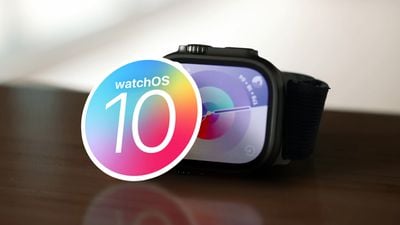
watchOS 10 Launch Feature
‌watchOS 10‌‌.4 can be downloaded for free through the Apple Watch app on an iPhone running iOS 17 or later by opening it up and going to General & Software Update. To install the new software, the Apple Watch needs to have at least 50 percent battery and it needs to be placed on a charger.

watchOS 10.4 adds support for new emoji characters that were also added to the iPhone, including lime, edible brown mushroom, phoenix, broken chain, shaking head vertically (as in a "yes" nod), and shaking head horizontally (a "no" head shake).

There is also a Setting to disable the Double Tap feature on Apple Watch when using Vision Pro, and an option to double tap to show an expanded notification. Apple also included a fix for a bug that could cause some users to experience "ghost touches" on the display, a problem that was affecting the Apple Watch Series 9 and Ultra 2.

Apple's release notes for the update are below:

watchOS 10.4 includes new features, improvements, and bug fixes, including:
- Tap to Show Full Notification setting now allows you to double tap to expand the notification
- Using Apple Pay with Confirm with AssistiveTouch will require a passcode for additional security and will not support double clicking the side button
- Resolves an issue that causes some users to experience false touches on the display
- Fixes an issue that prevents contacts from syncing to Apple Watch for some users

For information on the security content of Apple software updates, please visit this website: https://support.apple.com/kb/HT201222

More on the features that have been added in watchOS 10 to date can be found in our dedicated roundup.


Related Roundups: watchOS 26, watchOS 27
Related Forum: Apple Watch

Popular Stories

watchos 27

Apple Seeds watchOS 27 Beta 3 to Developers

Monday July 6, 2026 10:23 am PDT by
Apple today seeded the third beta of watchOS 27 to developers, with the update coming two weeks after the launch of the second beta. The beta can be downloaded through the Watch app on the iPhone with a free developer account. The Apple Watch will need to be on the charger, connected to Wi-Fi, and have a battery level of 50 percent or above for new software to be installed. The beta is...

General visionOS watchOS and tvOS Betas Feature Redux

Apple Releases Fourth watchOS 26.6, tvOS 26.6 and visionOS 26.6 Betas

Monday July 6, 2026 10:16 am PDT by
Apple today provided developers with the fourth betas of upcoming watchOS 26.6, tvOS 26.6, and visionOS 26.6 betas for testing purposes. The software comes a week after Apple seeded the third betas. The software updates are available through the Settings app on each device, and because these are developer betas, a free developer account is required. There's no word on what's in the...
watchos 27

Siri AI Comes to Apple Watch in watchOS 27 Beta 3

Monday July 6, 2026 1:24 pm PDT by
With watchOS 27 beta 3, Apple added support for Siri AI and the Siri app, so Apple Watch users can now use the features right from their wrist. Apple said Siri AI would be coming to the watch back when watchOS 27 was first introduced, but the feature wasn't live until now. The Dynamic App Grid that pops up when the Digital Crown is pressed displays the Siri app in the center, and the...

Top Rated Comments

31 months ago
Takes forever to prepare…
Score: 10 Votes (Like | Disagree)
31 months ago
I agree the watch is slow to update, but does anyone start the update while still wearing the watch to "save" time?

Step 1: Initiate the update while you're wearing it. This can be done from your phone or watch and it'll do the download and preparing stages. This can take about 15-20 minutes or more. The watch (and phone) is still fully functional while this is happening, so carry on about your day or do something else.

Step 2: When the above is completed, pop the watch on the charger to do the install. It'll automatically start right away if the battery is above 50%...no need to go back into settings to start the update again. This could be done later when you get home (even hours later), when you hop in the shower, or when you have some time to spare.

This is how I've always updated my watch and I'm only without my watch for 5-10 minutes while it's on the charger.
Score: 7 Votes (Like | Disagree)
31 months ago
I hope they added new Emoji too... thats critical. Emoji are important.
Score: 7 Votes (Like | Disagree)
31 months ago
Finally! They fixed the crown button opening the app list. Instead of taking you to the top of the list every time it returns you to the previous position like it was pre watchOS 10.
Score: 4 Votes (Like | Disagree)
sjsharksfan12 Avatar
31 months ago
This is so slow. It's been suck on preparing for the last 20 minutes. I really hate updating the watch. There has to be a better way.
Score: 4 Votes (Like | Disagree)
31 months ago

yep mine still in preparing.
seriously.. you can update all your apple devices at once to latest OS in less time than the watch. somethings not right in the world of watchOS updates
Score: 4 Votes (Like | Disagree)

🔗 Related Apple News & Rumors

Stay updated with the latest Apple ecosystem news and verified rumors










































